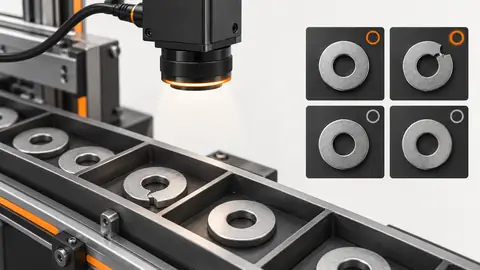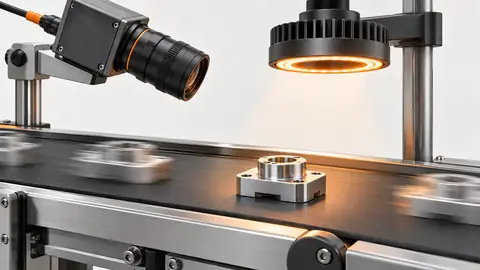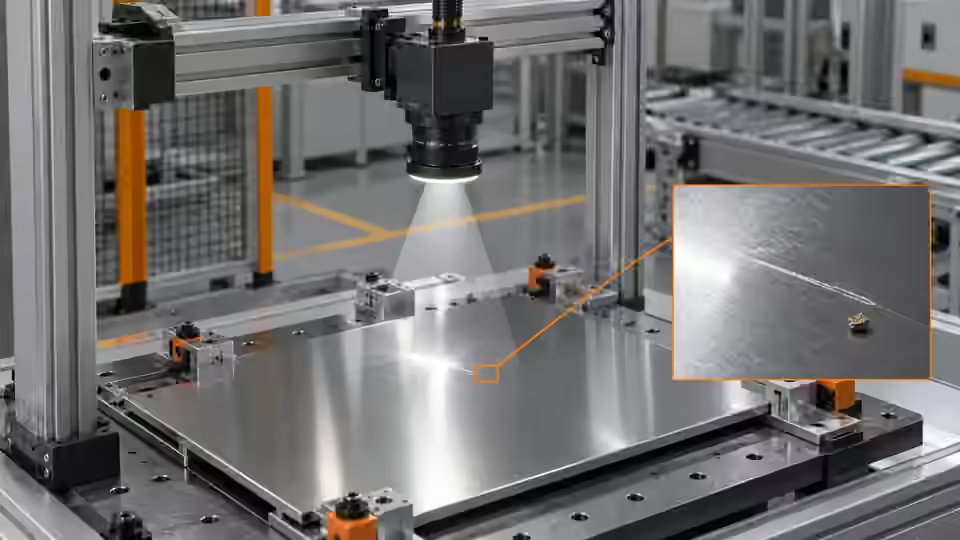
Purpose and operating boundary
Size the acquisition around the smallest visible surface feature, then prove that motion and changing part pose do not erase it before defect processing starts.
This tutorial defines an engineering evaluation, not a ready-to-run product certification. The current Deyi Vision public PC example covers an EAN-13 workflow on confirmed sample images. Native OCR and detection work in the engineering code must be checked against the installed runtime, bound models and job before use. A browser template does not prove browser execution: the planned OpenCV.js backend needs separate verification. Cloud recognition requires explicit approval of the image scope, provider, model and cost. A review archive is not an executable release package. Camera, firmware and driver compatibility require their own check. All worksheet values below are hypothetical; they are not Deyi Vision measurements or customer results.
Prepare the evidence
Collect a fine scratch, an acceptable textured part and a specular part. Record the scratch orientation independently of its image appearance. Use a fixture datum outside the defect zone so that focusing or locating cannot depend on the defect itself. Before reusing the capture configuration, check that the stored pixel format and active region still match the saved recipe. Record any binning, resizing or image conversion because the object scale calculated from source pixels no longer applies unchanged after those operations. Compare the archived frame with the frame passed into the first processing node. If they differ, retain both identities and explain the conversion. During a reconnect trial, distinguish a new exposure from a repeated buffered frame. Disable automatic pass-through while acquisition identity is uncertain, and retain the event that caused the mismatch rather than silently resetting the counter. A surface-defect station must distinguish a material defect from a change in viewing conditions. Scratches, dents, oil, texture and a reflection can produce similar intensity changes, yet require different dispositions. Prepare acceptable parts from the expected finish range and defect samples with recorded locations and orientations. Choose a datum that remains visible when the surface changes. A reference image is useful only after its pose and illumination are comparable with the current part. An image difference is not a physical depth measurement, and a detected region does not by itself identify a defect mechanism. Decide whether dirt is a reject, a cleaning request or an excluded condition before collecting answers. Store original views of ambiguous samples rather than inventing a clean reference or a corrected label. Begin with an acquisition record rather than a displayed preview. A preview may be resized, sharpened or reused after the input has stopped. Save the unmodified frame, image dimensions, pixel format, exposure, gain, lens setting, working distance, trigger identity and acquisition time. Include the smallest relevant feature and the largest allowed position variation in the same test. First capture a stationary sample to separate focus from motion blur; then repeat at the actual movement conditions without changing the optical geometry. Link every saved image to the physical sample or event. A missing or stale frame is an acquisition failure even when the last visible image looks good. Compare a Deyi Vision area-scan camera route for fixed or discrete parts with a line-scan route for continuously moving web material. For area scan, verify full-field coverage and shutter/trigger settings that preserve the defect at the allowed speed. For line scan, match field width, line rate, exposure and line illumination to transport speed; verify the actual camera's encoder/line-trigger compatibility. Capture a known target while varying speed, then inspect reconstructed dimensions, stretched features and seams or missing rows. Record the selected route and effective settings; neither route is accepted by its camera type alone.
Procedure
- Measure the full field at the object plane. Divide its width by the active image width; do not use the display width or a digitally zoomed preview for this calculation.
- At fixed lighting, focus on the fine scratch and inspect the source pixels at different field positions. Include the least favorable allowed height and tilt, not only the central surface.
- Capture the same part stationary and moving. Calculate the exposure bound from object-space motion, then shorten exposure without increasing gain until the scratch remains visible in the raw image.
- Inspect frame identity and clipping for every trigger. Save an image where a reflection hides the scratch as a failure; increasing detector sensitivity cannot recover a feature absent from the pixels.
Interpret the trial
In the hypothetical worksheet, the scratch spans only 3 px. This is a sampling observation, not a detection guarantee. The exposure calculation limits motion to 1 px; it does not include focus loss or rolling-shutter deformation. If the feature disappears at an allowed pose, revise the optics or lighting before choosing a defect threshold.
Recording worksheet
| Record | Value / observation | Interpretation |
|---|---|---|
| Field / image width | 80 mm / 1600 px | Object sampling: 0.05 mm/px |
| Scratch width | 0.15 mm | 3 px in this hypothetical geometry |
| Speed / exposure | 500 mm/s / 100 µs | Motion: 0.05 mm = 1 px |
s = 80 / 1600 = 0.05 mm/px
w = 0.15 / 0.05 = 3 px
blur = 500 * 0.0001 / 0.05 = 1 px
Two engineering views
Two engineering views · 1
The diagram shows the order of checks. Each arrow requires recorded evidence; it does not imply an implemented automatic connection. Smallest scratch → Object sampling → Exposure → Source frame.
- Smallest scratch
- Object sampling
- Exposure
- Source frame
Two engineering views · 2
The diagram shows the order of checks. Each arrow requires recorded evidence; it does not imply an implemented automatic connection. Stationary → Moving → Same light → Visibility.
- Stationary
- Moving
- Same light
- Visibility
Failure diagnosis
- A sharp datum with an invisible scratch indicates contrast loss, not necessarily bad focus. Change light direction while keeping focus fixed.
- A feature visible when stationary but smeared while moving points to exposure or timing. Inspect the actual frame, not a sharpened preview.
- Repeated image identities after new triggers indicate stale acquisition. Treat the event as missing evidence rather than assigning the previous part result.
Acceptance and handover
Accept acquisition only after the smallest defect remains observable across the agreed positions, heights and speeds. Record blur, clipping, missed triggers and stale frames separately. Hand over the actual image evidence and exposure settings to the lighting stage; this acceptance does not establish defect-classification accuracy.
Keep the source images, the expected decision, the exact revision and the complete result record together. Freeze the evaluation set before selecting the final parameters. If those answers are later used to tune the workflow, mark that set as development data and obtain a new independent acceptance set. Keep Review, NoResult, execution error and missing acquisition visible in the denominator; do not turn them into passes by filtering rows. Save a reproducible failure alongside the successful sample. The handover should identify who may change the recipe, how a prior approved revision is restored and which device output remains inhibited until acceptance. A software result alone does not establish that a moving physical part reached the correct destination.
Sources and technical references
These references explain the methods and limits used in this tutorial. Example checks are guidance; production acceptance requires evidence from your own samples.
- Deyi Vision machine vision software: evaluation scopeDeyi Vision
Public EAN-13 PC evaluation scope and separate hardware/production acceptance.
Checked - Calculate exposure limits from conveyor speedDeyi Vision
Object-plane sampling, speed/exposure motion-blur arithmetic and independent acquisition verification; examples here are newly hypothetical.
Checked - Exposure TimeBasler
Exposure time is measured in microseconds and available/effective values depend on the actual sensor, mode and model; no cross-vendor feature claim.
Checked - Line Scan Camera vs Area Scan CameraDeyi Vision
First-party area-versus-line route selection and continuous-material imaging.
Checked - Line Scan Camera with EncoderDeyi Vision
First-party motion/encoder synchronization planning, row timing and stretched/compressed reconstructed geometry.
Checked - Line Scan GigE Use CasesBasler
Constant-speed line acquisition and distance-linked encoder triggering for variable-speed material; model-specific examples do not establish Deyi camera support.
Checked
Component and selection references
- Industrial 2D Cameras
- Reflective Metal Scratch Inspection Lighting Route
- Automated Visual Inspection
- Line Scan Camera vs Area Scan Camera
- Line Scan Camera with Encoder Setup
- Machine Vision Lighting
- How to Choose Machine Vision Lighting
- Machine Vision Lighting Types
- Machine Vision Lighting Basics
- Backlight vs Coaxial Lighting
- Automotive Metal Surface Defect Inspection
- Metal and Surface Inspection
- OPT Lighting Alternative
- Choose lighting and ROI for visible assembly checks
- EAN-13 traceability: lighting and quiet zones
- Lighting and ROI for a visible liquid boundary
- Calibrate flat-field shading without hiding bad data
- Compare red, blue and white illumination by defect contrast
- OCR labels: light and field geometry
- Choose lighting and ROI for open-package contents
- Run a polarization A/B test for glare
- Seal and bead appearance: lighting and ROI
- SKU color sorting: light and object mask
- Verify the optical strobe inside the exposure window
- Surface defects: acceptance and line output
- Surface defects: bounded AI evaluation
- Surface defects: light and ROI validation
- Surface defects: false-alarm diagnosis