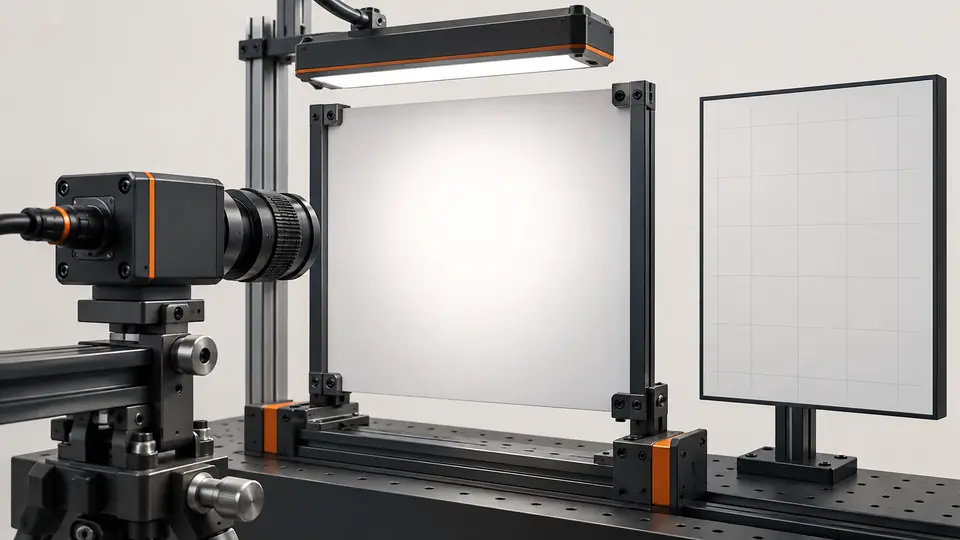
What the test resolves
Remove stable shading only after fixing illumination and optics. A correction map cannot restore saturated pixels or changing shadows.
This is a vendor-neutral commissioning method. Check the exact camera, lens, sensor or controller manual before changing settings. The numerical worksheet is hypothetical, not a Deyi Vision measurement or a product specification.
First determine whether the unwanted pattern is fixed relative to the sensor. Move or rotate the reference without changing the imaging assembly and compare where the pattern appears. A mark that follows the target belongs to the reference; a changing shadow needs an illumination or geometry investigation. A correction map is intended for a repeatable response, not for making every surface look uniform.
Operating prerequisites
Use linear raw data and an unsaturated uniform target filling the field. Camera correction implementations vary; verify the model before using any on-device calibration.
Choose whether the correction belongs in software, the camera or a frame grabber, and record that choice. The worksheet is an illustrative software calculation, not a coefficient file for a vendor device. For hardware calibration use the supported model-specific procedure. Do not enable overlapping correction stages unknowingly: subtracting an offset again after it has already been removed changes the data being inspected.
Bench and records
Prepare a lens cap or dark condition, diffuse reference, raw capture and map versioning. Warm the system and lock exposure, gain, aperture, ROI and lighting.
Identify the reference surface and inspect it for texture, scratches and dirt before recording calibration frames. Keep lens shading and source illumination in the same arrangement used for inspection. Record temperature state and acquisition processing. A preview with automatic display normalization can hide gradients, so inspect raw line profiles and clipped pixels before deciding that the reference is suitable.
Run the test
- Average 32 dark frames and 32 uniform bright frames at production settings.
- Inspect the reference for dirt, gradients and clipping before generating a map.
- Apply offset/gain correction only to valid denominators; retain a bad-pixel mask and raw data.
- Test a separate uniform target and actual defects; repeat after lens or illumination changes.
Review the individual dark and bright frames before averaging them. Movement, intermittent illumination or an unstable background cannot be repaired by simply pooling the captures. Keep rejected frames and their reasons separate from the accepted calibration set. Ensure the dark capture actually blocks light and that the bright reference remains within the sensor's valid range throughout the field.
Hypothetical worksheet
In this hypothetical software worksheet dark is 10 DN, flat is 130 DN, raw is 100 DN and reference level is 160 DN; corrected output is 120 DN. Near-zero denominators must be invalidated, not amplified without limit.
corrected = (raw - dark) * reference_level / (flat - dark)
Example: (100 - 10) * 160 / (130 - 10) = 120
Do not divide where flat - dark is near zero; flag invalid pixels.| Quantity | Hypothetical value | Meaning |
|---|---|---|
| Dark offset | 10 DN | Measured under blocked light |
| Flat minus dark | 120 DN | Valid response denominator |
| Corrected example | 120 DN | Hypothetical raw 100 DN |
The denominator must represent usable response above the dark level. Where that response is inadequate, mark the pixel invalid rather than inventing a large compensating factor. Track the invalid mask through subsequent inspection so a masked region does not silently become a passing result. Compare raw and corrected values without display rescaling, and confirm which stage performs offset subtraction.
Test sequence
Test sequence
Acquire dark and bright references, validate them and create a versioned correction map.
- Dark frames
- Flat frames
- Map
- Validation
Read the process diagram as a versioned data path. Link the dark reference, bright reference, map and mask to the same configuration record. Store the uncorrected acquisition alongside the result so correction can be reproduced or removed. A renamed file is not sufficient version control if the lens, exposure or source configuration associated with that file is unknown.
Interpret the evidence
Interpret the evidence
Compare raw shading with corrected output and retain invalid regions rather than filling them as real measurements.
- Raw shading
- Corrected
- Noise
- Invalid mask
Evaluate the map on a separate reference capture rather than the frames used to generate it. Inspect residual patterns in the center and corners, but also inspect noise in areas receiving strong gain correction. Run representative good and defective parts through both raw and corrected processing. A flatter background is useful only if the required defect remains distinguishable and the inspection decision is reliable.
Troubleshooting
- If target texture appears in corrected images, the reference was not uniform.
- Noise rising strongly in dark corners suggests excessive gain correction; improve light rather than extending the map beyond its valid range.
If a repeated reference changes with warm-up, compare the recorded operating state before regenerating coefficients. If defects disappear under the correction, inspect whether the calibration target contained similar texture. If a map helps one setup but harms another, check configuration selection and registration. Do not keep an old map merely because the corrected display looks smoother than the raw image.
Acceptance and handoff
Require residual uniformity and defect tests to meet predefined limits on independent images. Store map, mask, settings and calibration date; reject a map after any relevant configuration change.
Archive the raw files, settings, sample identifiers and decision limits together. Discuss the documented requirements with Deyi Vision using the related product and preparation guides below.
Release a map only with an explicit validity envelope: the saved optical arrangement, acquisition settings and operating conditions tested. Confirm that restarting the application loads the intended map and mask and that missing calibration produces an identifiable condition. Define recalibration triggers for relevant setup changes. The handoff must include independent validation images and raw failure evidence, not just the calibration file and its best preview.
Sources and technical references
These references explain the methods and limits used in this tutorial. Example checks are guidance; production acceptance requires evidence from your own samples.
- Flat-Field CorrectionBasler
Correction is calibrated at operating conditions; model-specific methods differ and static changes require recalibration.
Checked - Flat-Field Correction for Interface CardsBasler
Offset subtraction and gain compensation correct nonuniform response; hardware implementations differ.
Checked
Component and selection references
- Machine Vision Lighting Types
- Machine Vision Lens Selection Guide
- Machine Vision Lighting
- How to Choose Machine Vision Lighting
- Machine Vision Lighting Basics
- Reflective Metal Scratch Inspection Lighting Route
- Backlight vs Coaxial Lighting
- Automotive Metal Surface Defect Inspection
- Metal and Surface Inspection
- OPT Lighting Alternative
- Lighting and ROI for a visible liquid boundary
- Compare red, blue and white illumination by defect contrast
- OCR labels: light and field geometry
- Choose lighting and ROI for open-package contents
- Run a polarization A/B test for glare
- Seal and bead appearance: lighting and ROI
- SKU color sorting: light and object mask
- Verify the optical strobe inside the exposure window
- Surface defects: acceptance and line output
- Surface defects: bounded AI evaluation
- Surface defects: camera sampling and motion
- Surface defects: light and ROI validation
- Surface defects: false-alarm diagnosis