
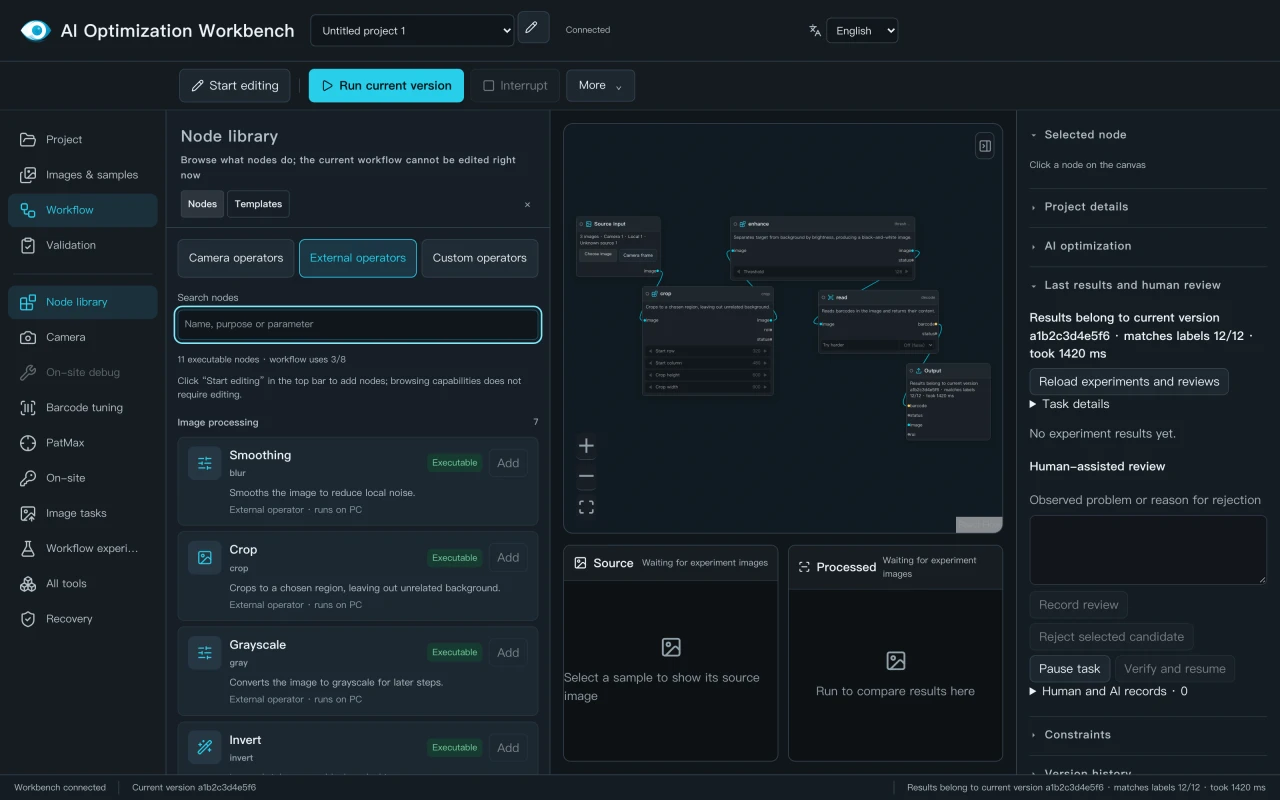
Review parameters
Inspect supported settings and their ranges. Keep the sample and target visible while choosing the next change.
DeYiVision Vision Workbench
DeYiVision Vision Workbench is Deyi Vision's engineering software for reviewing supported visual workflows, parameters and sample results. The screenshot shows the Windows workbench, labelled “AI Optimization Workbench” in the software. A separate online Browser Vision Lab lets you try image processing on your own images.
Engineering evaluation · Windows workbench · Device-specific review
Three ways to work
Inspect supported settings and their ranges. Keep the sample and target visible while choosing the next change.
Connect supported processing nodes, edit values and run a saved revision. Compare results without losing the version that produced them.
Let an AI client inspect tools, propose a candidate and review experiment evidence. Keep engineering review in the loop.
Workbench scope at a glance
DeYiVision Vision Workbench is Deyi Vision's engineering workbench. The interface shown above is labelled “AI Optimization Workbench”. The current executable PC example is an EAN-13 barcode workflow using saved images. A separate online Browser Vision Lab is available for trying image processing in the browser. Setup, camera, workflow and security guides are in the documentation.
Inspect supported nodes, parameters, saved workflow revisions and results. The 23 September engineering check records two NoRead runs and the limits of that test.
Open the Browser Vision Lab to try image processing on your own images. It asks for your contact details first, runs in the browser rather than in the Windows workbench, and does not connect to a camera or tuning service.
Camera model, firmware, SDK, new-frame timing, other algorithms and production acceptance need a device-specific engineering review.
A repeatable process
MCP (Model Context Protocol) connects an AI client to the workbench’s supported tools. Inspect a workflow, propose a candidate and review its experiment results before choosing a revision.
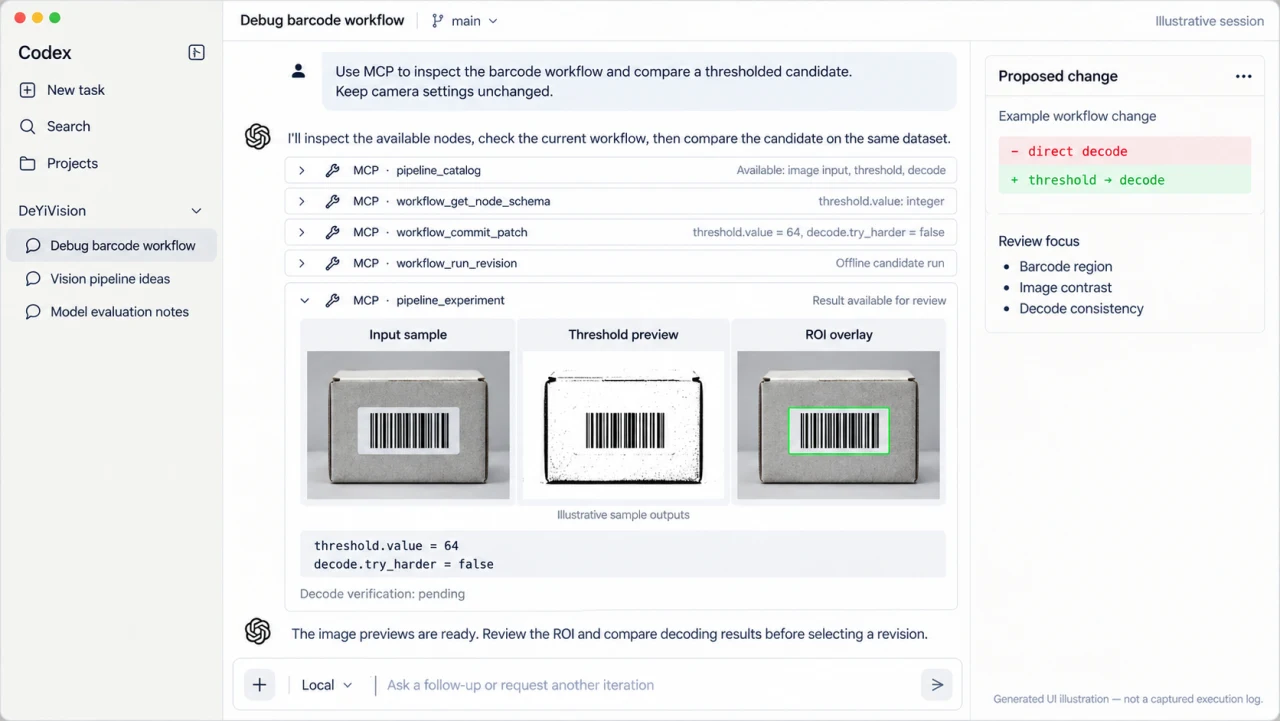
An offline run uses saved images. It does not change camera exposure or prove how a new frame will perform on your line.
Engineering interface
The engineering workbench keeps the workflow and its result together. Check which revision ran, whether the decoded content matches the expected answer and what remains unverified.
This captured engineering interface shows a small development test. It is not a production read-rate claim or an independent acceptance test.
Open the original interface capture →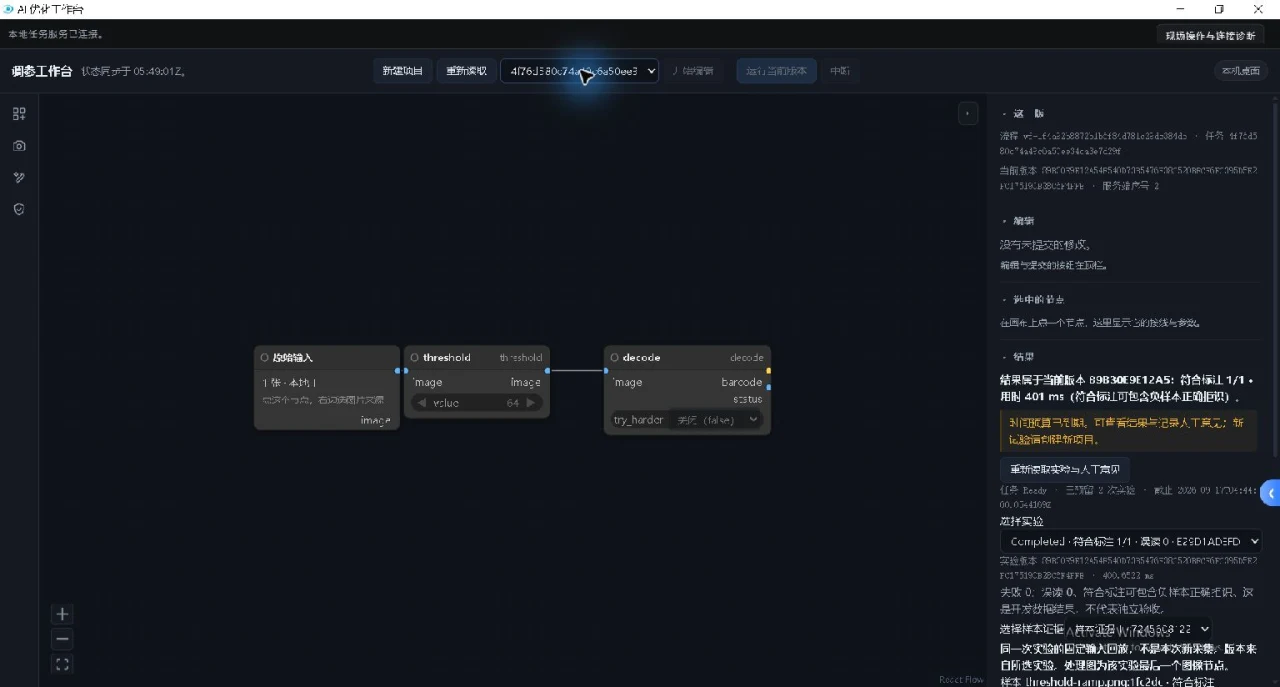
Industrial vision in practice
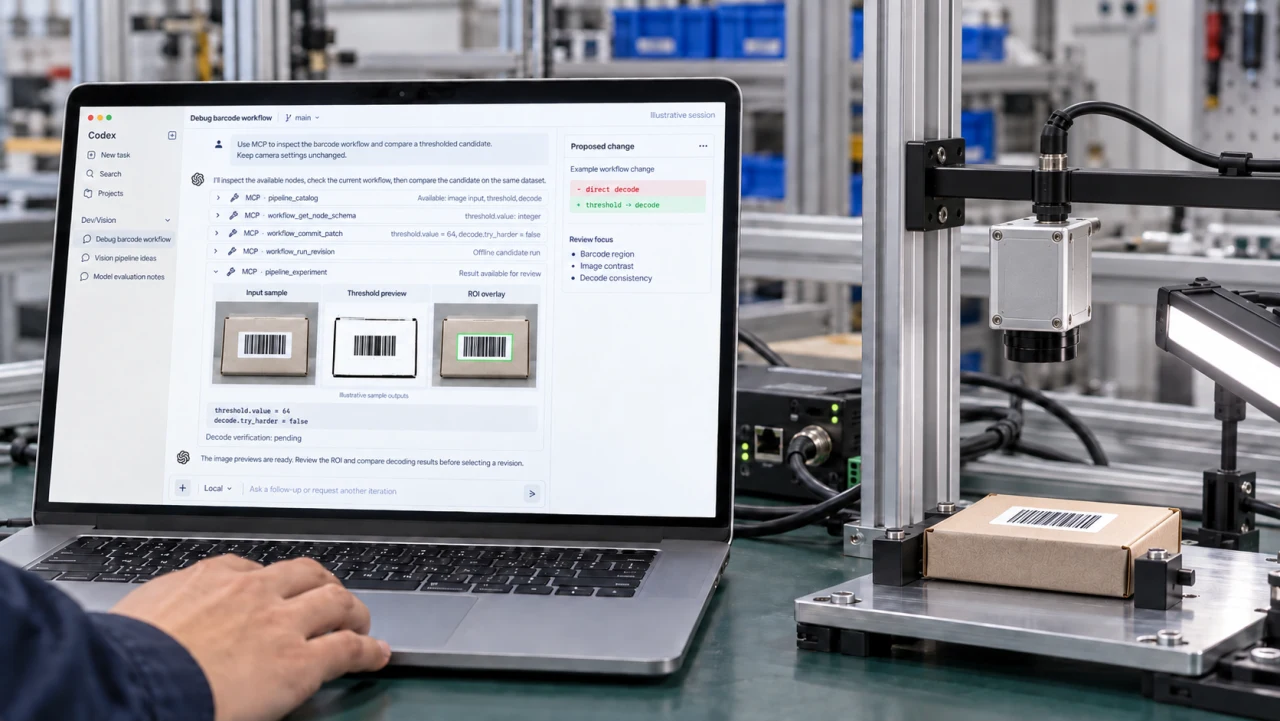
A short sequence of imaging stations, part handling and inspection views. Use it to discuss your setup; workbench compatibility is reviewed separately below.
Software selection evidence
Start with the job and a labelled sample set. A successful run on one saved image is a development check, not a production acceptance result. The review separates what the current workbench can demonstrate from what must be tested on the buyer’s line.
Good and bad images, the expected barcode or decision, camera and lens models, line speed, trigger method, and the current failure case.
Record the workflow revision, node settings, input sample, decoded output or decision, elapsed run time and any mismatch. Repeat on the same labelled set after each change.
Confirm the actual camera and SDK support, illumination, motion, false rejects, missed defects and PLC timing. Agree on sample size and acceptance limits before an operational claim.
Current executable PC example: EAN-13 barcode workflow. Other algorithms, camera-side tuning and production integration need a device-specific engineering review. Check the supported scope ↓
Before your project starts
The current PC evaluation example is an EAN-13 barcode workflow using confirmed sample images. The scope below separates an offline software run from a supported camera integration.
OCR, DataMatrix and surface-defect templates that require unbound nodes are not included as ready-to-run PC workflows. A listed template is not proof of executable support.
Practical FAQ
It is Deyi Vision engineering software for reviewing supported visual workflows, saved-image parameter trials and experiment results. Inside the software the interface is labelled AI Optimization Workbench; that is the same workbench, not a separate product.
It is a separate browser-based lab for trying image processing on your own images after you leave contact details. It runs in your browser rather than in the Windows workbench and does not connect to a camera or tuning service. It does not prove production read rate, device compatibility or line stability.
Send the camera model, firmware and the job you want to improve. Compatibility and camera-side changes require a review of the specific device, SDK and job; support is not assumed from the brand or connection type alone.
Yes. Confirmed sample images can be used to evaluate supported PC processing workflows. An offline result does not verify image acquisition, production timing or performance on new camera frames.
Reading a workflow, running an offline experiment and writing camera settings are separate operations. Camera-side tuning requires the supported device workflow and its verification steps. A saved workflow revision does not mean a camera configuration has been deployed.
The workbench uses node-based editing and supports a subset of ComfyUI-style backend interfaces. This does not mean every ComfyUI node or its complete browser interface is supported.
Describe the result you need and what is going wrong. Add sample images and your camera model if available. You can start without knowing the model; engineering will identify the missing information before proposing a test.
Start with your inspection problem
Tell us what should happen and what is going wrong. We will review the supported scope, missing information and a possible next test step.