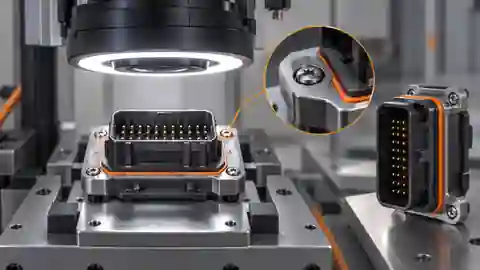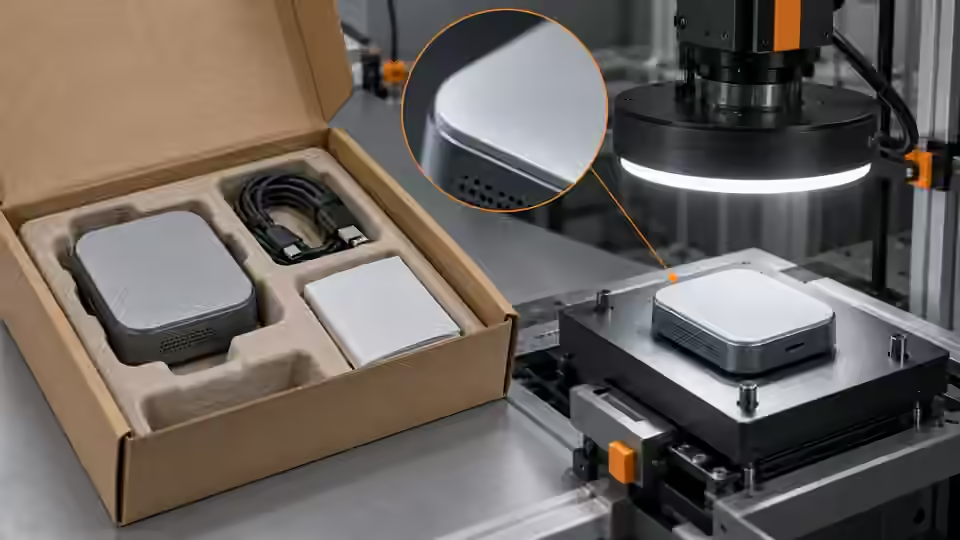
Define the visible item contrast contract
Define the contrast evidence for each declared visible item and for its valid empty observation zone. A white insert on a white tray, a glossy seal near a reflective wrapper and a dark cap inside a deep cavity are different observation problems. State the boundary or surface feature that supports presence, and distinguish it from the cavity rim or background print. An expected zone name is a bookkeeping label, not proof that any bright region there belongs to the intended kit item. Include an absent control and a covered control so darkness, reflection and hidden contents cannot quietly become reliable inventory evidence.
Compare illumination on matched packages
Compare candidate diffuse, directional or appropriate silhouette illumination on the same identified packages with unchanged camera geometry and exposure. A backlit approach only makes sense when the permitted presentation actually exposes a usable transmitted boundary; an opaque carton does not become transparent. Change the selected lighting variable alone and retain all original comparisons, including unsuccessful options. Evaluate correctly packed, omitted-item and extra-item references together. A light that cleans the normal preview but makes an empty tray recess resemble the item has not solved completeness. Record the observation that supports the candidate and the case that would disprove it.
Challenge wrapping reflections and deep shadows
Challenge transparent wrapping, folded paper and reflective surfaces across the permitted presentation range. Inspect whether a highlight hides a required object boundary or creates an occupied-looking region in an empty cavity. Compare the same package with the declared wrapper or flap variation while preserving its reference contents. Do not remove normal packaging material merely to produce an easier development image unless that altered presentation is part of the agreed station process. Exposure saturation and deep shadows remain evidence limits even when the mask looks smooth. If material hides the object, preserve unobservability rather than asking a threshold to infer presence through it.
Observe separate visible item zones
Required object contours remain fully inside separate zones, while flaps and covered areas retain their observation limits.
- Original package coordinate basis
- Visible item zone A with margin
- Visible item zone B with margin
- Covered or reflective evidence boundary
Declare separate item observation zones
Declare observation zones in the original image coordinate basis and retain any crop or alignment transform. Each legitimate visible item contour must fit completely inside its assigned zone with margin over allowed poses. Keep zones nonoverlapping so the same foreground cannot satisfy different kit quantities. The reviewed fixed-region route uses configured labels and component geometry, not learned recognition of arbitrary contents. Verify its installed input and visibility contract before relying on it. If packages vary freely in layout, constrain presentation or use a validated alignment or recognition method instead of treating a broad zone as proof that the intended SKU is present.
optical_record = {
    'package_id': package_id,
    'kit_revision': kit_revision,
    'illumination_revision': illumination_revision,
    'original_zone_coordinates': original_zone_coordinates,
    'foreground_polarity': foreground_polarity,
    'mask_revision': mask_revision,
    'visibility_state': visibility_state,
}
# Proposed workbook fields. A configured zone name is not proof of the item's learned identity.
Validate foreground with presence and absence
Inspect actual foreground masks beside the original source frame for both present and absent references. Confirm polarity and retain the processing revision. A wrapper seam or tray edge may become a valid-looking connected region even when the intended item is absent. Opening can remove a small legitimate seal and closing can merge neighboring visible objects; evaluate any morphology change on the same references before retaining it. Keep clipped, touching and oversized regions explicitly ambiguous under the selected contract. A less fragmented mask does not establish correct quantity if it has erased an omission or merged distinct objects into an apparently convenient component.
Test the allowed material range
Test allowed tray color, carton print, object finish, wrapper condition and presentation pose with frozen references and settings. Compare each identified package before and after the selected change, then separate material groups that were not used for initial tuning. Inspect the complete image so an adjacent item cannot enter a stale local zone unnoticed. If a crop is revised, update and verify the coordinate relationship rather than retaining previous masks or counts. Keep the agreed visibility policy unchanged across groups. A package variant that cannot be observed must remain an explicit limit or review case, not disappear from the planned sample denominator.
Keep the optical workbook
Link package and kit identities, reference contents, lighting arrangement, actual exposure, original zones, polarity, mask revision, visibility state and failure signature in the workbook. Add the matched comparison and the explanation it supports or refutes. Preserve the raw images and failed masks beside the selected option. The table distinguishes optical ambiguity from a later BOM decision and offers no universal intensity threshold or morphology kernel. A receiving engineer should be able to reconstruct why a region was considered visible item evidence and which wrapper, tray or presentation variants remain outside the demonstrated observation contract.
| Risk | Matched control | Evidence retained |
|---|---|---|
| Empty cavity resembles an item | Present and absent contents with same light | Original boundaries and polarity |
| Wrapper creates occupied-looking reflection | Same package with declared wrapper variation | Raw highlight and visibility state |
| Different zones share foreground | Full-image overlay over permitted poses | Separate original coordinates and margins |
| Morphology merges or removes objects | Same mask before and after operation | Revision and reference-content effects |
Freeze only the demonstrated visible inventory
Freeze illumination, camera geometry, item zones and foreground preparation only after the agreed groups preserve the visible evidence for required and extra items. Carry unresolved clipping, contact or cover conditions into the workflow explicitly, rather than modifying references to create apparent completeness. Use independent packages for acceptance of the selected chain. Fixed-zone source examples do not prove learned kit recognition, closed-box contents or readiness of the current station package. Deyi Vision can support comparisons of supported image workflows, but this procedure proposes an optical development test and does not report a completed production inspection or a guaranteed inventory accuracy.
Paired optical evidence before BOM tuning
Compare lighting and masks on matched reference contents while preserving absence and ambiguity.
- Freeze package reference and camera
- Change the declared illumination variable
- Inspect masks with present and absent controls
- Freeze evidence or retain visibility gaps
Sources and technical references
These references explain the methods and limits used in this tutorial. Example checks are guidance; production acceptance requires evidence from your own samples.
- Image ThresholdingOpenCV
Foreground polarity and threshold selection must be validated with original images and explicit controls.
Checked - Morphological TransformationsOpenCV
Morphology can alter component geometry and therefore cannot be accepted from a cleaner preview alone.
Checked - Deyi Vision Vision WorkbenchDeyi Vision
Supported saved-image workflow comparisons need preserved input evidence and actual configuration.
Checked
Component and selection references
- machine vision software
- Machine Vision Acceptance Test Checklist
- Automated Visual Inspection
- Machine Vision Lighting
- How to Choose Machine Vision Lighting
- Machine Vision Lighting Types
- Machine Vision Lighting Basics
- Reflective Metal Scratch Inspection Lighting Route
- Backlight vs Coaxial Lighting
- Automotive Metal Surface Defect Inspection
- Metal and Surface Inspection
- OPT Lighting Alternative
- Lighting and ROI for a visible liquid boundary
- Calibrate flat-field shading without hiding bad data
- Compare red, blue and white illumination by defect contrast
- OCR labels: light and field geometry
- Run a polarization A/B test for glare
- Seal and bead appearance: lighting and ROI
- SKU color sorting: light and object mask
- Verify the optical strobe inside the exposure window
- Surface defects: acceptance and line output
- Surface defects: bounded AI evaluation
- Surface defects: camera sampling and motion
- Surface defects: light and ROI validation
- Surface defects: false-alarm diagnosis