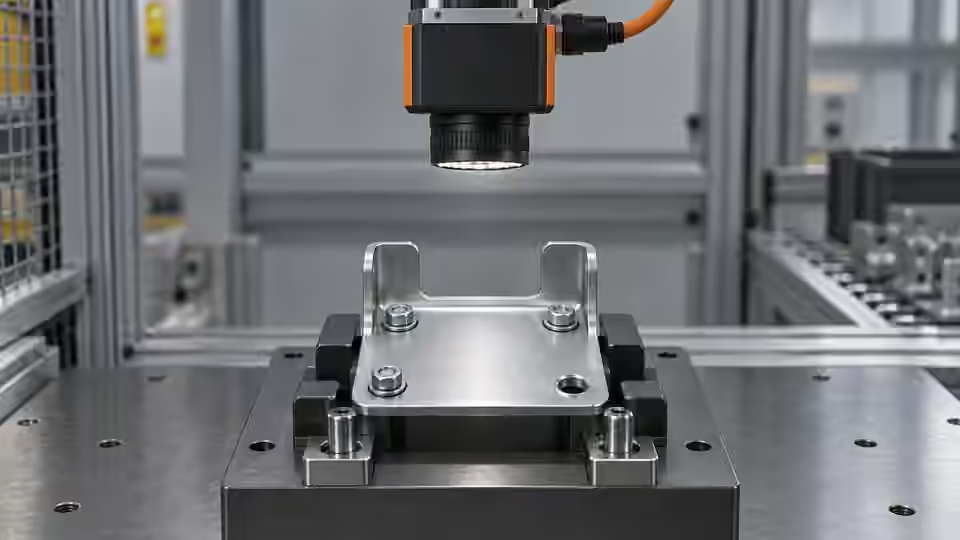
Inspection task
A missing connector pin and a pin hidden by the fixture must not produce the same conclusion. This setup exercise makes the assigned feature observable before building a presence rule. Use an indexed part and declare the allowable loading envelope. The objective is a repeatable source image, not a favorable pass indicator on one carefully positioned assembly.
Prerequisites and sample controls
Define presence as a visible feature at a specified location, not merely any dark object in the frame. Prepare a correctly assembled sample, an intentionally missing feature and an obscured feature with recorded human answers. Keep fixture details and permitted part variation in the dataset. The fixed-station baseline distinguishes separated components by image contrast; it is not a general semantic recognizer and must not infer a hidden component.
Choose the camera route
A monochrome area-scan camera is a practical starting point for a fixed, contrasting feature. Use a global-shutter route when motion remains during exposure; a compact smart-camera route needs verified processing and I/O support. A color camera is justified when color is part of the decision. If depth or occlusion determines presence, a flat image alone cannot settle the question.
Run the controlled procedure
Before connecting a live camera, work with saved original images and a fixture drawing. Record the sensor dimensions, pixel format, lens, working distance and acquisition backend. An imported image proves that an algorithm can inspect that file; it does not prove that the camera is supported, that a trigger is reliable or that a live station has passed acceptance. Confirm the device route with the installed runtime before issuing acquisition commands.
- Mark the required feature and fixture datum on the drawing.
- Capture present, missing and obscured controls without changing exposure.
- Move the part to each allowed loading extreme and inspect the feature.
- Trigger successive parts and compare frame identities with the capture log.
Process map
The fixture and view define which physical feature lands in the original pixels. A new image identity connects each capture to the current part.
- Original frame
- Fixture
- Native pixels
- New frame
Record the evidence
Record focus at the target, clipping, frame identity and loading position for each control. Use P, A and O as control identifiers rather than pretending the table contains measured performance. Record an actual still image and a short loading sequence when preparing evidence; this tutorial does not supply a real workstation video.
Run a loading-envelope experiment before optimizing the algorithm. Place the present control at the center, then at the mechanical limits allowed by the fixture drawing. Keep the camera untouched and record each physical position on a separate image. For every position, identify the actual required pin in the original image and check that its complete distinguishing shape remains visible. Repeat the positions with the intentionally missing control. The background or neighboring hardware must not become a substitute for the absent feature. Finally, introduce the obscuring control without changing the part identity. This checks whether the camera can distinguish absence from lack of visibility. If any position makes the region unobservable, reduce the declared loading envelope or change the fixture/view; do not silently omit that position from the evidence.
| Control | Required observation | Decision boundary |
|---|---|---|
| P: feature present | Visible feature in its assigned region | Presence requires valid evidence |
| A: feature missing | Region visible; intended feature absent | Absence is a valid failure |
| O: feature obscured | Feature cannot be observed | Review; never infer presence |
Diagnose failed cases
If the missing-feature image still contains a dark fixture edge, the camera view has created a competing target. Shift the view or define the feature location before altering thresholds. If only the obscured sample fails, report an observability problem. Increasing gain cannot reveal a pin hidden behind another object.
Failure isolation
Separate a genuinely missing feature from a feature blocked by the fixture. Only the visible region supports an absence conclusion.
- Present
- Missing
- Obscured
- Capture fault
Validate independently
Keep gain, exposure and automatic image adjustments fixed during comparisons. Capture after mechanical settling, then repeat at the allowed loading extremes. Check the original image at native size rather than judging a scaled browser preview. Verify that a new trigger produces a new frame identity and that missing frames become explicit failures. A stale but sharp picture is unsuitable evidence for the current part.
Accept the capture setup only when the assigned feature remains inside the image and in focus throughout the permitted loading envelope. Verify a fresh image for every requested event. Keep image-acquisition failures separate from the physical missing-feature decision.
Review the capture sequence as a sequence of physical events. Pair each frame with the loading action that created it, including any unsuccessful request. Move the present control out of view between successive captures so a stale frame can be detected rather than hidden by identical-looking parts. Restore the control and verify that the next requested frame contains the restored state. Record a missing frame as an acquisition event with no valid inspection decision, even when the previous image showed a good assembly. An independent reviewer should be able to follow the event log and point to the original image supporting each claimed presence or absence. Freeze the mount and camera settings only after this mapping is clear; retain the bad positions as explicit limits in the setup record.
Continue the engineering handoff
For an engineering handoff, supply original frames, fixture positions, camera/interface details and the capture log. Deyi Vision can review the imaging route from this evidence. Browser-local OpenCV.js execution remains a development requirement in the current capability record; do not assume that displaying a workflow makes its nodes executable in the browser.
Save the original image and the resulting record together.
Sources and technical references
These references explain the methods and limits used in this tutorial. Example checks are guidance; production acceptance requires evidence from your own samples.
- Inspection resolution planningDeyi Vision
Field of view and object-side sampling must be checked with optics, exposure and contrast.
Checked - Structural analysis and shape descriptorsOpenCV
Connected component areas and centroids describe image regions, not hidden physical part counts.
Checked
Component and selection references
- Vision Inspection System
- Industrial 2D Cameras
- How to Calculate Camera Resolution for Inspection
- PCB Connector Pin Presence Inspection
- What Is Machine Vision?
- Machine Vision Systems
- Machine Vision System Components
- How Does a Machine Vision System Work?
- Industrial Barcode Readers
- Component counting: camera setup for separation
- Component counting: lighting and ROI boundaries
- Component counting: merged and split part diagnosis
- Part positioning: acceptance and motion handoff
- Part positioning: an AI-assisted pixel workflow
- Part positioning: camera and coordinate setup
- Part positioning: lighting and ROI stability
- Part positioning: locate the cause of pick offset
- Presence inspection: acceptance and line integration
- Presence inspection: build an AI-assisted workflow
- Presence inspection: lighting and ROI control
- Presence inspection: isolate false-pass causes