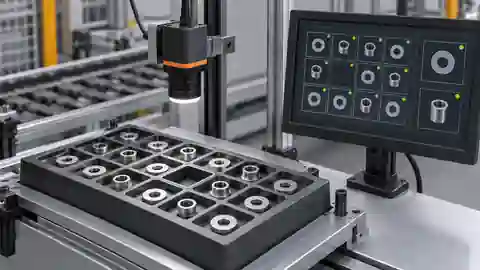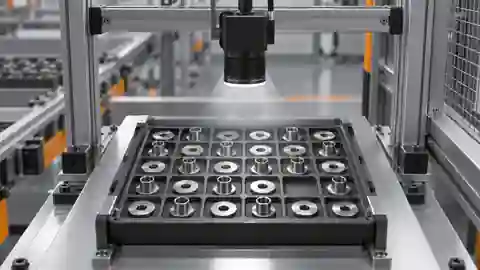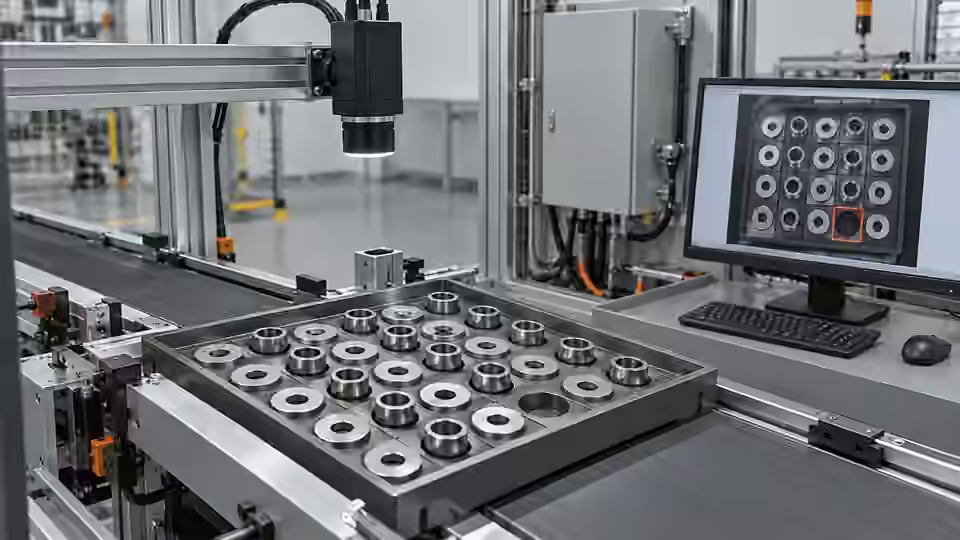
Inspection task
Agree whether an ambiguous count holds the tray or requests re-presentation. Validate exact physical quantity, not merely agreement with the development mask. Include correctly filled, short-filled, extra-part, touching and border-crossing trays. These categories have different consequences and must remain separate in the acceptance record.
Prerequisites and sample controls
State the expected number and what constitutes one physical component. Prepare correctly filled, short-filled and touching-part samples, with independently counted answers. The baseline counts separated connected regions, not hidden objects. A connected region can contain several touching parts, while a single shiny part can break into several regions. Keep these limitations in the sample definition before choosing a counting threshold.
Choose the camera route
Use an area-scan camera when the full tray fits in one triggered frame. Choose monochrome for silhouette contrast and color only for an actual color requirement. Motion during feeding calls for verified global-shutter timing or a settled capture position. A line-scan route needs motion reconstruction; it is not an automatic improvement for a stationary tray.
Run the controlled procedure
Agree the decision rules, permitted variation and required line response before starting acceptance. Freeze the workflow, dataset, runtime, materials and thresholds together. Keep the acceptance answer set independent of tuning; if its answers have already influenced changes, disclose that reuse and obtain a new independent set. Human review must remain separate from model predictions and automatic workflow editing.
- Seal independent tray counts before execution.
- Run each fill condition across allowed tray positions.
- Inject no image, duplicate result and delayed result.
- Confirm the PLC or operator receives the current tray decision.
Process map
Independent physical answers establish count validity; request identity binds the result to the tray and line response.
- Frozen candidate
- Independent test
- Line response
- Local approval
Record the evidence
Report exact matches, absolute count errors and review events with the total tested trays. Repeated frames of one tray are not new physical specimens. Document both specimen count and event count.
Define the acceptance population by physical tray state. Keep correctly filled, short-filled and extra-part specimens separate, and document whether touching or overlap is permitted in normal production. If it is permitted, the acceptance plan must cover it with a verified route rather than excluding it after results are seen. Each event row should identify the tray, physical quantity, image validity, reported count, review state and actual line action. Separate exact-count correctness from correct shortage detection: a count can be wrong while still causing a reject, and that does not establish counting accuracy. Preserve the independent answer source and any later correction. State how repeated presentations are related to the original specimen so the report does not imply more independent tray samples than were actually tested.
| Control | Required observation | Decision boundary |
|---|---|---|
| N3: 3 separated parts | 3 eligible regions expected in this example | Compare with independent physical count |
| N2: 2 separated parts | 2 eligible regions expected in this example | Short fill; do not change the expected 3 |
| T3: 3 touching parts | Region count may differ from 3 | Review; connected regions are not physical objects |
Diagnose failed cases
A late count can release the next tray; an overlap treated as a valid low count can falsely declare shortage. Keep observability status attached to quantity. Do not send a numeric zero when no valid image exists.
Failure isolation
Compare a valid count of 0, an invalid capture and a touching-part review. Their quantities must not be conflated.
- Valid count
- No image
- Touching review
- Tray identity
Validate independently
Test complete events, including capture failure, ambiguous evidence, timeout and duplicate delivery. Tie every output to the current part and request identity. The integration must handle pass, fail and review/no-result explicitly rather than converting missing evidence to pass. Record observed latency and the final actuator response; a software result alone does not prove that the physical part was correctly handled.
Require correct quantity and correct handling of the same physical tray. Recheck after changes to feeding, tray material or lighting, because those changes can alter separation without changing software.
Test the receiving controller without giving invalid quantities ordinary numeric meaning. A missing image, unobservable overlap and a valid empty tray are different states. Verify that the interface preserves those distinctions and that no-result never becomes an automatic zero. Use an approved safe commissioning substitute while delaying and duplicating selected deliveries. Confirm that a count belongs only to its current tray identity, and that the receiving side does not reuse the previous count after a timeout. For an ambiguous tray, observe the agreed hold or re-presentation action and the subsequent new image, not just an alarm message. Finally test actual handling under the local installation procedure and record whether the intended physical tray is released or retained. Acceptance remains tied to the frozen configuration and presentation limits; changes to tray surfaces, feeder behavior or permitted overlap require a new review of those limits.
Continue the engineering handoff
A candidate identity and a review archive do not constitute an approved executable release. Confirm the installed package, dependencies and active configuration locally. Any activation or rollback procedure must be verified on the actual runtime and kept outside an active job. Do not promise completed package activation or production acceptance from development comparison results.
Save the original image and the resulting record together.
Sources and technical references
These references explain the methods and limits used in this tutorial. Example checks are guidance; production acceptance requires evidence from your own samples.
- Visual inspection system design checklistDeyi Vision
Define sample decisions, station constraints and measurable acceptance before hardware selection.
Checked - Structural analysis and shape descriptorsOpenCV
Connected component areas and centroids describe image regions, not hidden physical part counts.
Checked
Component and selection references
- Automated Visual Inspection
- Industrial 2D Cameras
- Machine Vision Lighting
- Visual Inspection System Design Checklist
- What Is Machine Vision?
- Machine Vision Systems
- Machine Vision System Components
- How Does a Machine Vision System Work?
- PCB Connector Pin Presence Inspection
- Industrial Barcode Readers
- Component counting: lighting and ROI boundaries
- Component counting: merged and split part diagnosis
- Part positioning: acceptance and motion handoff
- Part positioning: an AI-assisted pixel workflow
- Part positioning: camera and coordinate setup
- Part positioning: lighting and ROI stability
- Part positioning: locate the cause of pick offset
- Presence inspection: acceptance and line integration
- Presence inspection: build an AI-assisted workflow
- Presence inspection: a reliable camera setup
- Presence inspection: lighting and ROI control
- Presence inspection: isolate false-pass causes