Inspection task
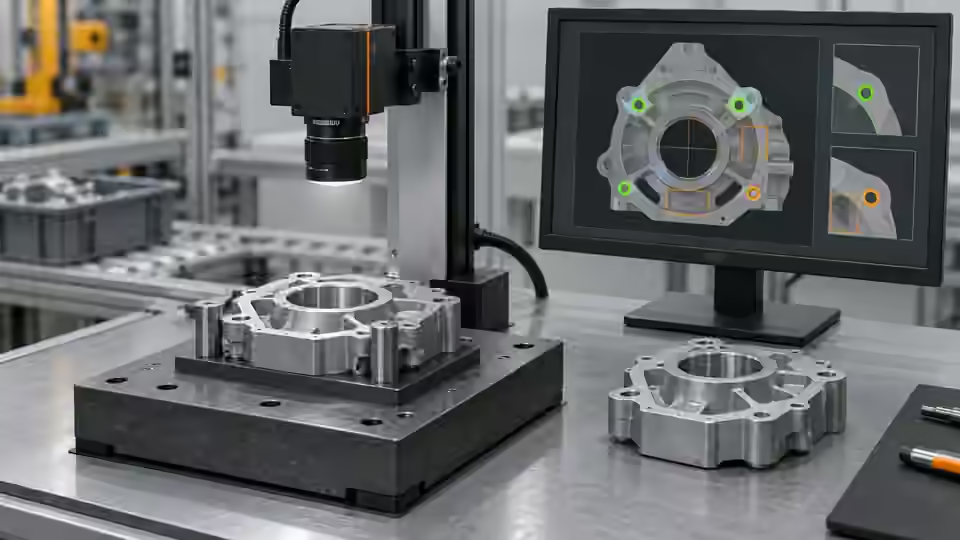
The simple baseline finds eligible dark regions, requires one target and checks its horizontal center. The illustrative window 28–35 px accepts x = 32 px and rejects x = 26 px; those numbers are not a robot tolerance. AI may help isolate segmentation changes but must not expand the physical acceptance window without human approval.
Prerequisites and sample controls
Declare whether the task is a pixel-position check or a calibrated motion command. The simple fixed-station baseline checks the horizontal center of one separated dark target. It does not certify vertical position, rotation, height or a robot pick. Prepare one visible target, no target and multiple targets; preserve the original coordinate origin and independently annotated centers.
Choose the camera route
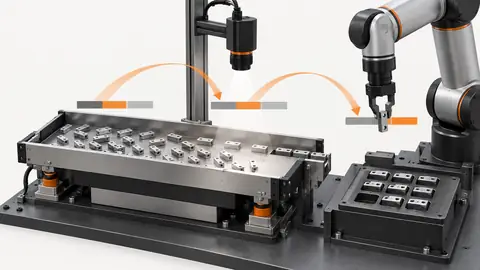
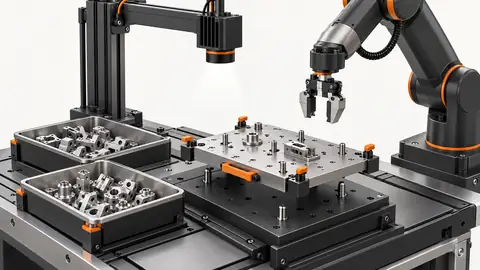
Use a fixed area-scan camera for a stable plane and observable feature. A global-shutter route helps when the part still moves during capture. If height or overlap affects the pickup point, evaluate a verified depth route instead of treating a 2D center as a 3D pose. Camera-to-robot transformation and tool calibration are separate from image localization.
Run the controlled procedure
Build the smallest observable baseline before asking AI to propose changes. Fix the original image, ROI, expected answer and runtime identity; inspect intermediate outputs, not only the final indicator. The current Deyi Vision workflow approach can compare candidate changes on versioned development data. An AI suggestion is a proposal for review, not an operator-approved tolerance or a validated physical measurement.
- Inspect each component and require a unique visible target.
- Map its center back to the original image.
- Compare one segmentation candidate with the frozen baseline.
- Review no-target and multiple-target outputs without guessing a center.
Process map
Region eligibility and uniqueness precede the horizontal check; AI candidate comparison cannot substitute for approved coordinate semantics.
- Frozen data
- Baseline
- Candidate
- Human review
Record the evidence
Save target count, original x coordinate, coordinate map and horizontal decision. State explicitly that this baseline does not evaluate y, rotation or height. Do not fill those missing pose fields with zeros.
Test the logic separately from segmentation by using saved examples with an independently known target center. In the illustrative horizontal-window exercise, inspect a unique target at the interior and at each declared boundary, then inspect a target outside the window. Confirm that the stored rule uses the declared inclusive or exclusive boundary convention; do not assume the display color proves that convention. Next present no target and multiple visible targets. The pipeline must not reuse the last valid center or select an arbitrary region to satisfy the position rule. Keep the target-count condition and the horizontal-range condition visible as separate intermediate outputs before they are combined. This makes a failure of uniqueness distinguishable from a valid but displaced target.
| Control | Required observation | Decision boundary |
|---|---|---|
| X32: one visible target | Illustrative original-image center x = 32 px | Example window: 28–35 px; not a robot tolerance |
| X26: one visible target | Illustrative original-image center x = 26 px | Outside the example horizontal window |
| M: multiple or hidden targets | No unique observable target center | Review; no motion command inferred |
Diagnose failed cases
A merged pair can yield a plausible center inside the window. A wrong region can do the same. The unique-target condition must be based on observable evidence, not only a convenient count. A model prediction does not authorize a motion command.
Failure isolation
Compare a unique visible target with merged, absent and ambiguous targets. Only valid localization supplies the pixel result.
- Unique target
- Merged targets
- No target
- Ambiguous
Validate independently
Compare the unchanged baseline and one candidate on the same development samples. Preserve every failure and inconclusive result in the denominator. Add difficult images to a bounded review set, but keep predicted labels unconfirmed until a person checks them. If a model needs a local service or authorized outbound images, absence of that capability must stop execution rather than trigger an undisclosed backend substitution.
Evaluate center error against independent annotations and preserve all unobservable cases. Keep any later calibrated pose workflow separate, with its own dependencies and acceptance.
Evaluate an AI segmentation proposal by following the physical identity of the selected feature. For every image where the candidate changes the center, overlay both masks and explain the pixels that caused the change. Check whether the selected region still represents the intended target rather than a nearby fastener or a merged pair. Preserve the original coordinate map and expected pixel answers during the comparison. If the proposal introduces a new localization model, verify its installed capability, preprocessing, coordinate conventions and output validity before using it as a candidate. Do not treat an unreported angle or height as a valid zero, and do not inherit physical-motion approval from the simple horizontal rule. Freeze the chosen image workflow with explicit missing-field semantics. Independent validation should then confirm image centers and ambiguity handling before any separate robot pose or movement plan is considered.
Continue the engineering handoff
Save the graph, parameters, dependencies and development comparison. Keep the independent acceptance answers outside AI tuning access. A review export is evidence for inspection; it is not a complete runnable release package or proof of approval. Browser execution, cloud-model quality and executable release activation require their own verified capabilities.
Save the original image and the resulting record together.
Sources and technical references
These references explain the methods and limits used in this tutorial. Example checks are guidance; production acceptance requires evidence from your own samples.
- Visual inspection system design checklistDeyi Vision
Define sample decisions, station constraints and measurable acceptance before hardware selection.
Checked - Structural analysis and shape descriptorsOpenCV
Connected component areas and centroids describe image regions, not hidden physical part counts.
Checked - 2D and 3D machine vision selectionDeyi Vision
Image contrast and calibrated depth answer different inspection questions.
Checked
Component and selection references
- Robot Guidance
- Flexible Feeders & Workstations
- 2D vs 3D Machine Vision
- Robot Guidance Pick and Place Positioning
- Flexible Feeding & Robot Loading
- Flexible Feeder Selection Guide
- Flexible Feeder Robot Loading for Small Parts
- Tune a flexible-feeder recipe with controlled trials
- Validate hand-eye calibration across the tray
- Part positioning: acceptance and motion handoff
- Part positioning: camera and coordinate setup
- Part positioning: lighting and ROI stability
- Part positioning: locate the cause of pick offset
- Diagnose pick offsets through frames, TCP and part height
- 3D Vision Cameras