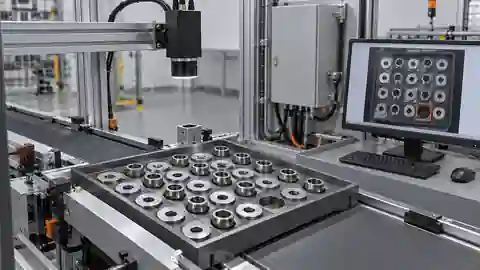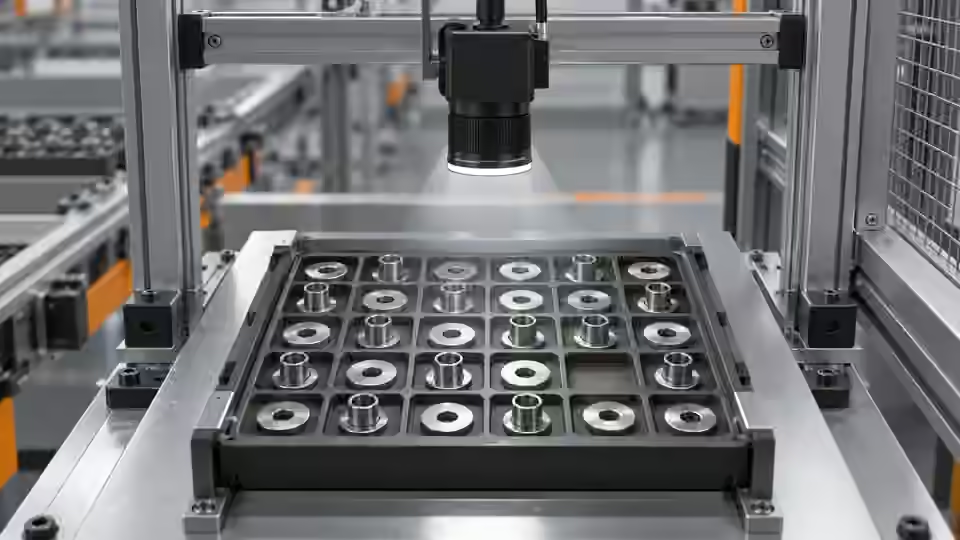
Inspection task
The camera must resolve the gaps that separate components, not merely fit the tray in the picture. In an illustrative setup, 60 mm across 1200 pixels gives 0.05 mm/px; a 0.2 mm gap spans 4 pixels before optical blur. This sampling calculation is a planning example, not a counting accuracy claim. Test the actual gap after mounting the lens.
Prerequisites and sample controls
State the expected number and what constitutes one physical component. Prepare correctly filled, short-filled and touching-part samples, with independently counted answers. The baseline counts separated connected regions, not hidden objects. A connected region can contain several touching parts, while a single shiny part can break into several regions. Keep these limitations in the sample definition before choosing a counting threshold.
Choose the camera route
Use an area-scan camera when the full tray fits in one triggered frame. Choose monochrome for silhouette contrast and color only for an actual color requirement. Motion during feeding calls for verified global-shutter timing or a settled capture position. A line-scan route needs motion reconstruction; it is not an automatic improvement for a stationary tray.
Run the controlled procedure
Before connecting a live camera, work with saved original images and a fixture drawing. Record the sensor dimensions, pixel format, lens, working distance and acquisition backend. An imported image proves that an algorithm can inspect that file; it does not prove that the camera is supported, that a trigger is reliable or that a live station has passed acceptance. Confirm the device route with the installed runtime before issuing acquisition commands.
- Map the tray boundary and the smallest permitted gap.
- Focus at the occupied tray plane with automatic adjustments disabled.
- Capture separated, short-filled and touching controls.
- Repeat after feeding motion settles and at tray-edge positions.
Process map
Tray coverage and native sampling establish whether gaps remain visible. Fresh settled frames then support a count comparison.
- Original frame
- Fixture
- Native pixels
- New frame
Record the evidence
Record field width, image width, observed gap pixels, exposure and settling condition. Keep the original image dimensions; a resized preview cannot substantiate the 4-pixel planning example. Record any component clipped by the field boundary.
Use the smallest permitted separation as a physical test target. Put the same pair of parts near the center and near the limits of the occupied tray, retaining the actual loading positions in the image record. With exposure fixed, compare the original gap rather than its appearance in a smoothed mask. Check whether the two edges remain distinct and whether a dark bridge appears when the tray moves. Then repeat after the tray settles, preserving the moving-frame failure instead of substituting only the better still frame. If the settled image remains merged, inspect focus and lens resolution before increasing processing complexity. The planning value of 4 pixels across the hypothetical gap is useful only if those pixels contain separate edge evidence; four blurred pixels do not establish separation.
| Control | Required observation | Decision boundary |
|---|---|---|
| N3: 3 separated parts | 3 eligible regions expected in this example | Compare with independent physical count |
| N2: 2 separated parts | 2 eligible regions expected in this example | Short fill; do not change the expected 3 |
| T3: 3 touching parts | Region count may differ from 3 | Review; connected regions are not physical objects |
Diagnose failed cases
Motion blur can bridge a narrow gap and produce one region for two parts. Defocus can do the same even on a stationary tray. If overlaps are physically permitted, higher pixel count alone will not expose the hidden component.
Failure isolation
Compare a sharp separated image, a blurred gap and physical overlap. Only the first supplies independent visible regions.
- Visible gap
- Blurred gap
- Overlap
- Clipped part
Validate independently
Keep gain, exposure and automatic image adjustments fixed during comparisons. Capture after mechanical settling, then repeat at the allowed loading extremes. Check the original image at native size rather than judging a scaled browser preview. Verify that a new trigger produces a new frame identity and that missing frames become explicit failures. A stale but sharp picture is unsuitable evidence for the current part.
The setup passes this engineering check only if the intended separated controls remain visibly separated over the stated placement range. Touching and clipped examples must remain explicitly outside a simple region-count guarantee.
Evaluate acquisition load as well as image detail. Capture complete tray events at the intended commissioning pace and record whether every requested event produces a new image of the correct tray state. Do not use repeated frames of the same stopped tray to claim reliability during feeding. Change the physical fill between requests so a stale frame is detectable. Check that full-frame and saved-ROI dimensions agree with the recorded coordinate map. When part presentation allows overlap, label that condition explicitly and decide whether the station must improve singulation, request another view or use a separately verified recognition route. Keep the simple counting setup scoped to its visible separated-parts assumption. The acceptance reviewer should receive originals showing the smallest gap, tray extremes, motion failures and unresolved overlap, together with the declared camera settings.
Continue the engineering handoff
For an engineering handoff, supply original frames, fixture positions, camera/interface details and the capture log. Deyi Vision can review the imaging route from this evidence. Browser-local OpenCV.js execution remains a development requirement in the current capability record; do not assume that displaying a workflow makes its nodes executable in the browser.
Save the original image and the resulting record together.
Sources and technical references
These references explain the methods and limits used in this tutorial. Example checks are guidance; production acceptance requires evidence from your own samples.
- Inspection resolution planningDeyi Vision
Field of view and object-side sampling must be checked with optics, exposure and contrast.
Checked - Structural analysis and shape descriptorsOpenCV
Connected component areas and centroids describe image regions, not hidden physical part counts.
Checked
Component and selection references
- Automated Visual Inspection
- Industrial 2D Cameras
- Machine Vision Lighting
- Visual Inspection System Design Checklist
- What Is Machine Vision?
- Machine Vision Systems
- Machine Vision System Components
- How Does a Machine Vision System Work?
- PCB Connector Pin Presence Inspection
- Industrial Barcode Readers
- Component counting: lighting and ROI boundaries
- Component counting: merged and split part diagnosis
- Part positioning: acceptance and motion handoff
- Part positioning: an AI-assisted pixel workflow
- Part positioning: camera and coordinate setup
- Part positioning: lighting and ROI stability
- Part positioning: locate the cause of pick offset
- Presence inspection: acceptance and line integration
- Presence inspection: build an AI-assisted workflow
- Presence inspection: a reliable camera setup
- Presence inspection: lighting and ROI control
- Presence inspection: isolate false-pass causes