Inspection task
Define the consequences of a missed assembly feature before choosing acceptance metrics. A false pass on an absent pin is different from a false reject on a present one. Use independent physically checked samples and require the same station conditions that the frozen candidate declares. Include fixture-obscured and failed-capture cases in the line response test.
Prerequisites and sample controls
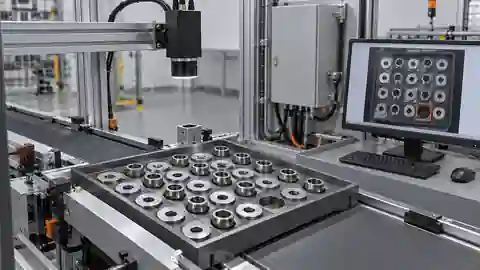
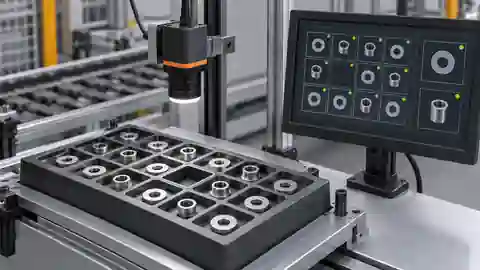
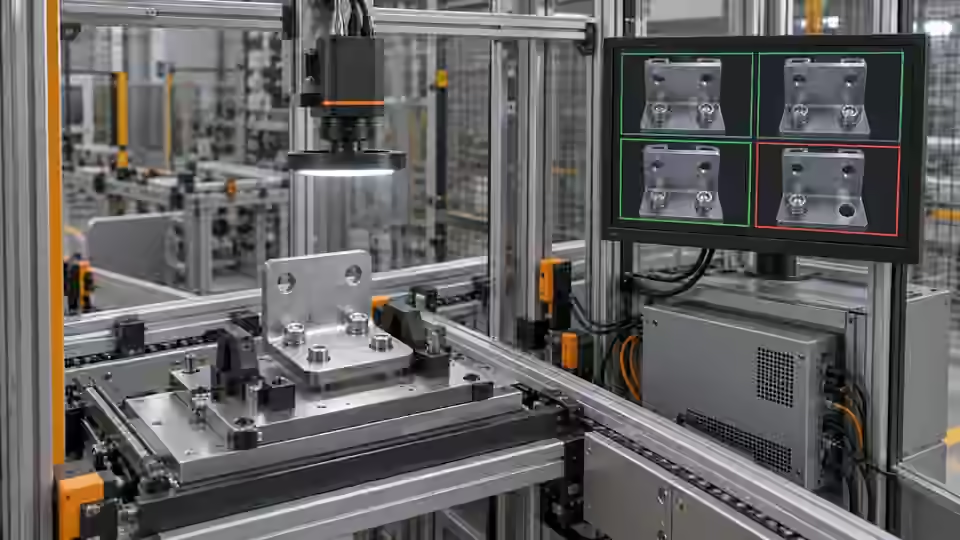
Define presence as a visible feature at a specified location, not merely any dark object in the frame. Prepare a correctly assembled sample, an intentionally missing feature and an obscured feature with recorded human answers. Keep fixture details and permitted part variation in the dataset. The fixed-station baseline distinguishes separated components by image contrast; it is not a general semantic recognizer and must not infer a hidden component.
Choose the camera route
A monochrome area-scan camera is a practical starting point for a fixed, contrasting feature. Use a global-shutter route when motion remains during exposure; a compact smart-camera route needs verified processing and I/O support. A color camera is justified when color is part of the decision. If depth or occlusion determines presence, a flat image alone cannot settle the question.
Run the controlled procedure
Agree the decision rules, permitted variation and required line response before starting acceptance. Freeze the workflow, dataset, runtime, materials and thresholds together. Keep the acceptance answer set independent of tuning; if its answers have already influenced changes, disclose that reuse and obtain a new independent set. Human review must remain separate from model predictions and automatic workflow editing.
- Seal the present, missing and obscured answers independently of tuning.
- Run repeated loading conditions with the frozen candidate.
- Inject capture loss and confirm explicit no-result handling.
- Trace each decision to the actual part and the downstream response.
Process map
The frozen candidate is tested against independent answers; the corresponding line event and local approval complete the evidence chain.
- Frozen candidate
- Independent test
- Line response
- Local approval
Record the evidence
Record false passes, false rejects and review events separately with their full denominators. State the sample count and repeated events rather than presenting this illustrative table as achieved performance. Preserve the original failure when a rerun succeeds.
Write an event-level acceptance sheet before the witnessed test. Each row identifies the physical assembly, capture request, original image, frozen candidate and expected presence state. Add separate fields for image validity, inspection decision, review reason and actual downstream action. This prevents a clear missing-feature rejection from being confused with a camera fault that happened to stop the line. Give the evaluator independent samples whose answers were not used to select thresholds. If the operator corrects a label during the run, retain the original label and correction history and decide whether the sample remains suitable for independent acceptance. Record repeat loading as repeated events on the same specimen, not as additional independent specimens. Report every event, including timeout and interrupted execution, in the test account.
| Control | Required observation | Decision boundary |
|---|---|---|
| P: feature present | Visible feature in its assigned region | Presence requires valid evidence |
| A: feature missing | Region visible; intended feature absent | Absence is a valid failure |
| O: feature obscured | Feature cannot be observed | Review; never infer presence |
Diagnose failed cases
A correct image decision can still be sent to the next part if results arrive late. A retry can deliver the same decision twice. Tie output to the request and part identity, reject stale results and make ambiguous evidence lead to the agreed hold or review behavior.
Failure isolation
Compare correct detection with late delivery and no evidence. Only a current, valid decision may follow the normal pass route.
- Current result
- Late result
- No evidence
- Review
Validate independently
Test complete events, including capture failure, ambiguous evidence, timeout and duplicate delivery. Tie every output to the current part and request identity. The integration must handle pass, fail and review/no-result explicitly rather than converting missing evidence to pass. Record observed latency and the final actuator response; a software result alone does not prove that the physical part was correctly handled.
Acceptance needs both a correct missing-feature decision and the intended physical response. An archive or passing development batch cannot substitute for a witnessed station test with recorded conditions and approval.
Challenge the output handoff with controlled timing failures before enabling a production actuator. Use the approved commissioning method to observe messages and a safe substitute for physical release or rejection. Delay a valid result, submit a duplicate delivery and remove the image for another request. The receiving side should associate only the current valid event with the intended part; late and duplicate results must not operate on a subsequent assembly. For obscured evidence, verify the agreed hold, alarm or human-review path and its recorded acknowledgement. After that controlled test succeeds, verify the physical response under the installation-specific safety procedure and preserve the corresponding evidence. Do not infer this physical success from a message trace. Approval should identify the exact tested candidate and conditions, while unresolved capture or visibility failures remain listed rather than disappearing from the final report.
Continue the engineering handoff
A candidate identity and a review archive do not constitute an approved executable release. Confirm the installed package, dependencies and active configuration locally. Any activation or rollback procedure must be verified on the actual runtime and kept outside an active job. Do not promise completed package activation or production acceptance from development comparison results.
Save the original image and the resulting record together.
Sources and technical references
These references explain the methods and limits used in this tutorial. Example checks are guidance; production acceptance requires evidence from your own samples.
- Visual inspection system design checklistDeyi Vision
Define sample decisions, station constraints and measurable acceptance before hardware selection.
Checked - Structural analysis and shape descriptorsOpenCV
Connected component areas and centroids describe image regions, not hidden physical part counts.
Checked
Component and selection references
- Vision Inspection System
- Industrial 2D Cameras
- How to Calculate Camera Resolution for Inspection
- PCB Connector Pin Presence Inspection
- What Is Machine Vision?
- Machine Vision Systems
- Machine Vision System Components
- How Does a Machine Vision System Work?
- Industrial Barcode Readers
- Component counting: camera setup for separation
- Component counting: lighting and ROI boundaries
- Component counting: merged and split part diagnosis
- Part positioning: acceptance and motion handoff
- Part positioning: an AI-assisted pixel workflow
- Part positioning: camera and coordinate setup
- Part positioning: lighting and ROI stability
- Part positioning: locate the cause of pick offset
- Presence inspection: build an AI-assisted workflow
- Presence inspection: a reliable camera setup
- Presence inspection: lighting and ROI control
- Presence inspection: isolate false-pass causes