Inspection task
An offset at the gripper is not automatically an image localization error. Freeze the failed capture and inspect the target center in original pixels first. If it matches the independent image mark, investigate the downstream coordinate transform, camera mounting and tool reference. Do not tune segmentation to hide a robot calibration problem.
Prerequisites and sample controls
Declare whether the task is a pixel-position check or a calibrated motion command. The simple fixed-station baseline checks the horizontal center of one separated dark target. It does not certify vertical position, rotation, height or a robot pick. Prepare one visible target, no target and multiple targets; preserve the original coordinate origin and independently annotated centers.
Choose the camera route
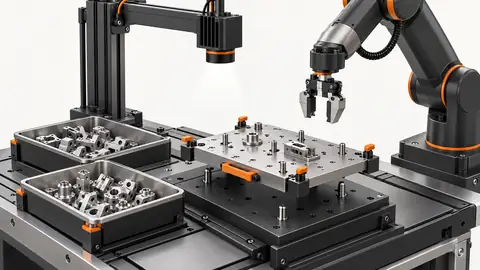
Use a fixed area-scan camera for a stable plane and observable feature. A global-shutter route helps when the part still moves during capture. If height or overlap affects the pickup point, evaluate a verified depth route instead of treating a 2D center as a 3D pose. Camera-to-robot transformation and tool calibration are separate from image localization.
Run the controlled procedure
Freeze a copy of the failing workflow and retain the original failed image before testing a correction. Reproduce the symptom on saved data first, then determine whether it follows the part, illumination, acquisition or software state. A changed final answer is insufficient: the relevant intermediate evidence must improve for the expected physical reason. Do not erase the initial failure after a successful rerun.
- Replay the failed image and verify its original center.
- Compare crop offsets and axis directions with the stored map.
- Inspect fixed-part center stability across lighting changes.
- Only after localization is stable, test the approved robot mapping safely.
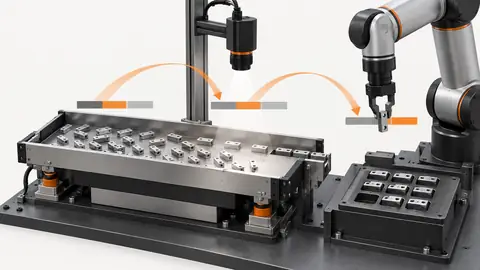
Process map
Trace error from original center through coordinate map to physical tool point, testing each boundary independently.
- Original failure
- One change
- Replay controls
- Residual risk
Record the evidence
Record image-center error and physical pick error in separate units. Preserve the original map and one changed setting per trial. A pixel residual cannot be added directly to a millimeter tool offset.
Start the offset investigation with a boundary-by-boundary record. Keep the original frame and independently marked image datum, then save the reported image center before any conversion. Record the mapped machine point separately and identify the exact transform used. Finally record the physical tool point with its independent measurement method. Compare each transition without mixing units. If the image datum disagrees with the reported center, the locator or its visible evidence is implicated. If the original center agrees but the mapped point does not, investigate coordinates or calibration. If both agree yet the physical tool misses, investigate tool reference, robot motion or the physical presentation. This sequence keeps a downstream mechanical problem from being compensated by a distorted image threshold.
| Control | Required observation | Decision boundary |
|---|---|---|
| X32: one visible target | Illustrative original-image center x = 32 px | Example window: 28–35 px; not a robot tolerance |
| X26: one visible target | Illustrative original-image center x = 26 px | Outside the example horizontal window |
| M: multiple or hidden targets | No unique observable target center | Review; no motion command inferred |
Diagnose failed cases
A shadow changes the mask, a crop error changes coordinates and a tool change alters the physical pickup point. Each can appear as the same visible miss. Multiple targets or a stale frame invalidate localization before any compensation.
Failure isolation
Compare mask bias, coordinate-map error and tool error; do not use a single arbitrary offset to conceal all three.
- Mask bias
- Map error
- Tool error
- Stale frame
Validate independently
Alter one suspected cause per trial and replay all previously failing controls. Keep image IDs, parameter differences, ROI and runtime identity in the log. If the result changes without a corresponding change in the expected intermediate observation, investigate timing or provenance. Inconclusive frames should remain explicit review cases instead of being removed to make a comparison look better.
Verify the corrected cause with independent image marks and a separately approved physical test. Keep y, angle and height outside this simple horizontal baseline unless another verified workflow supplies them.
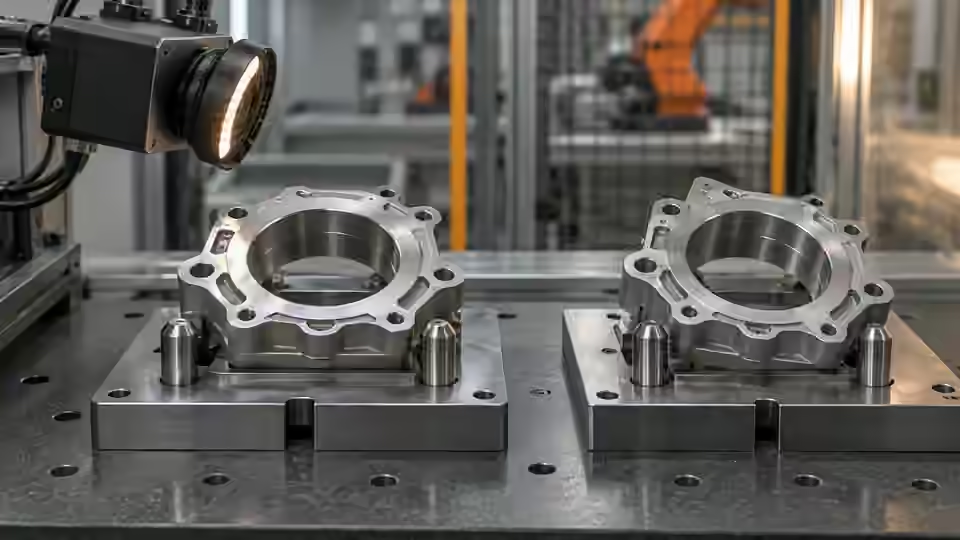
Run fixed-input and fixed-part tests before an authorized motion test. Replay the same image to check deterministic image coordinates, then capture a physically fixed target across the suspect lighting or acquisition states. Retain all frame identities so a stale input can be distinguished from a stable locator. Check whether the error follows field position, part height, orientation or the tool configuration, changing only one condition at a time. Do not move the robot merely to make a diagnostic overlay appear centered. Any physical test must follow the local safe commissioning process with a verified transform and controlled target. After correction, replay the original offset case and a withheld image case, then verify the physical target independently if motion is part of the project. Record unresolved height, angle or multiple-target limitations and keep them out of an approved pickup command.
Continue the engineering handoff
Send the original failure, corrected result, parameter difference and remaining boundary cases to Deyi Vision for review. Verify corrections on the live installation only after saved-image isolation succeeds. A correction demonstrated on one file is not evidence of physical-camera reliability, robot calibration or production acceptance.
Save the original image and the resulting record together.
Sources and technical references
These references explain the methods and limits used in this tutorial. Example checks are guidance; production acceptance requires evidence from your own samples.
- Visual inspection system design checklistDeyi Vision
Define sample decisions, station constraints and measurable acceptance before hardware selection.
Checked - Morphological transformationsOpenCV
Erosion and dilation alter binary regions; kernels can remove details or join regions.
Checked - 2D and 3D machine vision selectionDeyi Vision
Image contrast and calibrated depth answer different inspection questions.
Checked
Component and selection references
- Robot Guidance
- Flexible Feeders & Workstations
- 2D vs 3D Machine Vision
- Robot Guidance Pick and Place Positioning
- Flexible Feeding & Robot Loading
- Flexible Feeder Selection Guide
- Flexible Feeder Robot Loading for Small Parts
- Tune a flexible-feeder recipe with controlled trials
- Validate hand-eye calibration across the tray
- Part positioning: acceptance and motion handoff
- Part positioning: an AI-assisted pixel workflow
- Part positioning: camera and coordinate setup
- Part positioning: lighting and ROI stability
- Diagnose pick offsets through frames, TCP and part height
- 3D Vision Cameras