Inspection task
Seal independently annotated pixel centers and declare the allowed error before testing. If the project includes robot movement, create a separate physical acceptance plan with verified transform and tool references. A horizontal center check does not authorize a pick. Include no target, multiple targets and height changes that violate the plane assumption.
Prerequisites and sample controls
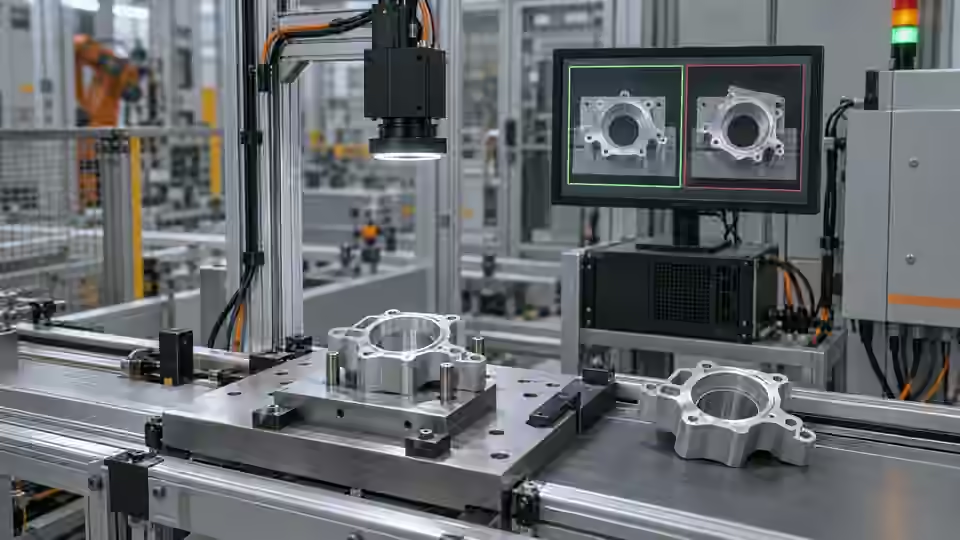
Declare whether the task is a pixel-position check or a calibrated motion command. The simple fixed-station baseline checks the horizontal center of one separated dark target. It does not certify vertical position, rotation, height or a robot pick. Prepare one visible target, no target and multiple targets; preserve the original coordinate origin and independently annotated centers.
Choose the camera route
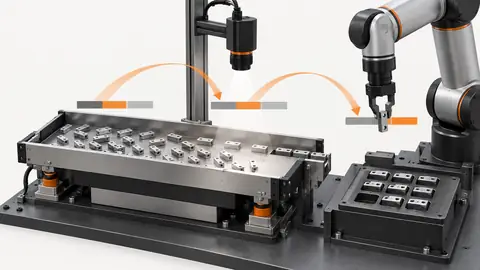
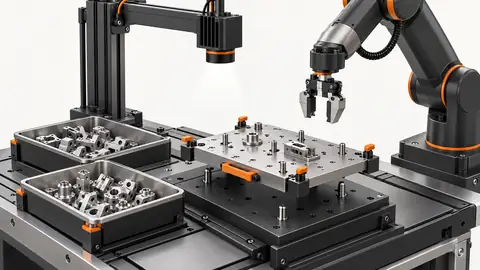
Use a fixed area-scan camera for a stable plane and observable feature. A global-shutter route helps when the part still moves during capture. If height or overlap affects the pickup point, evaluate a verified depth route instead of treating a 2D center as a 3D pose. Camera-to-robot transformation and tool calibration are separate from image localization.
Run the controlled procedure
Agree the decision rules, permitted variation and required line response before starting acceptance. Freeze the workflow, dataset, runtime, materials and thresholds together. Keep the acceptance answer set independent of tuning; if its answers have already influenced changes, disclose that reuse and obtain a new independent set. Human review must remain separate from model predictions and automatic workflow editing.
- Freeze original-image coordinate semantics and pixel answers.
- Measure localization error across the allowed view.
- Test stale, duplicate and ambiguous result handling.
- Verify approved physical points under a safe, separately controlled motion test.
Process map
Independent image answers validate localization; separately verified mapping and physical motion complete a robot handoff.
- Frozen candidate
- Independent test
- Line response
- Local approval
Record the evidence
Report pixel error independently from physical placement error and review frequency. Record runtime, calibration/map identity and actual target condition. Do not combine successful display overlays with successful physical picks into one unexplained score.
Split the acceptance evidence into localization, transformation and physical action records. The localization record contains the original image, independently marked target, reported pixel center, uniqueness and any unobserved pose fields. The transformation record identifies the approved coordinate map and the physical geometry it permits. The action record states the actual target used, tool reference, observed motion and independent physical outcome. Link these records by the same current event identity while keeping their errors in the appropriate units. A good localization record does not make an invalid plane acceptable, and a successful physical pick cannot excuse wrong image identity. Declare which record establishes each project criterion so the final report can be reviewed without interpreting a mixed success percentage.
| Control | Required observation | Decision boundary |
|---|---|---|
| X32: one visible target | Illustrative original-image center x = 32 px | Example window: 28–35 px; not a robot tolerance |
| X26: one visible target | Illustrative original-image center x = 26 px | Outside the example horizontal window |
| M: multiple or hidden targets | No unique observable target center | Review; no motion command inferred |
Diagnose failed cases
A late but correct center can move the robot toward a previous part. A unique center with missing height can also be physically unusable. Reject results outside the current request or declared geometry, and never invent missing pose components.
Failure isolation
Compare valid current localization, stale coordinates and an invalid plane. A usable motion result requires every declared boundary to hold.
- Current center
- Stale center
- Invalid plane
- Approved motion
Validate independently
Test complete events, including capture failure, ambiguous evidence, timeout and duplicate delivery. Tie every output to the current part and request identity. The integration must handle pass, fail and review/no-result explicitly rather than converting missing evidence to pass. Record observed latency and the final actuator response; a software result alone does not prove that the physical part was correctly handled.
Accept the pixel stage only against independent annotations; accept motion only against the separately agreed physical criteria. Review the mapping after camera, fixture or tool changes.
Test invalid and stale events through the entire proposed handoff before operational movement. Use the locally approved safe commissioning method to introduce no target, multiple targets, a delayed center and a result from another request. Confirm that none is converted into a normal pickup command by default values or reuse of the previous pose. Check that the receiving interface can preserve unknown angle and height rather than replacing them with ordinary zeros. If the project needs those fields, a separately verified route must provide them with their own validity evidence. Then test the permitted physical conditions independently, including field locations and presentation variation that affect the transform. Keep the approved mapping bound to its camera, fixture and tool configuration. A later configuration change requires a new applicability review; saving an updated workflow is not enough to preserve the earlier physical approval.
Continue the engineering handoff
A candidate identity and a review archive do not constitute an approved executable release. Confirm the installed package, dependencies and active configuration locally. Any activation or rollback procedure must be verified on the actual runtime and kept outside an active job. Do not promise completed package activation or production acceptance from development comparison results.
Save the original image and the resulting record together.
Sources and technical references
These references explain the methods and limits used in this tutorial. Example checks are guidance; production acceptance requires evidence from your own samples.
- Visual inspection system design checklistDeyi Vision
Define sample decisions, station constraints and measurable acceptance before hardware selection.
Checked - Structural analysis and shape descriptorsOpenCV
Connected component areas and centroids describe image regions, not hidden physical part counts.
Checked - 2D and 3D machine vision selectionDeyi Vision
Image contrast and calibrated depth answer different inspection questions.
Checked
Component and selection references
- Robot Guidance
- Flexible Feeders & Workstations
- 2D vs 3D Machine Vision
- Robot Guidance Pick and Place Positioning
- Flexible Feeding & Robot Loading
- Flexible Feeder Selection Guide
- Flexible Feeder Robot Loading for Small Parts
- Tune a flexible-feeder recipe with controlled trials
- Validate hand-eye calibration across the tray
- Part positioning: an AI-assisted pixel workflow
- Part positioning: camera and coordinate setup
- Part positioning: lighting and ROI stability
- Part positioning: locate the cause of pick offset
- Diagnose pick offsets through frames, TCP and part height
- 3D Vision Cameras