Inspection task
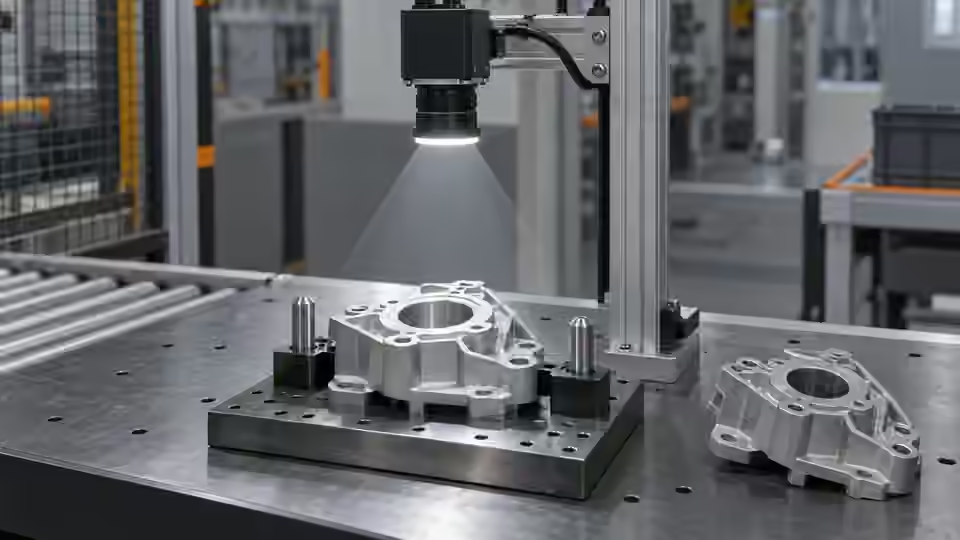
A useful positioning image preserves the coordinate meaning of the target. Mount the camera rigidly and choose a visible feature whose location is not changed by grasping or presentation. Define the original image origin, axis directions and allowed travel envelope. A screen overlay that follows the object can look correct even when crop or resize coordinates are wrong.
Prerequisites and sample controls
Declare whether the task is a pixel-position check or a calibrated motion command. The simple fixed-station baseline checks the horizontal center of one separated dark target. It does not certify vertical position, rotation, height or a robot pick. Prepare one visible target, no target and multiple targets; preserve the original coordinate origin and independently annotated centers.
Choose the camera route
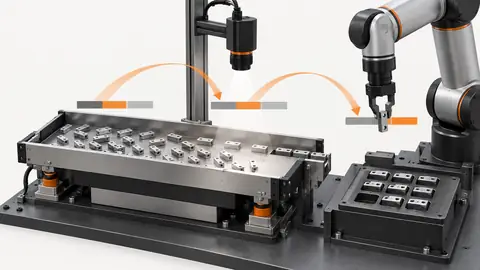
Use a fixed area-scan camera for a stable plane and observable feature. A global-shutter route helps when the part still moves during capture. If height or overlap affects the pickup point, evaluate a verified depth route instead of treating a 2D center as a 3D pose. Camera-to-robot transformation and tool calibration are separate from image localization.
Run the controlled procedure
Before connecting a live camera, work with saved original images and a fixture drawing. Record the sensor dimensions, pixel format, lens, working distance and acquisition backend. An imported image proves that an algorithm can inspect that file; it does not prove that the camera is supported, that a trigger is reliable or that a live station has passed acceptance. Confirm the device route with the installed runtime before issuing acquisition commands.
- Mark the image origin and physical fixture datum.
- Capture one target at center and allowed travel extremes.
- Keep raw dimensions and record any crop or orientation transform.
- Verify unique target visibility before accepting a center output.
Process map
The fixture datum, fixed view and original pixel axes establish a consistent localization frame before any motion transformation.
- Original frame
- Fixture
- Native pixels
- New frame
Record the evidence
Record original dimensions, target center, fixture location and capture identity. The x = 32 px and 28–35 px entries are illustrative pixel checks, not calibrated robot coordinates. Keep measured physical positions in a separate column with their measurement method.
Make a coordinate-map check that does not depend on the locator being correct. Mark a visible datum on a copy of the original image and record its original pixel position independently. Display the same input through the intended crop and preview route, then identify the corresponding displayed point. Save the crop origin, any scale and any orientation change so the displayed point can be mapped back. For an unscaled, unrotated crop, the original location is the crop-local location plus the crop origin; other transformations require their explicit inverse map. Verify this with more than one visible mark spread across the usable field. A single center mark can conceal a mirrored axis or a wrong scale. Retain the annotated copy and the untouched original as separate files.
| Control | Required observation | Decision boundary |
|---|---|---|
| X32: one visible target | Illustrative original-image center x = 32 px | Example window: 28–35 px; not a robot tolerance |
| X26: one visible target | Illustrative original-image center x = 26 px | Outside the example horizontal window |
| M: multiple or hidden targets | No unique observable target center | Review; no motion command inferred |
Diagnose failed cases
A changing preview scale, mirrored image or loose camera mount can shift the coordinate interpretation. Do not compensate with an arbitrary robot offset. Restore the image map first; when the target height changes, reassess the planar assumption.
Failure isolation
Compare an original point with a cropped, resized or mirrored display. Each transformation needs an explicit map back to original coordinates.
- Original origin
- Crop offset
- Scale
- Mirror
Validate independently
Keep gain, exposure and automatic image adjustments fixed during comparisons. Capture after mechanical settling, then repeat at the allowed loading extremes. Check the original image at native size rather than judging a scaled browser preview. Verify that a new trigger produces a new frame identity and that missing frames become explicit failures. A stale but sharp picture is unsuitable evidence for the current part.
Compare centers with independent marks in original pixels. Any later robot use requires a separately verified camera-to-robot map, tool reference and safe physical test.
Challenge the camera mount and declared geometry without letting the software compensate invisibly. Capture the fixed target at the permitted loading locations while retaining one coordinate definition. Move the part physically, not by editing its pixels, and compare the observed displacement with the independently recorded move. An image locator should follow the physical feature consistently in the original coordinate frame. If changing the view, crop or fixture causes a new origin, record that as a new configuration requiring comparison rather than silently adding an offset. When the task will feed a robot, keep the camera-to-robot reference identity separate from the image map and request a controlled physical calibration test. The camera setup is ready for that next stage only when its original-pixel evidence and transformation history are reproducible; a moving crosshair on the screen is not enough.
Continue the engineering handoff
For an engineering handoff, supply original frames, fixture positions, camera/interface details and the capture log. Deyi Vision can review the imaging route from this evidence. Browser-local OpenCV.js execution remains a development requirement in the current capability record; do not assume that displaying a workflow makes its nodes executable in the browser.
Save the original image and the resulting record together.
Sources and technical references
These references explain the methods and limits used in this tutorial. Example checks are guidance; production acceptance requires evidence from your own samples.
- Inspection resolution planningDeyi Vision
Field of view and object-side sampling must be checked with optics, exposure and contrast.
Checked - Structural analysis and shape descriptorsOpenCV
Connected component areas and centroids describe image regions, not hidden physical part counts.
Checked - 2D and 3D machine vision selectionDeyi Vision
Image contrast and calibrated depth answer different inspection questions.
Checked
Component and selection references
- Robot Guidance
- Flexible Feeders & Workstations
- 2D vs 3D Machine Vision
- Robot Guidance Pick and Place Positioning
- Flexible Feeding & Robot Loading
- Flexible Feeder Selection Guide
- Flexible Feeder Robot Loading for Small Parts
- Tune a flexible-feeder recipe with controlled trials
- Validate hand-eye calibration across the tray
- Part positioning: acceptance and motion handoff
- Part positioning: an AI-assisted pixel workflow
- Part positioning: lighting and ROI stability
- Part positioning: locate the cause of pick offset
- Diagnose pick offsets through frames, TCP and part height
- 3D Vision Cameras