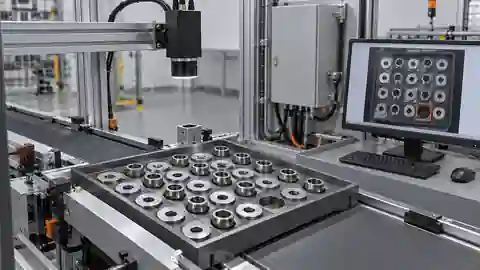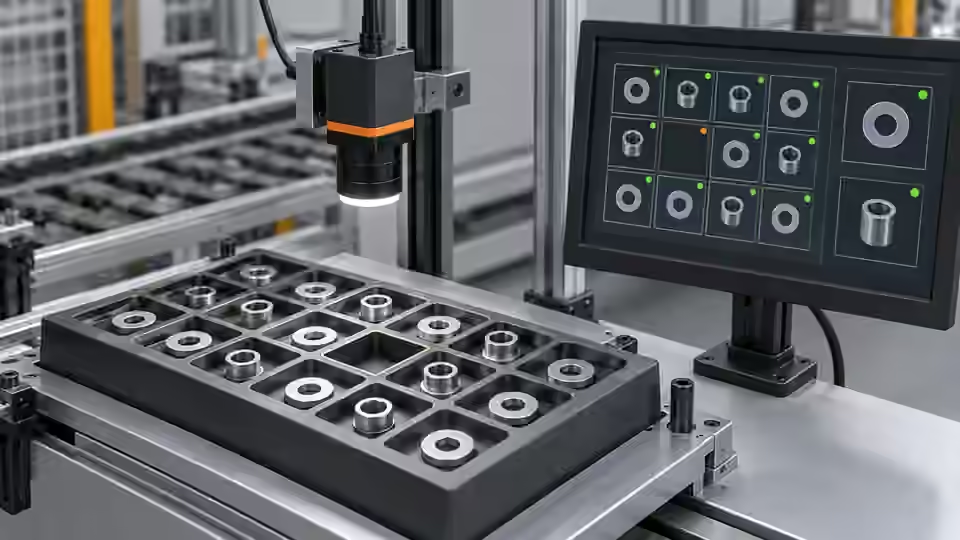
Inspection task
Begin with grayscale, segmentation, component eligibility and an exact-count rule. In the hypothetical 3-part tray, retain the target count of 3 throughout tuning. AI may suggest segmentation or area-filter changes, but it must not redefine a region as several physical parts without a separately verified recognition route. Inspect which individual regions contribute to the total.
Prerequisites and sample controls
State the expected number and what constitutes one physical component. Prepare correctly filled, short-filled and touching-part samples, with independently counted answers. The baseline counts separated connected regions, not hidden objects. A connected region can contain several touching parts, while a single shiny part can break into several regions. Keep these limitations in the sample definition before choosing a counting threshold.
Choose the camera route
Use an area-scan camera when the full tray fits in one triggered frame. Choose monochrome for silhouette contrast and color only for an actual color requirement. Motion during feeding calls for verified global-shutter timing or a settled capture position. A line-scan route needs motion reconstruction; it is not an automatic improvement for a stationary tray.
Run the controlled procedure
Build the smallest observable baseline before asking AI to propose changes. Fix the original image, ROI, expected answer and runtime identity; inspect intermediate outputs, not only the final indicator. The current Deyi Vision workflow approach can compare candidate changes on versioned development data. An AI suggestion is a proposal for review, not an operator-approved tolerance or a validated physical measurement.
- Save raw images and independently counted answers.
- Inspect eligible regions in the baseline mask.
- Change one segmentation parameter in a candidate.
- Compare exact counts and retain touching-part review cases.
Process map
A fixed mask produces eligible regions and a count; the candidate is compared against physical answers, with human review of new labels.
- Frozen data
- Baseline
- Candidate
- Human review
Record the evidence
Record expected count, predicted count and the difference for every answered image. Summarize exact-count matches separately from absolute count error. Keep unanswered and review cases visible; excluding them changes the meaning of the result.
Construct the development comparison at the level of individual trays. Preserve the physical answer, baseline count, candidate count and the set of contributing regions for every image. A count error is the predicted quantity minus the independent physical quantity; its absolute value describes the magnitude without direction. Keep signed errors as well, because systematic overcounting and undercounting require different remedies. A candidate that improves average absolute error may still introduce a false complete-kit decision on a short-filled tray. Identify that event explicitly rather than hiding it in an aggregate. Mark overlaps and unanswered samples with their validity state and include them in the stated coverage record. The comparison must disclose which samples the simple separated-region assumption does not cover.
| Control | Required observation | Decision boundary |
|---|---|---|
| N3: 3 separated parts | 3 eligible regions expected in this example | Compare with independent physical count |
| N2: 2 separated parts | 2 eligible regions expected in this example | Short fill; do not change the expected 3 |
| T3: 3 touching parts | Region count may differ from 3 | Review; connected regions are not physical objects |
Diagnose failed cases
Two missed parts and two tray artifacts can yield the expected total. Require region-level evidence. A detection-model proposal needs approved model/runtime dependencies and real sample verification; a named model is not proof of counting capability.
Failure isolation
Compare correct regions with compensating misses and artifacts. Equal totals may hide different physical mistakes.
- Correct regions
- Missed parts
- Extra regions
- Review
Validate independently
Compare the unchanged baseline and one candidate on the same development samples. Preserve every failure and inconclusive result in the denominator. Add difficult images to a bounded review set, but keep predicted labels unconfirmed until a person checks them. If a model needs a local service or authorized outbound images, absence of that capability must stop execution rather than trigger an undisclosed backend substitution.
On withheld trays, verify each counted component and all short-fill cases. Do not let a correct aggregate count excuse wrong individual detections.
If AI proposes a different recognition method, separate that proposal from a parameter edit. Verify whether the installed runtime can execute the required node and whether model files, preprocessing and output conventions are fixed. A box or mask returned by a model needs a declared physical component definition before it can be counted. Keep prediction-derived labels unconfirmed and inspect missed, duplicated and overlapping detections on originals. Evaluate the new route with the same independent tray quantities as the baseline, preserving all development failures. Do not transfer acceptance status from the old graph to the new model or from a saved candidate identity to an executable package. Freeze the selected route only after region-level explanations and count consequences are recorded. Independent acceptance still needs untouched trays with the intended physical presentation, especially where overlap or small components drove the change.
Continue the engineering handoff
Save the graph, parameters, dependencies and development comparison. Keep the independent acceptance answers outside AI tuning access. A review export is evidence for inspection; it is not a complete runnable release package or proof of approval. Browser execution, cloud-model quality and executable release activation require their own verified capabilities.
Save the original image and the resulting record together.
Sources and technical references
These references explain the methods and limits used in this tutorial. Example checks are guidance; production acceptance requires evidence from your own samples.
- Visual inspection system design checklistDeyi Vision
Define sample decisions, station constraints and measurable acceptance before hardware selection.
Checked - Structural analysis and shape descriptorsOpenCV
Connected component areas and centroids describe image regions, not hidden physical part counts.
Checked
Component and selection references
- Automated Visual Inspection
- Industrial 2D Cameras
- Machine Vision Lighting
- Visual Inspection System Design Checklist
- What Is Machine Vision?
- Machine Vision Systems
- Machine Vision System Components
- How Does a Machine Vision System Work?
- PCB Connector Pin Presence Inspection
- Industrial Barcode Readers
- Component counting: lighting and ROI boundaries
- Component counting: merged and split part diagnosis
- Part positioning: acceptance and motion handoff
- Part positioning: an AI-assisted pixel workflow
- Part positioning: camera and coordinate setup
- Part positioning: lighting and ROI stability
- Part positioning: locate the cause of pick offset
- Presence inspection: acceptance and line integration
- Presence inspection: build an AI-assisted workflow
- Presence inspection: a reliable camera setup
- Presence inspection: lighting and ROI control
- Presence inspection: isolate false-pass causes