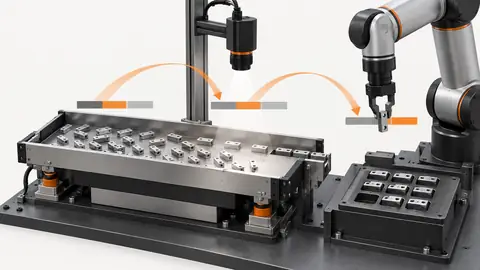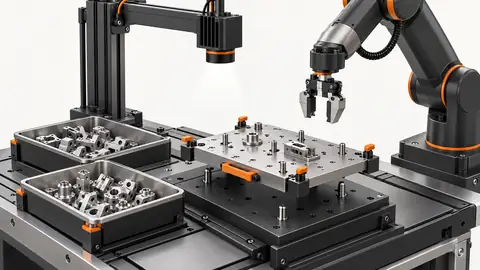
Inspection task
A centroid can move while the physical part stays still because the mask changes. Choose illumination that reveals a stable positioning feature over expected orientation and surface variation. Use a silhouette only if its center is the intended datum. A bright patch on a shiny part is not a reliable physical center.
Prerequisites and sample controls
Declare whether the task is a pixel-position check or a calibrated motion command. The simple fixed-station baseline checks the horizontal center of one separated dark target. It does not certify vertical position, rotation, height or a robot pick. Prepare one visible target, no target and multiple targets; preserve the original coordinate origin and independently annotated centers.
Choose the camera route
Use a fixed area-scan camera for a stable plane and observable feature. A global-shutter route helps when the part still moves during capture. If height or overlap affects the pickup point, evaluate a verified depth route instead of treating a 2D center as a 3D pose. Camera-to-robot transformation and tool calibration are separate from image localization.
Run the controlled procedure
Use the same original parts when comparing light arrangements, and keep the camera, exposure and lens position fixed. Establish the region of interest in original-image coordinates and include every allowed loading position. A crop removes irrelevant background but cannot recover an invisible target. Check the full image before accepting a smaller ROI, especially when the fixture or part can move.
- Fix the part and compare accessible light arrangements.
- Overlay masks and centers on the original images.
- Test allowed rotation and deliberate ROI-edge clipping.
- Save the selected light with explicit crop-to-original mapping.
Process map
Light defines the visible mask; ROI and coordinate mapping preserve the datum used for the center.
- Full image
- Light control
- ROI
- Visible target
Record the evidence
Record center displacement under lighting changes, eligible area and border contact. Compare against an independently marked datum. Keep crop-local and original coordinates separately labeled; their numbers can differ without physical movement.
Use a fixed-part illumination trial to separate physical motion from segmentation bias. Keep the target clamped at one known location and capture it under the candidate light arrangements with exposure held fixed. On each original, mark the independent physical datum and overlay the eligible mask and calculated center. Record both the center displacement and which portions of the target entered or left the mask. A small change in a long protruding tip can shift a centroid disproportionately even when the main body appears unchanged. Inspect attached shadows and reflected patches directly. Do not explain the displacement as camera drift until the mask evidence has been compared. If the chosen feature has no stable visible outline across surface changes, choose another observable datum or change the imaging route.
| Control | Required observation | Decision boundary |
|---|---|---|
| X32: one visible target | Illustrative original-image center x = 32 px | Example window: 28–35 px; not a robot tolerance |
| X26: one visible target | Illustrative original-image center x = 26 px | Outside the example horizontal window |
| M: multiple or hidden targets | No unique observable target center | Review; no motion command inferred |
Diagnose failed cases
A shadow joined to the part shifts its centroid; a clipped tip shifts it in the opposite direction. Shrinking the ROI may conceal the cause. Fix illumination or observability before widening the position window.
Failure isolation
Compare a stable outline, attached shadow and clipped tip. The same physical pose can produce different image centers.
- Stable outline
- Shadow
- Clipped tip
- Glare
Validate independently
Change only one light variable in each trial: geometry, intensity or ambient shielding. Compare raw image contrast, saturation and the resulting mask before changing a decision threshold. Save both the successful and unsuccessful arrangements. The useful choice is the one that separates relevant classes over the allowed variation, not the one that makes a single sample look attractive.
With the part fixed, the selected setup must meet the project-defined center repeatability limit. For rotationally symmetric features, do not claim a unique angle from the centroid.
Repeat the same audit under permitted orientation changes and deliberate boundary challenges. A symmetric outline can supply a repeatable center while giving no unique orientation; that is a valid center result with a limited pose meaning, not a full angle estimate. For asymmetric parts, check that the intended datum remains the same physical point rather than moving to the brightest or largest visible region. Preserve the coordinate map while testing each ROI boundary and retain the full source image. A clipped feature is not repaired by simply moving the reported center back inside the allowed position window. The reviewer should see an explicit reason for admitting or excluding each target, along with the mask and datum overlays. Validate the selected light on previously unseen parts whose finish and orientation remain within the declared range; any unresolved ambiguity must stay attached to the localization state.
Continue the engineering handoff
Provide the light arrangement, ROI coordinates, raw frames and masks for review. Explain whether the task requires a silhouette or a top-surface feature before selecting Deyi Vision lighting and optics. Do not silently resize a crop; any coordinate or scale conversion must be explicit in the saved workflow.
Save the original image and the resulting record together.
Sources and technical references
These references explain the methods and limits used in this tutorial. Example checks are guidance; production acceptance requires evidence from your own samples.
- Machine vision lighting basicsDeyi Vision
Illumination geometry determines whether a surface feature or silhouette is visible.
Checked - Image thresholdingOpenCV
Thresholding converts image intensity into a binary segmentation; this does not identify semantic objects.
Checked - 2D and 3D machine vision selectionDeyi Vision
Image contrast and calibrated depth answer different inspection questions.
Checked
Component and selection references
- Robot Guidance
- Flexible Feeders & Workstations
- 2D vs 3D Machine Vision
- Robot Guidance Pick and Place Positioning
- Flexible Feeding & Robot Loading
- Flexible Feeder Selection Guide
- Flexible Feeder Robot Loading for Small Parts
- Tune a flexible-feeder recipe with controlled trials
- Validate hand-eye calibration across the tray
- Part positioning: acceptance and motion handoff
- Part positioning: an AI-assisted pixel workflow
- Part positioning: camera and coordinate setup
- Part positioning: locate the cause of pick offset
- Diagnose pick offsets through frames, TCP and part height
- 3D Vision Cameras