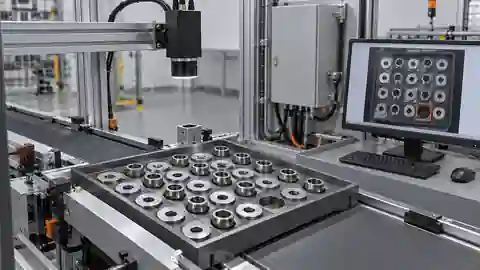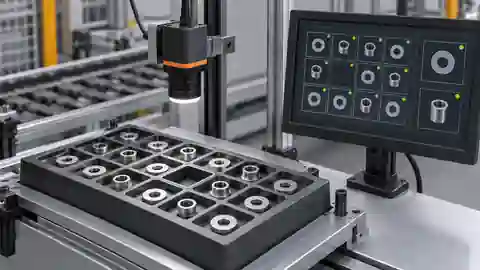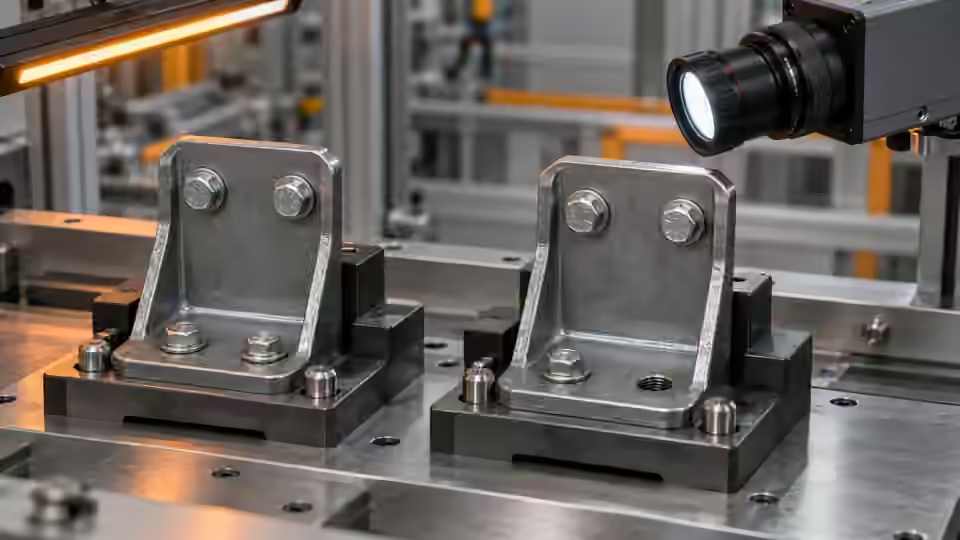
Inspection task
A false pass on a deliberately missing feature deserves investigation before any convenience tuning. Identify exactly which region satisfied the rule. Work backward from its area and center to the original image. Keep a separate control for an obscured feature: a rule may reject a clear absence correctly while still guessing through an obstruction.
Prerequisites and sample controls
Define presence as a visible feature at a specified location, not merely any dark object in the frame. Prepare a correctly assembled sample, an intentionally missing feature and an obscured feature with recorded human answers. Keep fixture details and permitted part variation in the dataset. The fixed-station baseline distinguishes separated components by image contrast; it is not a general semantic recognizer and must not infer a hidden component.
Choose the camera route
A monochrome area-scan camera is a practical starting point for a fixed, contrasting feature. Use a global-shutter route when motion remains during exposure; a compact smart-camera route needs verified processing and I/O support. A color camera is justified when color is part of the decision. If depth or occlusion determines presence, a flat image alone cannot settle the question.
Run the controlled procedure
Freeze a copy of the failing workflow and retain the original failed image before testing a correction. Reproduce the symptom on saved data first, then determine whether it follows the part, illumination, acquisition or software state. A changed final answer is insufficient: the relevant intermediate evidence must improve for the expected physical reason. Do not erase the initial failure after a successful rerun.
- Replay the original false-pass frame without editing it.
- Overlay the eligible component on the full source image.
- Remove the suspected fixture contribution in a new controlled capture.
- Compare the changed mask, then rerun all present and absent controls.
Process map
Replay the original failure, change one cause and inspect the corresponding mask before reviewing the final decision.
- Original failure
- One change
- Replay controls
- Residual risk
Record the evidence
Log the region that caused the pass, its location and the one changed condition. Retain the old answer and original parameters. If the failure cannot be reproduced from the saved image, record the live acquisition state instead of claiming a threshold correction.
Make a cause ledger for the false-pass frame. Name the required feature, the region accepted by the rule and their positions in the full source image. If they are different physical objects, stop treating the result as a threshold problem until the location definition is corrected. If they refer to the same location, inspect the raw pixels to determine whether shadow, contamination or an obstruction supplied the foreground. Keep the original region overlay as evidence and create any annotations on a separate copy. For each proposed fix, predict the intermediate observation that should change before running it. A fixture-lighting change should alter the fixture contribution; a coordinate correction should move the inspected location. A successful final answer with the wrong intermediate change is not a demonstrated cause.
| Control | Required observation | Decision boundary |
|---|---|---|
| P: feature present | Visible feature in its assigned region | Presence requires valid evidence |
| A: feature missing | Region visible; intended feature absent | Absence is a valid failure |
| O: feature obscured | Feature cannot be observed | Review; never infer presence |
Diagnose failed cases
Dust, a fastener or a shadow may occupy the expected feature area. A crop coordinate error may inspect an entirely different location. If the original file produces stable masks but live results vary, check frame freshness and trigger association before increasing component tolerance.
Failure isolation
Compare wrong-region inspection, fixture foreground and missing acquisition; each requires a different corrective action.
- Wrong ROI
- Fixture artifact
- Stale frame
- Obscured
Validate independently
Alter one suspected cause per trial and replay all previously failing controls. Keep image IDs, parameter differences, ROI and runtime identity in the log. If the result changes without a corresponding change in the expected intermediate observation, investigate timing or provenance. Inconclusive frames should remain explicit review cases instead of being removed to make a comparison look better.
The correction must remove the specific competing evidence without suppressing valid features. Verify missing, present and obscured controls; an unresolved obstruction must not become a silent pass.
Use negative controls to make the explanation falsifiable. After removing the suspected interfering object or changing its illumination, capture both the present and missing assemblies in the same position. The missing case must lose the misleading region while the present case retains the required feature. Reintroduce the interference in a controlled development trial if this is physically safe, and record whether the original failure returns. If it does not, investigate other changes rather than declaring the first hypothesis proven. Keep unresolved obscured cases outside a valid absence decision. An independent reviewer should receive the before/after raw images, overlays, single setting difference and surviving failures. Finish the correction by replaying all earlier controls and confirming the current frame-to-part mapping, because a correct saved-image diagnosis can coexist with an unresolved live acquisition fault.
Continue the engineering handoff
Send the original failure, corrected result, parameter difference and remaining boundary cases to Deyi Vision for review. Verify corrections on the live installation only after saved-image isolation succeeds. A correction demonstrated on one file is not evidence of physical-camera reliability, robot calibration or production acceptance.
Save the original image and the resulting record together.
Sources and technical references
These references explain the methods and limits used in this tutorial. Example checks are guidance; production acceptance requires evidence from your own samples.
- Visual inspection system design checklistDeyi Vision
Define sample decisions, station constraints and measurable acceptance before hardware selection.
Checked - Morphological transformationsOpenCV
Erosion and dilation alter binary regions; kernels can remove details or join regions.
Checked
Component and selection references
- Vision Inspection System
- Industrial 2D Cameras
- How to Calculate Camera Resolution for Inspection
- PCB Connector Pin Presence Inspection
- What Is Machine Vision?
- Machine Vision Systems
- Machine Vision System Components
- How Does a Machine Vision System Work?
- Industrial Barcode Readers
- Component counting: camera setup for separation
- Component counting: lighting and ROI boundaries
- Component counting: merged and split part diagnosis
- Part positioning: acceptance and motion handoff
- Part positioning: an AI-assisted pixel workflow
- Part positioning: camera and coordinate setup
- Part positioning: lighting and ROI stability
- Part positioning: locate the cause of pick offset
- Presence inspection: acceptance and line integration
- Presence inspection: build an AI-assisted workflow
- Presence inspection: a reliable camera setup
- Presence inspection: lighting and ROI control