Problem and prerequisites
A low fitting error at taught points does not prove accurate picking elsewhere. This tutorial concerns a fixed-camera planar XY arrangement; a 3D or moving-camera system needs its own calibration model.
Prepare the test
Use the production tray and picking plane. Confirm robot coordinate units, frame orientation and TCP. Reserve 9 independent validation positions; the proposed 0.20 mm limit is an example that must be replaced by the gripper’s requirement.
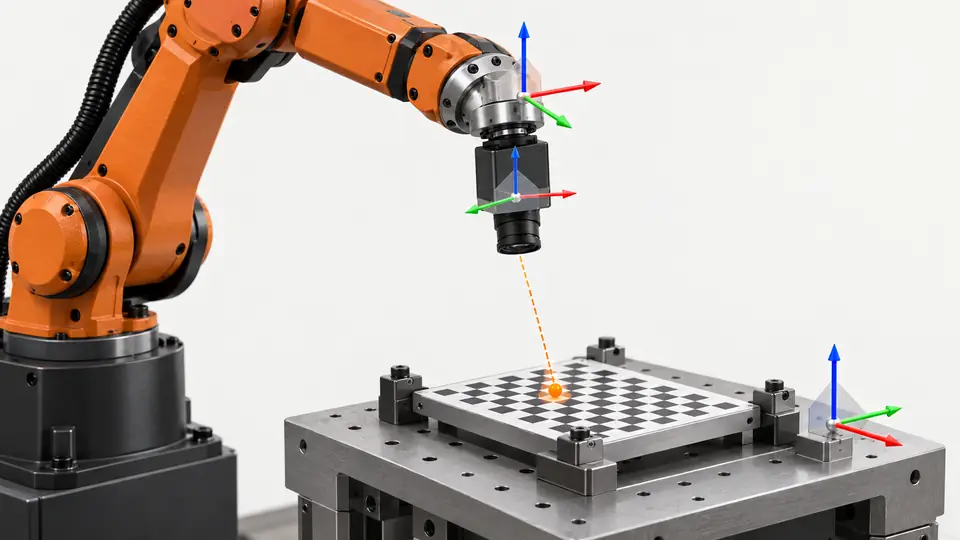
Identify the camera arrangement, robot coordinate frame and working plane before choosing a calibration method. This example is a fixed-camera planar XY application; it is not a complete three-dimensional hand-eye solution. Confirm whether the image coordinates represent pixels or a previously calibrated physical plane, and whether the robot positions are in the intended base or user frame. Record units, axis directions, tool center point and calibration revision. Place the target at the actual pick height using a stable fixture. A calibration made at a different height can produce location-dependent errors, especially with perspective imaging. Do not reuse a recipe’s calibration merely because a replacement camera or tray has the same commercial model name.
Procedure
- Acquire widely separated paired vision and robot coordinates using the manufacturer’s procedure.
- Keep the part and picking point consistent at every taught position; save calibration C1.
- Place an independent target at each validation position, including center and corners.
- Compare commanded and reference positions; calculate planar error as sqrt(dx² + dy²), retaining signed dx and dy.
- Perform controlled physical picks and repeat after removing and replacing the tray within its permitted mounting variation.
Follow the selected system’s documented pairing procedure and keep each vision position with its corresponding robot position. Use locations spanning the required operating field rather than clustering them near the center. Check correspondence before fitting: swapped points and mixed coordinate frames can produce a plausible-looking transformation with wrong physical meaning. Retain the original pair list and configuration used to fit the mapping. Reserve the nine illustrative validation positions separately, without feeding them back into the fit. At each reserved point, compare the predicted robot position with an independently established physical reference. Preserve the signed X and Y differences so that translation, rotation and scale patterns remain visible. Repeat actual picks using the intended tool instead of relying solely on a numerical fitting report.
Illustrative test record
Illustrative assumptions, not measured Deyi performance. Replace these values with your own signed test records.
| Record | Assumed value |
|---|---|
| Validation points | 9 |
| Proposed acceptance limit | 0.20 mm |
| Part-height range | 0 mm |
| Calibration version | C1 |
At one reserved validation point, assumed errors of dx = 0.12 mm and dy = 0.16 mm produce a radial error of 0.20 mm. Preserve the signed components as well as the magnitude. A point exactly at the proposed limit needs the agreed rounding and uncertainty rule; it is not automatically accepted. Test corners and the working pick plane, and keep fitting points out of the independent validation set.
Compute each point’s radial XY residual from its signed components, then report the maximum and the spatial pattern as well as any summary average. A small average can conceal one failing edge point. Keep measurement uncertainty and robot reference repeatability in the assessment; the transformed coordinate is not an independent ground truth. For the example dx and dy values, the resulting magnitude touches the proposed limit, so the agreed decision rule matters. Do not round the displayed value down to create a pass. Relate the limit to the actual part clearance, tool geometry and application acceptance requirement rather than inheriting the example’s 0.20 mm value. Keep planar position validation separate from orientation and height checks.
Two views of the workflow
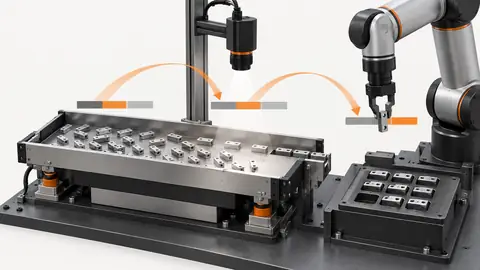
Validate hand-eye calibration across the tray — 1
Teaching creates a transform; independent points and actual picks test its usefulness beyond the taught locations.
- Paired points
- Transform
- Independent targets
- Actual picks
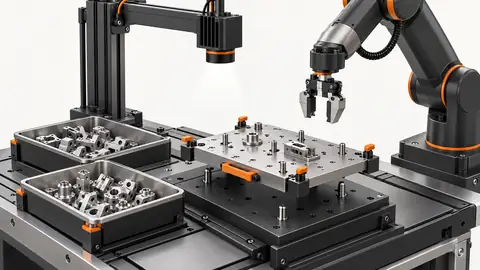
Validate hand-eye calibration across the tray — 2
Small fitting residual and small production pick error are different checks. Neither substitutes for the other.
- Teaching residual
- Validation error
- Pick result
Troubleshooting
- A constant shift suggests checking TCP and frame origin before refitting.
- Increasing error toward corners suggests calibration spread, imaging or model limitations.
- Part-height changes invalidate a plane assumption unless the selected model accounts for them.
Acceptance and handover
Pass only when every independent position meets the agreed positional limit and physical picks succeed. Keep teaching points separate from validation points and record tray, height, TCP and calibration version. No measured result is claimed here.
Set acceptance limits before testing and retain the original evidence. The examples here do not establish a supplied model’s capabilities.
Acceptance should be carried out with fresh target presentations and the approved production tool after the fitting setup is removed. Include field edges and the actual working height, and document any region that is excluded from use. Verify that the active robot frame, tool and calibration identifiers match the accepted set. Repeat a selected reference point after normal restart to check that the correct configuration was restored. If camera mounting, tray height, tool or coordinate frame changes, evaluate which evidence must be repeated before release. Handover includes paired fitting data, independent validation records, frame definitions, residual plots or tables and actual pick observations. A manufacturer’s calibration wizard can support the method, but its presence does not establish a Deyi model’s supported calibration modes or achieved accuracy.
Sources and technical references
These references explain the methods and limits used in this tutorial. Example checks are guidance; production acceptance requires evidence from your own samples.
- Hand-eye calibration wizard — EYE+ 5.4Asyril
Paired vision/robot positions, production plate, coordinate units and manual pick validation.
Checked - Knowledge database — EYE+ 5.4Asyril
Official knowledge topics on vision calibration, recipe portability and hand-eye good practices.
Checked
Component and selection references
- Flexible Feeder Robot Loading for Small Parts
- Robot Guidance
- Flexible Feeding & Robot Loading
- Flexible Feeders & Workstations
- Flexible Feeder Selection Guide
- Robot Guidance Pick and Place Positioning
- Tune a flexible-feeder recipe with controlled trials
- Part positioning: acceptance and motion handoff
- Part positioning: an AI-assisted pixel workflow
- Part positioning: camera and coordinate setup
- Part positioning: lighting and ROI stability
- Part positioning: locate the cause of pick offset
- Diagnose pick offsets through frames, TCP and part height
- 2D vs 3D Machine Vision
- 3D Vision Cameras