Problem and prerequisites
Loading the right vibration recipe is insufficient if the camera model, tray or gripper belongs to another part. Treat changeover as a controlled set of mechanical and software identifiers rather than a single file.
Prepare the test
List the part revision, tray, illumination, vision recipe, calibration, gripper and robot program. Assume recipes A04 and B02 with calibration C3; the 20-part example is a planned first-piece trial, not a completed test.
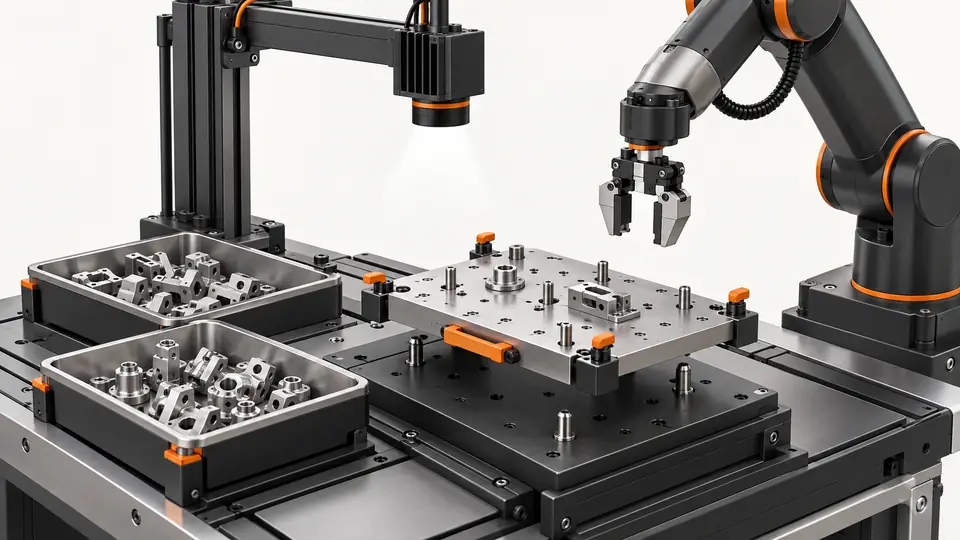
Treat a product changeover as a controlled transition between complete operating sets. List the mechanical items that affect presentation and contact: tray, guides, lighting position, gripper and part revision. List the software items that interpret or act on that presentation: detection recipe, coordinate calibration, pick-point definition, robot program and communication configuration. Give each item an identifier and record which combinations have actually been tested. Similar file names or identical hardware models are not sufficient evidence of compatibility. Confirm the manufacturer’s documented portability limits and any calibration steps needed after replacement. Define the person responsible for approving the manifest and the point in the sequence where automatic requests remain blocked until validation is complete.
Procedure
- Save and label the last accepted configuration before changing parts.
- Confirm each physical item against the new part’s configuration sheet; do not assume a copied recipe transfers unchanged.
- Load the matching software set and check identifiers on every controller.
- Run first pieces at the intended picking plane, checking orientation, clearance and actual removal.
- Deliberately load an incorrect recipe in a controlled test; confirm the mismatch blocks production, then restore the accepted set.
Before changing items, close or resolve the current part event and preserve the last accepted manifest. Clear pending targets using the controller’s defined transition so that an old pick cannot be issued under the new configuration. Check the installed mechanical items against the new part’s manifest, then load the matching software set through documented mechanisms. Read back the active identifiers where available rather than assuming a load button changed every controller. Confirm the working plane, illumination, candidate orientation and physical gripper clearance. Present a first part and verify raw image localization, transformed target and actual pick outcome. Keep production blocked during this controlled check. A recognition pass alone does not confirm that the right robot program or tool is active.
Illustrative test record
Illustrative assumptions, not measured Deyi performance. Replace these values with your own signed test records.
| Record | Assumed value |
|---|---|
| Validated recipe A | A04 |
| Candidate recipe B | B02 |
| Calibration version | C3 |
| Sample count | 20 |
Create a changeover manifest with part revision, tray, lighting, vision recipe, calibration, gripper and robot-program identifiers. The example A04/B02/C3 set is accepted only as a complete tested combination. During the controlled wrong-recipe test, confirm that the mismatch blocks automatic production before a pick is issued. Record the blocked request and the restored manifest. The planned 20 first-piece checks cannot demonstrate long-run reliability or universal portability.
The A04/B02/C3 identifiers illustrate a matched set, not interchangeable components. Create a record for requested, loaded and independently confirmed items, along with approval status. During the planned wrong-recipe exercise, use an authorized test condition that exposes the mismatch without issuing an uncontrolled pick. Observe which check blocks the request and keep its explicit reason. Restore the accepted set and verify its identifiers again. If a copied recipe loads but performs differently, compare tray geometry, camera mounting, calibration plane and tool before calling the file defective. Do not cure a mismatched configuration by widening detection tolerance or adding a temporary robot offset without repeating the relevant validation.
Two views of the workflow
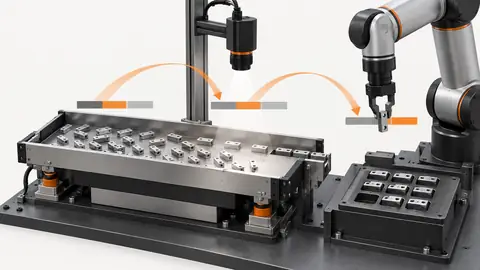
Validate feeder changeovers as a complete recipe set — 1
Mechanical identities and software versions are checked together before the first piece is released.
- Part revision
- Hardware check
- Software set
- First piece
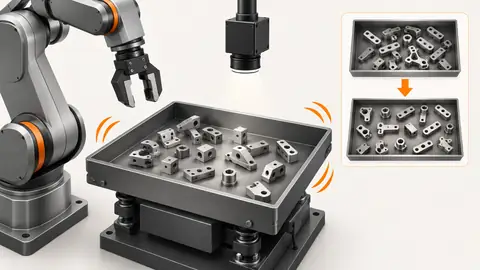
Validate feeder changeovers as a complete recipe set — 2
The active set, candidate set and rollback set must each remain identifiable. Mixing their components creates an untested configuration.
- Active set
- Candidate set
- Rollback set
Troubleshooting
- Correct vision with failed picks may indicate an old gripper or robot program.
- A replacement tray can change the plane even when its model name matches.
- Rollback must restore the complete validated set, including calibration, not just vibration values.
Acceptance and handover
Approve changeover only after agreed first-piece and sustained-run checks. Keep the 20 trial part records separate from later production. Record who accepted the set and which versions can be restored; do not claim portability without validation.
Set acceptance limits before testing and retain the original evidence. The examples here do not establish a supplied model’s capabilities.
Acceptance should cover first-part behavior, representative continuous operation and recovery to the previous complete set. Include a stop and restart after the new manifest is active, confirming that all controllers restore matching versions. Test replenishment and the agreed loading envelope with the production gripper. Keep the planned twenty-part first-piece exercise separate from the broader production evidence and report what it does not cover. When a candidate fails, preserve its records before rolling back; rollback must include calibration and robot configuration, not just vibration values. Handover includes mechanical identification photographs or records, configuration exports, approval, expected mismatch behavior and restore instructions. A recipe that worked for one part and station cannot be claimed portable to another without a documented compatibility review and fresh acceptance evidence.
Sources and technical references
These references explain the methods and limits used in this tutorial. Example checks are guidance; production acceptance requires evidence from your own samples.
- Create new multi-feeding recipes — EYE+ 5.4Asyril
Recipe stages include candidate selection, pick point, angle, gripper conditions and vibration configuration.
Checked - Knowledge database — EYE+ 5.4Asyril
Official knowledge topics on vision calibration, recipe portability and hand-eye good practices.
Checked
Component and selection references
- Flexible Feeder Selection Guide
- Flexible Feeding & Robot Loading
- Flexible Feeders & Workstations
- Flexible Feeder Robot Loading for Small Parts
- Robot Guidance Pick and Place Positioning
- Validate hand-eye calibration across the tray
- Part positioning: acceptance and motion handoff
- Part positioning: an AI-assisted pixel workflow
- Part positioning: camera and coordinate setup
- Part positioning: lighting and ROI stability
- Part positioning: locate the cause of pick offset
- Diagnose pick offsets through frames, TCP and part height