Define visible open-package completeness
Define completeness as the visible declared items inside an open package or tray at the chosen inspection event. Do not infer contents through a closed carton, beneath opaque padding or behind a flap. A camera can show a visible cap, insert or seal when its observation zone is exposed; that does not prove that every required object elsewhere in the kit is present. Write the visible item list and exclusions alongside the acquisition requirement. Agree independently assessable references with the packing-process owner so a tidy package appearance cannot quietly become a claim of hidden inventory or total shipment completeness.
Prepare reference kits and omissions
Prepare identifiable correct kits, a deliberately omitted visible item, an extra visible item and allowed material or tray variations. Preserve the ordinary surrounding contents when creating an omission reference: an entirely empty pristine tray may not represent a missing insert among actual packed objects. Record kit definition and package identity, and keep repeated views of the same package together. Reserve independent packages for later acceptance. If an item is covered in the reference specimen, label the observation limit rather than asking the image workflow to guess its inventory. A reference established only by the current vision output is not independent evidence.
Choose a view into the declared tray
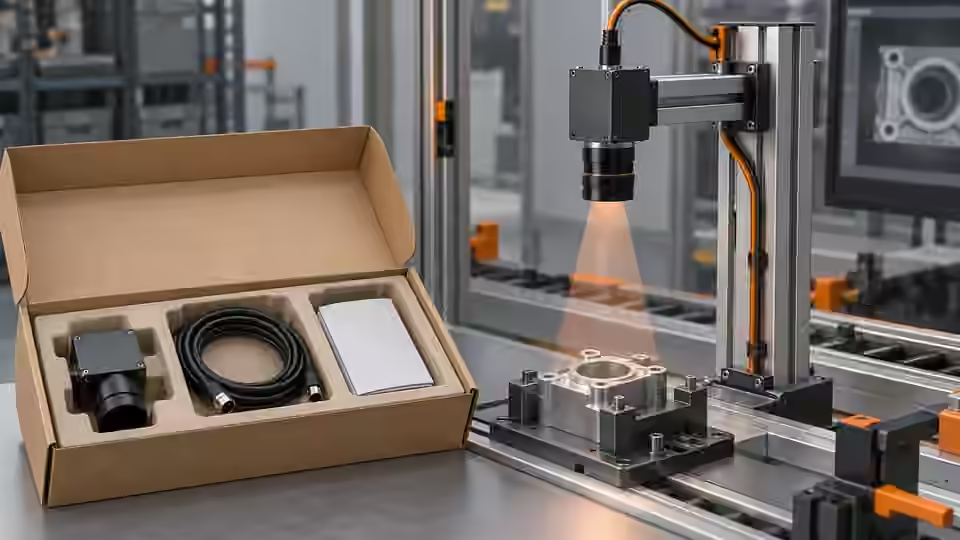
Choose the viewing direction using the complete package, tray walls, flaps and packing fixture. An overhead view may separate cavities but hide tall objects behind a raised flap; an oblique view can reveal the side while introducing depth-dependent displacement and overlap. Compare both on the same identified references with the allowed presentation range. Keep enough margin around the declared contents and package datum so ordinary motion does not clip a required zone. If no permitted view exposes a required object, change the presentation or add a separate check instead of describing the unobserved object as reliably absent.
The camera observes exposed package contents
Keep required visible items clear of tray walls and flaps; covered contents remain outside the image claim.
- Camera direction into open tray
- Declared visible item zones
- Flap and wall occlusion limits
- Covered contents remain unobserved
Plan image sampling for the needed evidence
Plan sampling around the visible feature that actually distinguishes the intended observation. In a hypothetical framing example, a 300 mm field across 3000 px gives a nominal scale of 0.1 mm/px, and a 2 mm feature spans 20 px. This is planning arithmetic, not measured optical resolution, recognition accuracy or calibrated depth measurement. Verify focus, contrast, distortion and the actual object's height on the complete package. A large colorful shape may support presence observation while a small printed identifier requires a different image task. Do not select a camera only from nominal pixel count and then treat that count as proof of correct kit identity.
# Hypothetical framing calculation, not a calibrated inspection specification.
field_width_mm = 300.0
image_width_px = 3000
nominal_mm_per_px = field_width_mm / image_width_px  # 0.1
feature_width_mm = 2.0
nominal_feature_px = feature_width_mm / nominal_mm_per_px  # 20.0
# Check actual contrast, focus, distortion and visibility on the declared packaging specimens.
Capture before contents become hidden
Place acquisition after the intended packing operation and before closure or cover placement hides the declared items. Record the operation and package identity with the source frame. A hand or tool still inside the box is an observation obstruction, not evidence that the item is missing. Check actual exposure, camera readiness and association between trigger event and fresh image in the installed mode. Compare stationary and permitted moving presentation using the same reference policy. The attractive frame immediately before or after the intended event is not a valid substitute if it belongs to another package or another packing state.
Challenge material, flap and pose variation
Challenge permitted carton colors, tray finishes, transparent wrapping, flap positions and package rotations without changing the visible item reference. Compare the same package before and after the selected presentation change, then independently identified packages within the allowed material range. Keep reflections, deep shadows and occlusion visible in the workbook. A glossy wrap can make a cavity appear occupied, while a lifted flap can conceal an actual item. If visibility is lost, preserve the observation limitation rather than editing the expected count. A repeatable carton outline does not establish that the camera has seen the inventory required by the kit definition.
Build the packaging acquisition workbook
Create a workbook row linking package identity, kit definition, reference assessment, original image, actual camera settings, capture event, flap or cover state and declared visible zones. Include the failed acquisition alternatives and the observation that explains the chosen view. The table separates visibility evidence from later count or recognition rules. Keep the original frame, not only a tightly cropped favorable preview, so a receiving engineer can inspect nearby objects and occluding material. Record whether motion, interruption or a manual intervention affected the capture. Unidentified saved images cannot support a defensible assertion that the intended package and packing operation were inspected.
| Reference condition | Capture control | Evidence to retain |
|---|---|---|
| Visible item deliberately omitted | Same kit surroundings and tray | Original image and independent kit reference |
| Raised flap covers an item | Controlled flap state on same package | Full view and visibility annotation |
| Reflective wrapping resembles contents | Fixed camera and paired presentation | Raw reflections and object boundary |
| Package moves past the capture event | Declared event with fresh-frame association | Package, operation and image identities |
Accept images only within the visible scope
Accept the image baseline only when the declared visible objects remain observable across the agreed development groups and unresolved groups stay explicit. Freeze presentation, camera geometry, capture event and actual settings before developing the completeness workflow. Independent acceptance must later verify the selected decision chain and station handoff; image replay alone cannot certify a real camera, current package or production runtime. If covered contents matter, retain the need for another observation or inventory method. Deyi Vision can support supported image-workflow comparisons, but this setup is a proposed development procedure and makes no claim of completed factory testing or universal package accuracy.
From kit reference to capture baseline
Tie package identity and presentation to the image before accepting it for later workflow development.
- Freeze visible kit reference
- Expose declared items before closure
- Compare controlled capture alternatives
- Accept baseline and preserve hidden limits
Sources and technical references
These references explain the methods and limits used in this tutorial. Example checks are guidance; production acceptance requires evidence from your own samples.
- Camera CalibrationOpenCV
A nominal image scale is not a calibrated physical measurement across arbitrary depth and perspective.
Checked - Exposure TimeBasler
Effective exposure behavior must be verified in the installed acquisition mode.
Checked - Triggered Image AcquisitionBasler
Frame association and acquisition readiness are distinct capture requirements.
Checked
Component and selection references
- machine vision software
- Machine Vision Acceptance Test Checklist
- Automated Visual Inspection
- Industrial 2D Cameras
- Battery Tab Weld Height Inspection
- Balluff Vision Sensor Alternative
- Datalogic Barcode Reader Alternative
- Banner Vision Sensor Alternative
- Troubleshoot visible assembly verification failures
- EAN-13 traceability: duplicates and missing reads
- Camera setup for visible fill-level inspection
- Lighting and ROI for a visible liquid boundary
- Troubleshoot unstable visible fill-level decisions
- Set inspection thresholds with a confusion matrix
- Check laser-profile datum and missing-data behavior
- OCR labels: unreadable versus wrong text
- Choose lighting and ROI for open-package contents
- Troubleshoot false package-completeness decisions
- Seal and bead appearance: gap diagnosis
- SKU color sorting: channel and drift diagnosis
- Surface defects: false-alarm diagnosis