Give AI a bounded visible-inventory request
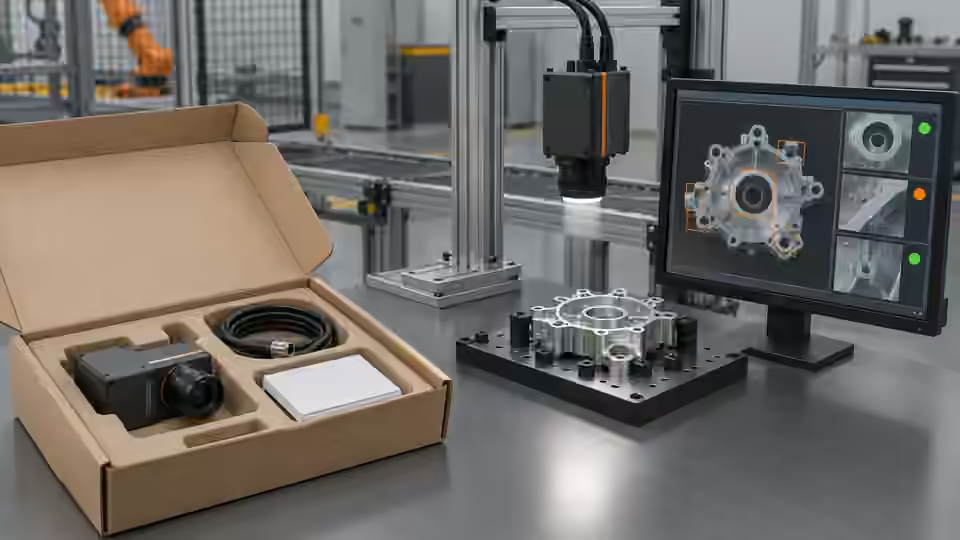
Give AI assistance a bounded request to propose supported processing for declared visible items in an open package, followed by comparison with the agreed kit definition. Provide references, allowed presentation and the explicit hidden-content exclusions. Do not request inference of inventory through a closed carton or automatic approval based on a tidy image. A proposed graph remains a development hypothesis until tested against original source images and independent reference assessments. Keep the accepted acquisition baseline fixed during comparison so a changed workflow, rather than altered packaging material or a more convenient specimen, explains any observed difference.
Freeze the kit and independent references
Freeze package and kit identities, reference contents, original image identity, dimensions, observation zones and crop transform. Preserve uncertain references with their declared handling instead of forcing them into convenient classes. The kit revision must specify the visible items being checked and the objects outside the image scope. Repeated images of the same package are related observations, not independent inventory references. Retain full original frames so another engineer can inspect flaps, coverings and neighboring contents. A plausible count from a different package or an earlier crop cannot serve as evidence that the current declared kit was observed.
Build the visible evidence chain
Build explicit image preparation, foreground or recognition evidence, typed detections and a BOM rule when that method fits the agreed presentation. A fixed-region route associates configured labels with foreground observed in declared zones; it is not a learned classifier of arbitrary kit contents. If validated recognition is necessary, preserve model identity, class mapping, filtering and duplicate handling separately. Raw detection candidates cannot automatically be counted as distinct items. Keep visibility and coordinate identity in the typed evidence so clipping, contact or hidden contents remain available to the rule, rather than reducing every upstream outcome to an apparently authoritative integer.
The BOM reads visible typed item evidence
Keep separate item observations and kit identity in the declared coordinate basis before counting.
- Original open-package image
- Declared visible item evidence
- Versioned known-label and quantity list
- Covered contents outside the contract
Declare a versioned BOM contract
Declare the BOM identifier, revision, known labels and exact expected quantities before candidate evaluation. The illustrative configuration below checks a visible cap and seal, each with its declared expected quantity; it is not a production kit specification. In the reviewed bounded BOM route, known labels without an expected item entry have an expected count of zero, while unknown labels require review. Keep label meaning stable across the observation method and BOM. The observable flag records a declared condition to be justified by actual image evidence; setting it true does not make an opaque cover transparent or validate a wrong region label.
{
  "version": 1,
  "id": "visible-cap-seal-example/v1",
  "observable": true,
  "known_labels": ["cap", "seal"],
  "items": [
    {"label": "cap", "quantity": 1},
    {"label": "seal", "quantity": 1}
  ]
}
Preserve unknown and invalid observations
Preserve native decision reasons together with raw typed detections. In the reviewed route, invalid visibility or a declared unobservable package leads to Review. Valid visible quantities that differ from the BOM lead to Fail; an unknown class also requires Review and takes precedence over a convenient count match. Neither missing execution output nor malformed input is a valid empty inventory result. Confirm the installed contracts and retain explicit nonpassing handling for unknown states and errors. A green count display without source image, kit identity and trustworthy visibility cannot establish that the package contents satisfy the declared acceptance claim.
Compare candidates on development groups
Compare baseline and candidate processing on the same development groups of complete kits, omitted items, extra items, unfamiliar labels, touching objects, clipping and allowed material variation. Change a declared processing variable at a time and retain original failed outputs. Inspect both corrected decisions and cases that become unobservable or receive the wrong label. Keep review and execution failures within the planned denominator rather than optimizing only valid counts. A parameter search uses development evidence and is not independent acceptance of the selected graph. Reserve separate packages and kit variations for that later test, with remaining observation limits recorded before selection.
Keep the completeness workflow workbook
Record package and kit revisions, reference rationale, image and crop identities, evidence method, configured labels or model assets, filters, raw detections, visibility, BOM identity, decision reasons and final execution state. Keep baseline and candidate graphs with the original source images and failed results. The table separates exact visible quantity match, mismatch, unfamiliar class and invalid observation without inventing an accuracy percentage. A receiving engineer should be able to trace each count to actual visible evidence and see whether the labels came from fixed zones or a separately validated recognition method, rather than assuming AI-assisted development proved industrial kit identity.
| Typed evidence | Bounded decision | Interpretation |
|---|---|---|
| Valid visible known quantities match BOM | Pass | Declared visible kit items only |
| Valid visible known quantities differ | Fail | Visible quantity mismatch |
| An unfamiliar label is present | Review | Kit identity needs examination |
| Invalid visibility or unobservable contents | Review | No trustworthy complete inventory observation |
| Execution output missing or malformed | Explicit nonpassing handling | Not a valid empty package result |
Sources and technical references
These references explain the methods and limits used in this tutorial. Example checks are guidance; production acceptance requires evidence from your own samples.
- Contours: Getting StartedOpenCV
Foreground structures are image evidence and do not themselves establish semantic item identity.
Checked - skimage.measure APIscikit-image
Region properties describe extracted image components, not hidden package inventory or learned SKU classes.
Checked - Deyi Vision Vision WorkbenchDeyi Vision
Supported saved-image workflow investigation must preserve input identity and actual installed execution scope.
Checked
Component and selection references
- machine vision software
- Machine Vision Acceptance Test Checklist
- Automated Visual Inspection
- EAN-13 traceability: line acceptance
- EAN-13 traceability: decode and data rules
- Stable camera acquisition: buffers, timeouts and reconnection
- Accept and integrate a visible fill-level workflow
- AI-assisted workflow for a visible level proxy
- Link inspection records, images and part identifiers
- OCR labels: acceptance and PLC contract
- OCR labels: native workflow and exact match
- Accept and integrate open-package completeness checks
- Build a PLC–vision handshake with explicit states
- Seal and bead appearance: line acceptance
- Seal and bead appearance: workflow rules
- SKU color sorting: acceptance and unknown route
- SKU color sorting: typed color and SKU rules
- Surface defects: acceptance and line output
- Surface defects: bounded AI evaluation
- Load-test latency from trigger to PLC decision
- Version and roll back the complete vision recipe