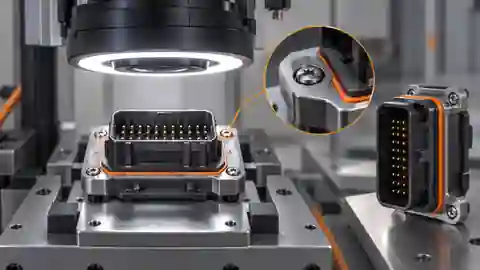
Define the visible assembly claim
Define which visible components must be present and which image-space relationship distinguishes the intended assembly. For example, a bracket and a retaining feature can be observed in declared zones, while a hidden engagement, fastening torque or internal bond cannot be established from their apparent presence. Write these limits next to the camera requirement, not only in a later disclaimer. Ask the process owner to identify an independently assessable reference condition for each visible defect. The image task should describe what the camera can actually show, so a clear picture of an incomplete assembly is not accidentally called proof of full mechanical quality.
Prepare reference fixtures and defects
Prepare identifiable examples of the intended assembly, a deliberately absent visible component, incorrect relative placement and allowed fixture variation. Keep the reference assessment independent of the current image classifier. A missing-part example should preserve the surrounding hardware and normal surface condition; a carefully cleaned empty nest is an unrealistic substitute if production fixtures contain reflections or debris. Record fixture revision and specimen identity, and keep repeated views of the same assembly together. Reserve separate assemblies for acceptance. Do not change a difficult specimen's reference class because a proposed camera view cannot see the feature that establishes its actual condition.
Choose a view that separates parts
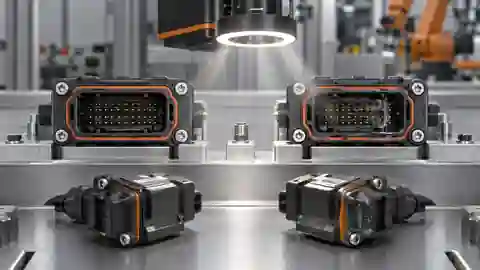
Select the viewing direction by inspecting the complete assembly and fixture together. Confirm that required visible components remain separated from clamps, tooling and neighboring parts throughout permitted poses. A top view may reveal presence but hide the engagement edge; an oblique view may reveal that edge while increasing perspective variation. Make the tradeoff explicit and retain comparison images from the same specimens. Leave margin around each observation zone so ordinary pose variation does not clip the component. If no permitted view reveals a required property, narrow the image claim or add another observation method rather than expanding an ROI over hidden material.
See the required parts before judging them
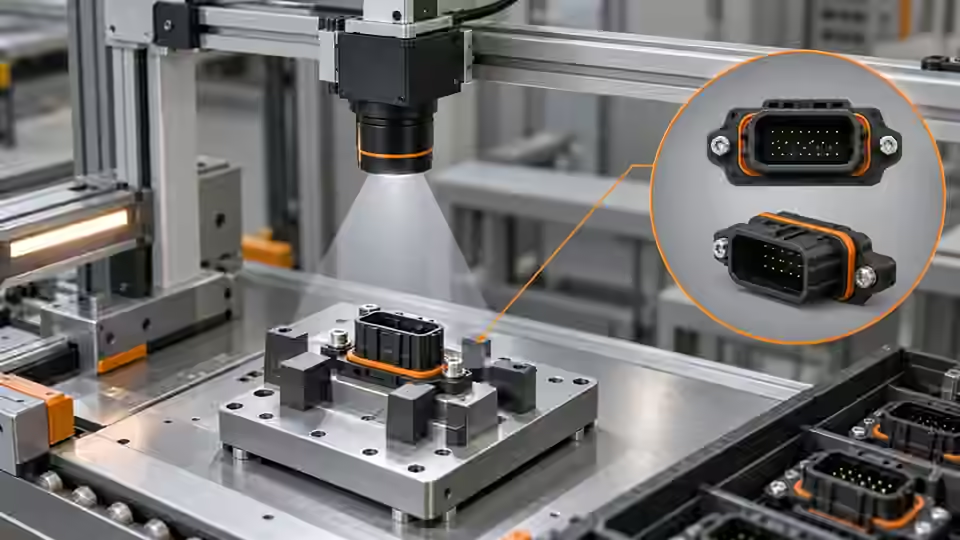
The camera view must separate required visible parts from the fixture and preserve the feature used for their relationship.
- Camera viewing direction
- Required visible component A
- Required visible component B
- Fixture and occlusion boundary
Control exposure without changing the evidence
Freeze baseline exposure, gain, lens position and aperture before comparing acquisition alternatives. Use actual camera settings and image identities, since a displayed nominal exposure can differ from effective behavior in some acquisition modes. Check sharpness at the feature used for the relation, not merely at a convenient fixture edge. Compare stationary and permitted moving captures of the same reference assembly while changing only the selected capture variable. Avoid solving a shiny component by saturating its boundary or solving blur by amplifying noise until debris resembles a part. The record below describes evidence fields, not working camera-control code or a production motion budget.
capture_record = {
    'assembly_id': assembly_id,
    'image_id': image_id,
    'fixture_revision': fixture_revision,
    'camera_settings': actual_camera_settings,
    'reference_class': reference_class,
    'visible_regions': declared_visible_regions,
}
# Proposed capture workbook fields; not an acquisition or controller implementation.
Capture after the observable operation
Locate the acquisition event after the operation whose visible outcome is being inspected, with the fixture in its declared observation state. An image captured while the tool still covers a component does not prove that the component is absent. Preserve the intended operation identity, assembly identity, source image and trigger evidence. Check camera readiness and actual frame association before assuming each command produced a fresh frame. Compare the planned event with a controlled alternative using the same references and unchanged optics. The useful event is the one that exposes the declared properties consistently, not the one that merely produces the most attractive preview.
Challenge surface and pose variation
Challenge allowed part finishes, fixture wear, permitted rotations and normal surrounding contamination without changing the reference policy. Compare the same assembly before and after the proposed pose correction, then compare independently identified assemblies within the allowed range. Keep specular highlights and occluded regions visible in the workbook. A polished retaining feature can merge with a bright clamp; a matte substitute may look easier but represent a different observation problem. If the original feature disappears at an allowed pose, mark the capture limitation explicitly. Do not turn an unobservable condition into a reliable absence claim simply because the background still looks repeatable.
Create the acquisition workbook
Create a workbook row linking assembly and fixture identity, reference class, original frame, actual camera settings, capture event and declared visible regions. Add the observation that justified choosing a view and the variation that could invalidate it. Preserve unsuccessful comparisons alongside the preferred capture, including cases where a clamp or reflection hid the target. The table deliberately separates acquisition evidence from a later decision threshold. Record whether a sample was stationary, moving or captured during an interruption so those conditions remain distinguishable. A collection of saved images without specimen and event association cannot support an honest claim that the intended assembly operation was inspected.
| Sample condition | Capture control | Evidence retained |
|---|---|---|
| Required part deliberately absent | Same fixture and surrounding hardware | Original image and independent reference |
| Allowed pose near a clamp | Same assembly with declared pose change | Visibility and crop margin annotation |
| Reflective part finish | Fixed exposure and paired illumination | Boundary visibility including saturation |
| Capture during tool withdrawal | Identified operation and frame association | Tool state, event and image identities |
Accept the image evidence before classification
Accept the acquisition baseline only when the required visible parts and relationship features are observable over the agreed development groups, with unresolved groups retained explicitly. Freeze the fixture, camera geometry, actual settings and capture event before tuning classification. Use independent acceptance material later; a repeatable saved-image workflow does not prove physical trigger behavior or the readiness of a current runtime package. If the required mechanical property remains hidden, retain that boundary and request an appropriate separate test. Deyi Vision can support versioned image investigations, but this camera setup is a proposed engineering procedure rather than evidence of a completed factory trial or guaranteed assembly accuracy.
From assembly reference to capture baseline
Preserve specimen and event association before accepting a view for later workflow development.
- Identify assembly and reference condition
- Choose an observable view
- Compare controlled capture alternatives
- Freeze baseline and retain visibility limits
Sources and technical references
These references explain the methods and limits used in this tutorial. Example checks are guidance; production acceptance requires evidence from your own samples.
- Exposure TimeBasler
Exposure behavior is camera-dependent and must be checked with the installed acquisition mode.
Checked - Triggered Image AcquisitionBasler
Trigger readiness and frame association are distinct from image inspection.
Checked - Camera CalibrationOpenCV
Image geometry and calibration scope must be specified before inferring physical relationships.
Checked
Component and selection references
- machine vision software
- Machine Vision Acceptance Test Checklist
- Automated Visual Inspection
- Industrial 2D Cameras
- Battery Tab Weld Height Inspection
- Balluff Vision Sensor Alternative
- Datalogic Barcode Reader Alternative
- Banner Vision Sensor Alternative
- EAN-13 traceability: duplicates and missing reads
- Camera setup for visible fill-level inspection
- Lighting and ROI for a visible liquid boundary
- Troubleshoot unstable visible fill-level decisions
- Set inspection thresholds with a confusion matrix
- Check laser-profile datum and missing-data behavior
- OCR labels: unreadable versus wrong text
- Set up a camera for open-package completeness checks
- Choose lighting and ROI for open-package contents
- Troubleshoot false package-completeness decisions
- Seal and bead appearance: gap diagnosis
- SKU color sorting: channel and drift diagnosis
- Surface defects: false-alarm diagnosis