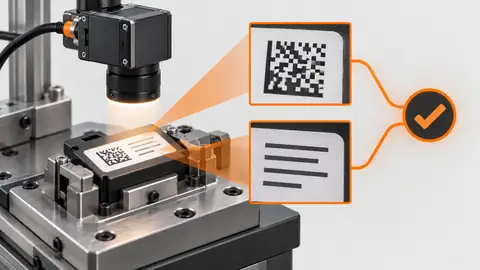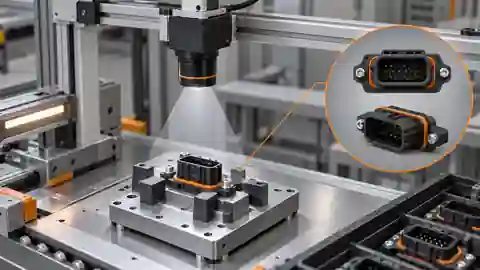
Purpose and operating boundary
Locate whether OCR failure begins in the source pixels, detection geometry, recognizer output or validation rule before altering the known expected answer.
This tutorial defines an engineering evaluation, not a ready-to-run product certification. The current Deyi Vision public PC example covers an EAN-13 workflow on confirmed sample images. Native OCR and detection work in the engineering code must be checked against the installed runtime, bound models and job before use. A browser template does not prove browser execution: the planned OpenCV.js backend needs separate verification. Cloud recognition requires explicit approval of the image scope, provider, model and cost. A review archive is not an executable release package. Camera, firmware and driver compatibility require their own check. All worksheet values below are hypothetical; they are not Deyi Vision measurements or customer results.
Prepare the evidence
Retain the original narrow boundary case and a normal-height field separately. Keep the expected lot unchanged across every experiment. Write a failure record that another engineer can replay without guessing which image or revision was used. Include the original source, affected region, actual output, expected disposition and the first divergent intermediate result. Record whether the symptom appears on replay, live capture or both. After a correction, rerun the original failure and the previously successful neighboring conditions. A fix that removes one alarm by excluding its region or accepting a missing result changes the requirement rather than resolving the cause. If the failure remains unresolved, keep the affected operation in Review or inhibited state with its reason; do not label an untested workaround as a validated solution. OCR label verification is a data-integrity task rather than a search for plausible words. Define each field, its location, expected alphabet, exact comparison policy and the trusted source of the expected value. A lot field, date field and product name may need different rules. Keep the text detection polygon and recognizer output before normalizing spaces or case. Do not silently replace I with 1 or O with 0: that can make a wrong label appear correct. The original engineering evidence includes a narrow OCR boundary case that returns NoResult or Review; increasing a crop does not establish general recognition readiness. A readable field can still contain the wrong lot, while a correct expected value does not justify filling an unreadable field with that value. Troubleshoot from the earliest observable divergence. Replay the same saved source through the unchanged baseline and candidate and compare intermediate images, regions, numeric values and result states. If the source itself differs, the comparison no longer isolates the algorithm. Change a single suspected cause, write the expected effect before running, and retain the negative result when the hypothesis fails. Separate unreadable evidence, a rule mismatch, missing dependencies and an execution fault; they require different remedies. A replay can reproduce a software failure but cannot validate the live trigger, illumination timing or physical reject path. Keep those acquisition and line checks as separate follow-up experiments.
Procedure
- Replay the original crop before changing parameters and record NoResult/Review without substituting the expected lot.
- Compare actual source height, lost character margins and detector polygon; distinguish an admission rejection from a recognized mismatch.
- Inspect raw text before normalization and test confusing characters without broadening the allowed alphabet to force acceptance.
- Recapture with corrected acquisition or field geometry and retain it as a new input, not a repaired version of the original test.
Interpret the trial
The documented engineering boundary uses 160 × 8 material with expected LOT123; NoResult or Review is an honest outcome. A 160 × 64 baseline does not prove arbitrary larger fields work. Padding or stretching the narrow image changes the experiment and cannot erase the original failure.
Recording worksheet
| Record | Value / observation | Interpretation |
|---|---|---|
| Boundary material | 160 × 8 px; LOT123 | NoResult / Review retained |
| Normal-height baseline | 160 × 64 px | Bounded reference, not universal readiness |
Two engineering views
Two engineering views · 1
The diagram shows the order of checks. Each arrow requires recorded evidence; it does not imply an implemented automatic connection. Failure image → First divergence → Hypothesis → Replay.
- Failure image
- First divergence
- Hypothesis
- Replay
Two engineering views · 2
The diagram shows the order of checks. Each arrow requires recorded evidence; it does not imply an implemented automatic connection. Original failure → Correction → Neighboring cases → Retained evidence.
- Original failure
- Correction
- Neighboring cases
- Retained evidence
Failure diagnosis
- If text becomes correct only after feeding the answer to the model, the experiment is invalid.
- If the polygon clips a stroke, repair acquisition or mapping before adjusting dictionary or matching rules.
Acceptance and handover
Close the diagnosis only after the earliest failing stage is identified and an independent new capture is evaluated. Preserve the original boundary outcome and its full denominator.
Keep the source images, the expected decision, the exact revision and the complete result record together. Freeze the evaluation set before selecting the final parameters. If those answers are later used to tune the workflow, mark that set as development data and obtain a new independent acceptance set. Keep Review, NoResult, execution error and missing acquisition visible in the denominator; do not turn them into passes by filtering rows. Save a reproducible failure alongside the successful sample. The handover should identify who may change the recipe, how a prior approved revision is restored and which device output remains inhibited until acceptance. A software result alone does not establish that a moving physical part reached the correct destination.
Sources and technical references
These references explain the methods and limits used in this tutorial. Example checks are guidance; production acceptance requires evidence from your own samples.
- Deyi Vision machine vision software: evaluation scopeDeyi Vision
Public EAN-13 PC evaluation scope and separate hardware/production acceptance.
Checked - OCR Pipeline Usage TutorialPaddleOCR
Text detection and recognition are separate stages with model/language configuration; upstream use is not a Deyi deployment claim.
Checked - Check OCR text against barcode and batch dataDeyi Vision
Keep raw recognized text and approved reference data separate, declare normalization and preserve mismatch/unknown outcomes.
Checked
Component and selection references
- machine vision software
- Food and Beverage Cap Label Date Code Inspection
- Packaging Label and Barcode Inspection System
- Automated Visual Inspection
- Battery Tab Weld Height Inspection
- Balluff Vision Sensor Alternative
- Datalogic Barcode Reader Alternative
- Banner Vision Sensor Alternative
- Choose lighting and ROI for visible assembly checks
- Troubleshoot visible assembly verification failures
- EAN-13 traceability: duplicates and missing reads
- Camera setup for visible fill-level inspection
- Lighting and ROI for a visible liquid boundary
- Troubleshoot unstable visible fill-level decisions
- Set inspection thresholds with a confusion matrix
- Check laser-profile datum and missing-data behavior
- Set up a camera for open-package completeness checks
- Choose lighting and ROI for open-package contents
- Troubleshoot false package-completeness decisions
- Seal and bead appearance: gap diagnosis
- SKU color sorting: channel and drift diagnosis
- Surface defects: false-alarm diagnosis