Inspection task
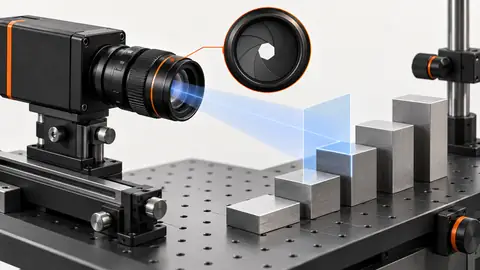
Mount the camera and reference artifact in the declared measurement plane. The hypothetical 10 mm reference spanning 500 px gives 0.02 mm/px only under the simplified constant-scale assumption. It does not establish distortion correction or uncertainty. Review the entire field and height variation before selecting the camera and lens.
Prerequisites and sample controls
Define the physical dimension, datum, permitted plane and unit before processing an edge. Provide a traceable reference artifact and independent dimensional answers. A visible contour or a pixel length is not a calibrated measurement. The current prepared native measurement route binds calibration and approved materials; missing approval, mismatched identity or an invalid plane must prevent a valid physical result. Hardware and production acceptance remain installation-specific.
Choose the camera route
For planar edge measurements, compare a low-distortion lens with a telecentric route where height variation changes perspective. Select an area-scan sensor that resolves the edge across the full required field. Height and profile require a verified 3D route rather than a scalar pixel-to-millimeter conversion. Changing lens, focus, camera position or measurement plane requires a calibration validity review.
Run the controlled procedure
Before connecting a live camera, work with saved original images and a fixture drawing. Record the sensor dimensions, pixel format, lens, working distance and acquisition backend. An imported image proves that an algorithm can inspect that file; it does not prove that the camera is supported, that a trigger is reliable or that a live station has passed acceptance. Confirm the device route with the installed runtime before issuing acquisition commands.
- Define the dimension, datum and physical unit.
- Fix camera, focus and measurement-plane identity.
- Capture the traceable artifact in several field positions.
- Save raw dimensions and reject undeclared scaling.
Process map
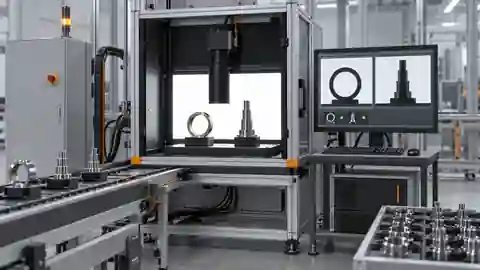
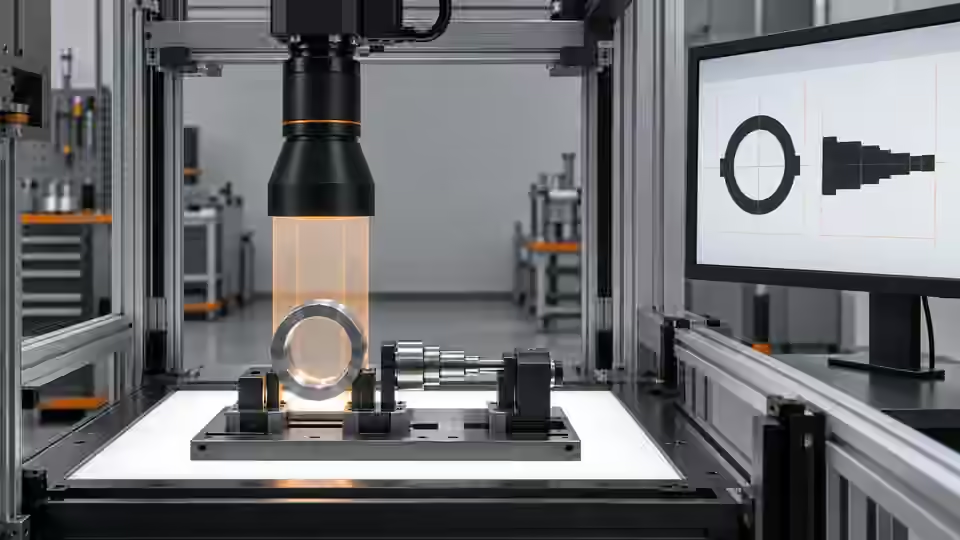
The camera, optics and approved plane define which image geometry can be interpreted physically.
- Original frame
- Fixture
- Native pixels
- New frame
Record the evidence
Record reference identity, field position, pixel length and actual calibration conditions. Distinguish planning arithmetic from independently measured scale. Preserve the original image rather than measuring a resized browser screenshot.
Prepare a plane-applicability record before constructing the metric workflow. Identify the reference artifact, its independently known dimension and the surface that establishes the measurement plane. Capture the artifact at the center and across the intended usable field without changing focus or the mount. Record the corresponding image points and whether every observation remains inside the declared valid region. Compare scale behavior rather than assuming that one central reference establishes a uniform map everywhere. A constant pixel scale is a simplified model; distortion and perspective may require a verified spatial transformation. If the part has permitted height variation, test that variation physically and decide whether the plane assumption remains applicable. Do not reuse a planar calibration for a raised edge merely because it still appears sharp.
| Control | Required observation | Decision boundary |
|---|---|---|
| R: hypothetical plane reference | 10 mm spans 500 px; scale = 0.02 mm/px | Planning calculation, not a calibration certificate |
| D: hypothetical segment | 501 px × 0.02 mm/px = 10.02 mm | Valid only if the declared plane and calibration are valid |
| I: invalid measurement context | Missing approval, wrong plane or mismatched calibration | No valid physical value; review or refuse |
Diagnose failed cases
A height change alters perspective with ordinary optics. A sharp edge does not prove the scale is correct. Missing approved calibration must prevent a valid dimensional value, even if an edge can be found.
Failure isolation
Compare a reference on the declared plane, a raised part and an uncalibrated image. Only an approved valid context supports a physical value.
- Declared plane
- Reference
- Height change
- Invalid context
Validate independently
Keep gain, exposure and automatic image adjustments fixed during comparisons. Capture after mechanical settling, then repeat at the allowed loading extremes. Check the original image at native size rather than judging a scaled browser preview. Verify that a new trigger produces a new frame identity and that missing frames become explicit failures. A stale but sharp picture is unsuitable evidence for the current part.
Compare independent artifact dimensions across the permitted field and plane. Decide whether the optical route and uncertainty budget can support the project tolerance before freezing the setup.
Treat optical changes as changes to measurement applicability. Save the lens identity, focus setting, working distance, camera pose and fixture definition with the calibration evidence. After any intentional adjustment, capture the independent artifact again and compare the resulting metric residuals under the previously declared map. Do not automatically regenerate a favorable scale from the same acceptance artifact and then report it as an untouched check. Separate the observations used to construct calibration from those used to verify it. Check the availability and approval of the material binding before requesting the prepared measurement route; an image alone is not sufficient. The setup can move to edge-processing trials only after the reference plane and image-coordinate relationship are explicit, and after unresolved field or height limitations are recorded. Retain the failed observations alongside the acceptable ones so the usable region has a reviewable basis.
Continue the engineering handoff
For an engineering handoff, supply original frames, fixture positions, camera/interface details and the capture log. Deyi Vision can review the imaging route from this evidence. Browser-local OpenCV.js execution remains a development requirement in the current capability record; do not assume that displaying a workflow makes its nodes executable in the browser.
Save the original image and the resulting record together.
Sources and technical references
These references explain the methods and limits used in this tutorial. Example checks are guidance; production acceptance requires evidence from your own samples.
- Inspection resolution planningDeyi Vision
Field of view and object-side sampling must be checked with optics, exposure and contrast.
Checked - Structural analysis and shape descriptorsOpenCV
Connected component areas and centroids describe image regions, not hidden physical part counts.
Checked - Camera calibrationOpenCV
Camera intrinsics, lens distortion and calibration observations are required for geometric interpretation.
Checked - Geometric image transformationsOpenCV
Geometric transformations require explicit coordinate maps; resampling changes pixel interpretation.
Checked
Component and selection references
- Stamped Part Instant Measurement
- Dimension Measurement
- Telecentric Lenses
- How to Calculate Camera Resolution for Inspection
- Machine Vision Lenses
- Instant Measuring Systems
- Telecentric Lens Basics
- Telecentric Lens vs Regular Lens
- What Is a Telecentric Lens?
- Machine Vision Lens Selection Guide
- Dimensional inspection: AI workflow and calibration
- Dimensional inspection: lighting and edge ROI
- Dimensional inspection: diagnose bias and drift
- Validate camera calibration across the full field
- Build a vision-measurement uncertainty worksheet
- Test subpixel edge repeatability separately from bias