Inspection task
Agree the measurand, traceable reference method, uncertainty allowance and physical tolerance before acceptance. Freeze calibration and material identities with the workflow. A repeated pixel length does not establish dimensional acceptance. Include valid in-tolerance, valid out-of-tolerance and invalid-context samples, retaining their different line consequences.
Prerequisites and sample controls
Define the physical dimension, datum, permitted plane and unit before processing an edge. Provide a traceable reference artifact and independent dimensional answers. A visible contour or a pixel length is not a calibrated measurement. The current prepared native measurement route binds calibration and approved materials; missing approval, mismatched identity or an invalid plane must prevent a valid physical result. Hardware and production acceptance remain installation-specific.
Choose the camera route
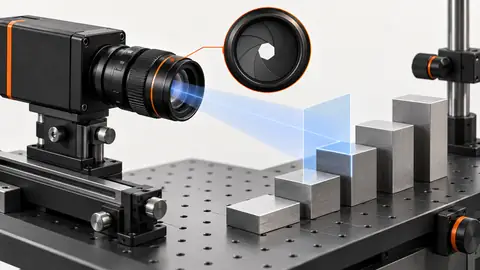
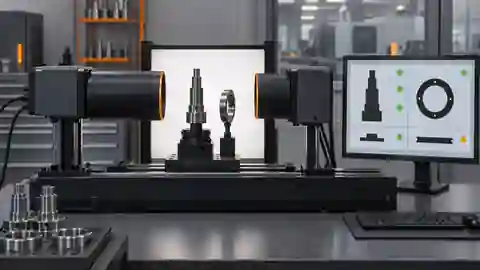
For planar edge measurements, compare a low-distortion lens with a telecentric route where height variation changes perspective. Select an area-scan sensor that resolves the edge across the full required field. Height and profile require a verified 3D route rather than a scalar pixel-to-millimeter conversion. Changing lens, focus, camera position or measurement plane requires a calibration validity review.
Run the controlled procedure
Agree the decision rules, permitted variation and required line response before starting acceptance. Freeze the workflow, dataset, runtime, materials and thresholds together. Keep the acceptance answer set independent of tuning; if its answers have already influenced changes, disclose that reuse and obtain a new independent set. Human review must remain separate from model predictions and automatic workflow editing.
- Seal independent artifact answers and approved tolerances.
- Repeat measurements over the permitted field and loading variation.
- Test missing geometry and calibration identity mismatch.
- Verify value, unit, validity and request identity at the receiving controller.
Process map
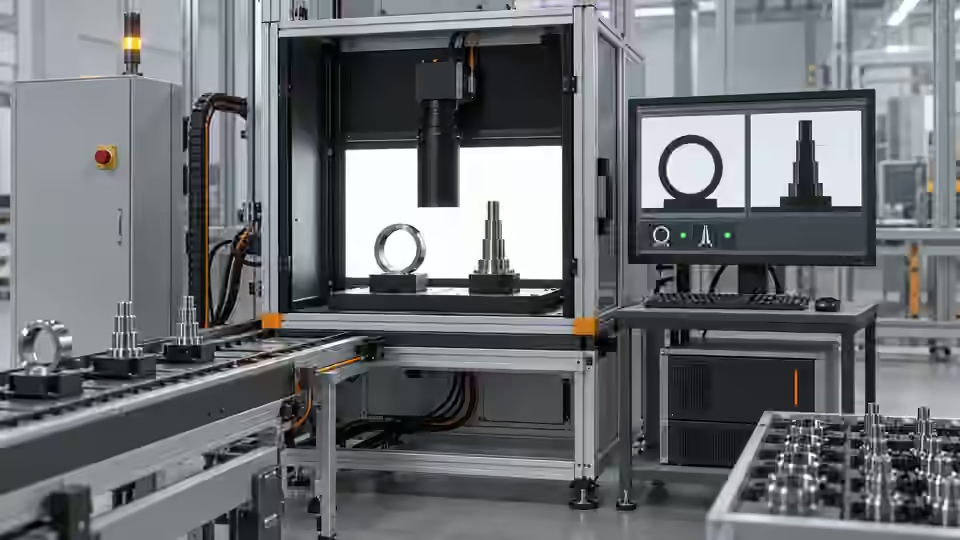
Independent dimensions validate the metric chain; units, validity and event identity remain attached through controller handoff.
- Frozen candidate
- Independent test
- Line response
- Local approval
Record the evidence
Record dimensional difference, repeated spread, validity and line response. Keep actual sample count and test conditions. The illustrative 10.02 mm result is not an achieved station measurement.
Agree the decision rule for measurement uncertainty before looking at acceptance results. Document the independent reference method, its applicability to the measured feature and the uncertainty contributions that matter to the decision. These may include the reference artifact, calibration, edge selection, loading and environmental variation; they are not established by pixel spacing alone. A display increment or a small repeated spread must not be presented as total accuracy. If a guard band or a review interval is required near the tolerance boundary, define it in advance with the responsible quality engineer. Keep valid borderline parts in the acceptance population and preserve the agreed decision rather than changing it after a difficult result. Report the metric difference and validity alongside the final classification so the evidence remains reviewable.
| Control | Required observation | Decision boundary |
|---|---|---|
| R: hypothetical plane reference | 10 mm spans 500 px; scale = 0.02 mm/px | Planning calculation, not a calibration certificate |
| D: hypothetical segment | 501 px × 0.02 mm/px = 10.02 mm | Valid only if the declared plane and calibration are valid |
| I: invalid measurement context | Missing approval, wrong plane or mismatched calibration | No valid physical value; review or refuse |
Diagnose failed cases
Dropping units or validity at the interface can turn an invalid number into a pass. A controller must not reuse the previous valid dimension when the new event has no result. Archive identity alone does not authorize deployment.
Failure isolation
Compare in-tolerance, out-of-tolerance and invalid-context events. Invalid measurement is not a small dimension or 0.
- Valid pass
- Valid fail
- Invalid value
- Controller response
Validate independently
Test complete events, including capture failure, ambiguous evidence, timeout and duplicate delivery. Tie every output to the current part and request identity. The integration must handle pass, fail and review/no-result explicitly rather than converting missing evidence to pass. Record observed latency and the final actuator response; a software result alone does not prove that the physical part was correctly handled.
Accept against independent traceable references with the agreed uncertainty decision. Confirm local package and approved context; revalidate after optical, fixture, runtime or calibration changes.
Test the controller contract with complete measurement events. For a valid result, verify that dimension, physical unit, validity, calibration identity and current request remain associated at the receiver. For missing geometry or invalid calibration, confirm that the interface does not deliver a normal physical value or reuse the previous valid one. If a controller only accepts a numeric register, design and verify a separate validity/status handshake under the approved integration protocol; this tutorial does not provide device-specific protocol commands. Exercise delayed and duplicated events using a safe commissioning substitute, then observe the actual line action under local authorization. Retain all interruptions, refusals and review cases in the final account. Approval should bind the tested workflow and material context, with explicit field, plane and optical limits. It must not be inferred from an archive checksum or a successful development replay.
Continue the engineering handoff
A candidate identity and a review archive do not constitute an approved executable release. Confirm the installed package, dependencies and active configuration locally. Any activation or rollback procedure must be verified on the actual runtime and kept outside an active job. Do not promise completed package activation or production acceptance from development comparison results.
Save the original image and the resulting record together.
Sources and technical references
These references explain the methods and limits used in this tutorial. Example checks are guidance; production acceptance requires evidence from your own samples.
- Visual inspection system design checklistDeyi Vision
Define sample decisions, station constraints and measurable acceptance before hardware selection.
Checked - Structural analysis and shape descriptorsOpenCV
Connected component areas and centroids describe image regions, not hidden physical part counts.
Checked - Camera calibrationOpenCV
Camera intrinsics, lens distortion and calibration observations are required for geometric interpretation.
Checked - Geometric image transformationsOpenCV
Geometric transformations require explicit coordinate maps; resampling changes pixel interpretation.
Checked
Component and selection references
- Dimension Measurement
- Telecentric Lenses
- How to Calculate Camera Resolution for Inspection
- Stamped Part Instant Measurement
- Machine Vision Lenses
- Instant Measuring Systems
- Telecentric Lens Basics
- Telecentric Lens vs Regular Lens
- What Is a Telecentric Lens?
- Machine Vision Lens Selection Guide
- Dimensional inspection: camera and plane setup
- Dimensional inspection: lighting and edge ROI
- Dimensional inspection: diagnose bias and drift
- Validate camera calibration across the full field
- Build a vision-measurement uncertainty worksheet
- Test subpixel edge repeatability separately from bias