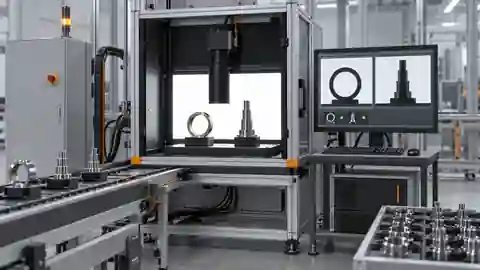
Inspection task
First determine whether the error is fixed bias, position-dependent scale or time-dependent drift. Replaying the same image isolates processing changes from acquisition changes. Use an independently measured reference; a repeated numerical result is not proof of truth. Keep calibration validity failures separate from ordinary out-of-tolerance parts.
Prerequisites and sample controls
Define the physical dimension, datum, permitted plane and unit before processing an edge. Provide a traceable reference artifact and independent dimensional answers. A visible contour or a pixel length is not a calibrated measurement. The current prepared native measurement route binds calibration and approved materials; missing approval, mismatched identity or an invalid plane must prevent a valid physical result. Hardware and production acceptance remain installation-specific.
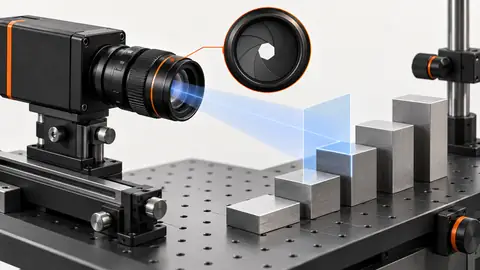
Choose the camera route
For planar edge measurements, compare a low-distortion lens with a telecentric route where height variation changes perspective. Select an area-scan sensor that resolves the edge across the full required field. Height and profile require a verified 3D route rather than a scalar pixel-to-millimeter conversion. Changing lens, focus, camera position or measurement plane requires a calibration validity review.
Run the controlled procedure
Freeze a copy of the failing workflow and retain the original failed image before testing a correction. Reproduce the symptom on saved data first, then determine whether it follows the part, illumination, acquisition or software state. A changed final answer is insufficient: the relevant intermediate evidence must improve for the expected physical reason. Do not erase the initial failure after a successful rerun.
- Replay the failed image with its original calibration identity.
- Inspect which edges and points formed the dimension.
- Move the reference across permitted positions in new captures.
- Check focus, plane and mounting before changing tolerances.
Process map
Trace discrepancy through source pixels, edge geometry and calibration identity before changing the physical decision.
- Original failure
- One change
- Replay controls
- Residual risk
Record the evidence
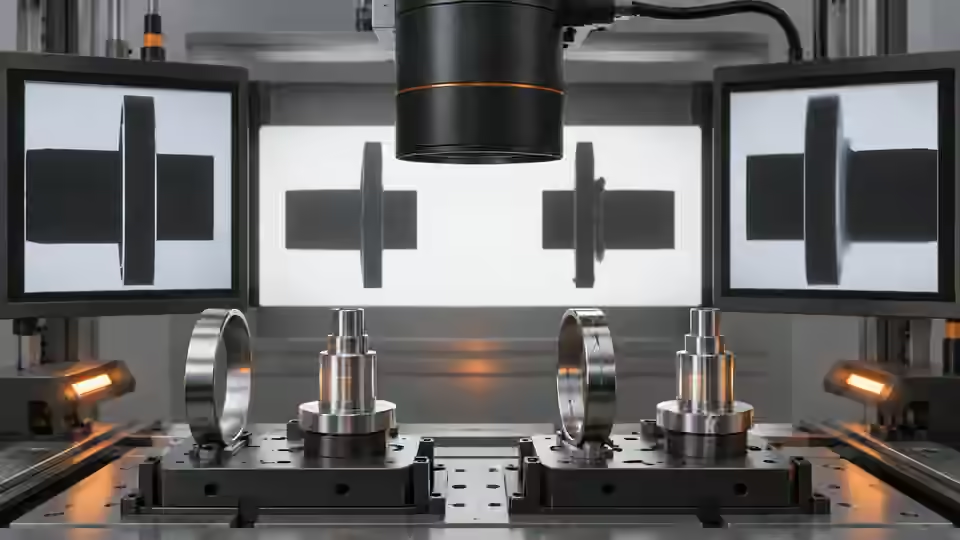
Record pixel geometry, artifact answer, reported dimension and difference. State whether each observation uses the same saved image or a newly captured frame. Retain both before/after results.
Build a residual ledger around an independently measured artifact. For every observation, store the original image points, the reported dimension, the independent reference answer and the difference in the declared unit. Group the observations by field position, acquisition time and physical presentation rather than combining all errors into one average. Replay one original without changing materials to check whether the processing result itself is stable. Then acquire new images of the same artifact at different permitted positions. A position-dependent difference suggests a spatial applicability issue; a shift after a lens or fixture change suggests that the previous calibration context no longer describes the installation. Keep these as diagnostic hypotheses until the relevant controlled comparison supports them.
| Control | Required observation | Decision boundary |
|---|---|---|
| R: hypothetical plane reference | 10 mm spans 500 px; scale = 0.02 mm/px | Planning calculation, not a calibration certificate |
| D: hypothetical segment | 501 px × 0.02 mm/px = 10.02 mm | Valid only if the declared plane and calibration are valid |
| I: invalid measurement context | Missing approval, wrong plane or mismatched calibration | No valid physical value; review or refuse |
Diagnose failed cases
A wrong unit or calibration binding can produce a stable large bias. Height and lens changes can create location-dependent error. Adjusting the tolerance only hides disagreement; restore valid geometry and calibration instead.
Failure isolation
Fixed bias, field-dependent error and invalid calibration have different diagnoses and must retain distinct records.
- Edge bias
- Perspective
- Calibration mismatch
- Drift
Validate independently
Alter one suspected cause per trial and replay all previously failing controls. Keep image IDs, parameter differences, ROI and runtime identity in the log. If the result changes without a corresponding change in the expected intermediate observation, investigate timing or provenance. Inconclusive frames should remain explicit review cases instead of being removed to make a comparison look better.
Verify correction on another independently measured artifact and the original failing positions. If approved materials are unavailable or mismatched, refuse a valid measurement rather than returning a plausible fallback.
Separate loss of validity from a valid but incorrect dimension. If the calibration identity or approved plane does not match, stop the metric route and record that refusal; do not calculate a residual from an invented fallback number. If geometry is missing, retain the review state and inspect raw edge evidence. For a valid measurement with bias, test edge selection, optical presentation and reference integrity one at a time. Do not recalibrate against the same artifact and then use that artifact alone to prove the correction. Reserve another independently measured artifact and previously unused positions for the confirmation step. Preserve the old calibration, old failures and new candidate context with their identities. The final diagnosis should explain which physical or computational boundary changed, why the residual improved and which conditions remain outside validity. A tolerance expansion is a specification decision requiring approval, not a substitute for that diagnosis.
Continue the engineering handoff
Send the original failure, corrected result, parameter difference and remaining boundary cases to Deyi Vision for review. Verify corrections on the live installation only after saved-image isolation succeeds. A correction demonstrated on one file is not evidence of physical-camera reliability, robot calibration or production acceptance.
Save the original image and the resulting record together.
Sources and technical references
These references explain the methods and limits used in this tutorial. Example checks are guidance; production acceptance requires evidence from your own samples.
- Visual inspection system design checklistDeyi Vision
Define sample decisions, station constraints and measurable acceptance before hardware selection.
Checked - Morphological transformationsOpenCV
Erosion and dilation alter binary regions; kernels can remove details or join regions.
Checked - Camera calibrationOpenCV
Camera intrinsics, lens distortion and calibration observations are required for geometric interpretation.
Checked - Geometric image transformationsOpenCV
Geometric transformations require explicit coordinate maps; resampling changes pixel interpretation.
Checked
Component and selection references
- Dimension Measurement
- Telecentric Lenses
- How to Calculate Camera Resolution for Inspection
- Stamped Part Instant Measurement
- Machine Vision Lenses
- Instant Measuring Systems
- Telecentric Lens Basics
- Telecentric Lens vs Regular Lens
- What Is a Telecentric Lens?
- Machine Vision Lens Selection Guide
- Dimensional inspection: AI workflow and calibration
- Dimensional inspection: camera and plane setup
- Dimensional inspection: lighting and edge ROI
- Validate camera calibration across the full field
- Build a vision-measurement uncertainty worksheet
- Test subpixel edge repeatability separately from bias