What the test resolves
Separate incomplete image transport from missed triggers and application queue loss. A frame counter alone cannot identify which layer failed.
This is a vendor-neutral commissioning method. Check the exact camera, lens, sensor or controller manual before changing settings. The numerical worksheet is hypothetical, not a Deyi Vision measurement or a product specification.
Operating prerequisites
Use the production pixel format, ROI and trigger pattern. Packed formats and chunk data change payload; use the reported payload size rather than a guessed bytes-per-pixel value.
Start only after distinguishing a missed trigger from an incomplete network image. A missing part in the application log can also be a processing or file-writing failure. Establish which counters the installed camera and receiver expose, and document their definitions from the model's manual. Do not infer a packet-loss counter from an unrelated timeout. Preserve the original failing configuration before changing network adapters, packet sizes or driver options.
Bench and records
Prepare a dedicated NIC path, known-good cable and a log of stream, NIC and application counters. Record driver, switch, MTU, packet size, frame rate and CPU load before changing anything.
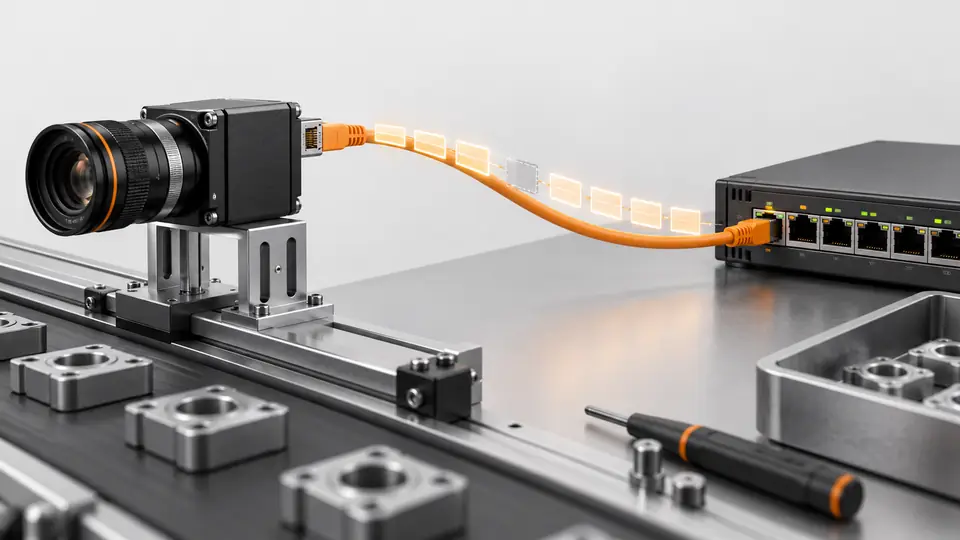
Draw the complete path from camera through cables and switches to the host adapter. Record supported MTU on every segment, link speed, adapter identity, stream parameters, image dimensions, pixel packing and enabled processing. Prepare a run log with expected triggers, received frame IDs, incomplete images, reported resend statistics, processed results and saved files. Use a dedicated run identifier so a counter reset or receiver restart cannot silently join unrelated runs.
Run the test
- Run one camera directly with a conservative supported packet size and log 10000 expected frames.
- Match trigger counts, camera frame IDs, complete received frames and processed results by interval.
- Change one variable: cable, packet size or packet delay; verify MTU compatibility along the whole path.
- Restore switches and other cameras progressively; repeat with production disk writes and CPU load.
First receive images without inspection processing or disk writing, using a supported conservative packet size and the same camera acquisition settings as the failing run. Capture counters before and after the run, then add processing and storage back separately. Change a single transport setting between runs and restore the previous setting if it does not improve the observed failure. A repeatable improvement is stronger evidence than a single clean short capture.
Hypothetical worksheet
Hypothetical Mono8 images of 2048 × 1536 pixels at 30 fps require 94.37 MB/s of payload. Ethernet overhead and resends are additional, so this is not evidence of adequate link margin.
payload_rate = payload_bytes * frames_per_second
2048 * 1536 * 1 * 30 = 94371840 B/s
= 94.37 MB/s = 754.97 Mbit/s (payload only)| Quantity | Hypothetical value | Meaning |
|---|---|---|
| Image payload | 3.146 MB | Unpacked Mono8 example |
| Payload rate | 94.37 MB/s | Before network overhead |
| Payload bandwidth | 754.97 Mbit/s | Not total wire traffic |
The worksheet estimates image payload only. Protocol headers, packet resends and any competing devices consume additional capacity, so a payload below the nominal link rate is not proof of sufficient margin. Verify whether the selected format is packed or padded before using bytes per pixel. Reconcile the expected frame count with each subsequent stage; the first stage whose count differs identifies the next investigation, without automatically proving its underlying cause.
Test sequence
Test sequence
Follow a frame from trigger through camera transmission, NIC reception and application processing to locate the loss.
- Trigger
- Camera
- NIC
- Application
Interpret the evidence
Interpret the evidence
Compare direct connection with the production network using identical payload and workload; only the path changes.
- Direct path
- Switch path
- Resends
- Complete frames
Read the staged diagram from acquisition to result. If camera frame IDs advance but complete images do not arrive, investigate transport and receiver handling. If complete images arrive but results are absent, inspect queue ownership and processing exceptions. If results exist but files are missing, inspect storage. Retain both counters and representative logs: a visually correct image from a different frame does not explain the frame that was lost.
Troubleshooting
- Resends rising with NIC errors suggest transport trouble; inspect cable and link path.
- Complete reception with missing processed results points to queue or processing overload. Adding buffers may postpone overflow without fixing throughput.
A failure only after enabling disk writing suggests host contention, but confirm it by repeating with storage disabled. A larger packet size that worsens reception may expose an incompatible path; check every hop rather than enabling jumbo frames indiscriminately. Increasing inter-packet delay can reduce burst pressure while lengthening transfer time. Check the resulting throughput and acquisition behavior with the actual model instead of assuming the original frame rate remains achievable.
Acceptance and handoff
Require agreement of frame counts and zero unexplained incomplete images throughout the agreed run, including peak load. State run length and observed resend counts; a short clean run does not prove unlimited reliability.
Archive the raw files, settings, sample identifiers and decision limits together. Discuss the documented requirements with Deyi Vision using the related product and preparation guides below.
Repeat the agreed production workload with the final settings, including processing, storage and other intended network traffic. Reconcile all stages for the full expected run and document any allowed loss policy explicitly. Include a controlled receiver restart or cable recovery test only when production safety permits, and verify how incomplete frames are rejected. Release the configuration together with its network topology, counter definitions and evidence that the intended workload remains sustainable.
Sources and technical references
These references explain the methods and limits used in this tutorial. Example checks are guidance; production acceptance requires evidence from your own samples.
- Network-Related ParametersBasler
Packet size, inter-packet delay and frame transmission delay affect network load, separately from exposure timing.
Checked - Troubleshoot Lost Packets or Frames While Using GigE CamerasBasler
Stream statistics and end-to-end packet-size compatibility support transport diagnosis.
Checked
Component and selection references
- GigE vs USB3 Industrial Camera
- Industrial Camera Interface Guide
- Industrial 2D Cameras
- Industrial Camera for Machine Vision
- Industrial Camera vs Regular Camera
- PCB Connector Pin Presence Inspection
- Basler Camera Selection
- Allied Vision Camera Selection
- Hikrobot Machine Vision Alternative
- IDS Imaging Camera Selection
- Test gain, bit depth and low-contrast noise
- Measure hardware-trigger delay and jitter
- OCR labels: camera and character sampling
- Seal and bead appearance: camera setup
- SKU color sorting: acquire repeatable color
- Surface defects: camera sampling and motion
- Validate synchronized cameras under burst traffic