
Comparisons

Smart Camera vs PC-Based Vision System

Compare smart cameras and PC-based machine vision systems by inspection complexity, I/O, multi-camera logic, data handling, maintenance and expansion risk.

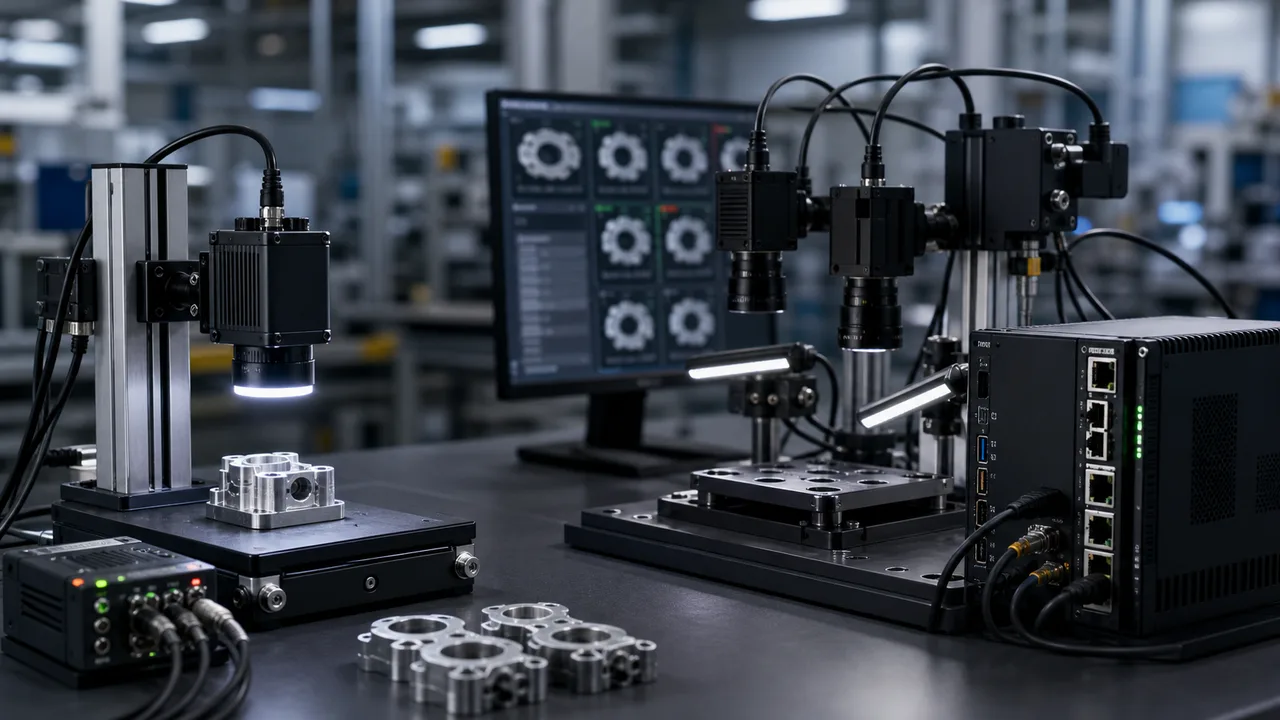
Automation bench comparing compact smart camera station and PC based multi camera vision system

Direct answer

Smart Camera vs PC-Based Vision System

Use a smart camera when the inspection is contained: one station, simple pass/fail logic, limited I/O and fast maintenance needs. Use a PC-based vision system when the project needs multiple cameras, heavier algorithms, image storage, database/MES handoff or flexible future expansion.

Where this matters

Start with the inspection condition.

Smart cameras reduce station complexity. PC-based systems are safer when inspection logic, data handling or camera count grows beyond a contained pass/fail task.

Why projects fail

Confirm the limits that change hardware.

PC-based systems fit complex or multi-camera projects.

RFQ preparation

Send enough context for a real review.

Maintenance, data output and future expansion should guide architecture.

What engineering should check

What this page should help teams decide.

  • Smart cameras suit contained pass/fail tasks.
  • PC-based systems fit complex or multi-camera projects.
  • Maintenance, data output and future expansion should guide architecture.
Practical note

Smart cameras are strongest when the station is contained.

A smart camera can combine imaging, processing and I/O in one compact device. It is often a good route for presence, simple defect, code support, alignment or pass/fail checks with limited logic.

Practical note

PC-based systems handle complexity better.

When the project needs multiple cameras, heavy image processing, custom UI, image storage, database integration or changing inspection recipes, a PC/controller route usually gives more headroom.

Practical note

I/O and maintenance should be decided early.

Some buyers only need OK/NG output. Others need PLC handshakes, recipe control, traceability logs, reject images and remote support. These requirements can move the project from smart camera to PC-based architecture.

Practical note

Do not choose architecture before sample evidence.

If the image signal is unstable, both smart camera and PC-based routes will struggle. Lighting, lens, fixture and sample variation should be reviewed before architecture is locked.

How to test before buying

Use this guide as a pre-RFQ decision filter, not as a part-number shortcut.

Machine vision selection is usually stable when the project starts from the inspection condition instead of a catalog model. Before requesting a quote, define what must be detected or measured, how the part moves, what surface behavior affects contrast and which factory constraint cannot change.

Use this guide to translate the requirement into testable inputs: sample images, target tolerance, line speed, field of view, working distance, mounting envelope and the current failure mode. That gives the factory enough evidence to map the request to camera, lighting, optics, reader or 3D routes.

Decision checks

Three checks before locking the route.

01

Smart camera

Use for compact single-station tasks with contained logic and simple I/O.

02

PC-based vision

Use for multi-camera, heavier processing, custom UI, image storage or database integration.

03

Maintenance

Smart cameras simplify hardware count; PC systems centralize advanced diagnostics.

Decision table

Use these data points to turn the concept into an RFQ-ready decision.

Factor Practical rule RFQ impact
Smart camera Use for compact single-station tasks with contained logic and simple I/O. Send task type, output needs and station space.
PC-based vision Use for multi-camera, heavier processing, custom UI, image storage or database integration. Send camera count, data requirements and expansion plan.
Maintenance Smart cameras simplify hardware count; PC systems centralize advanced diagnostics. Confirm who maintains recipes and settings.
Future expansion PC-based architecture is safer if camera count or algorithm complexity may grow. Share planned SKU and station changes before quote.

Application proof

Related delivery routes that make this selection decision concrete.

View all cases

Common mistakes

Problems that slow down selection.

  • Selecting by model number before the inspection target is measurable.
  • Treating lighting as an accessory instead of the main contrast-control tool.
  • Ignoring fixture stability, part variation and operator maintenance workflow.

Factory handoff

What Deyi Vision reviews after receiving the project details.

The factory route review starts by checking whether the image can be made stable with lighting and fixture control. Then the camera, lens, reader or 3D sensor route is sized against speed, resolution, interface and installation constraints.

If you already have a Keyence, Cognex, Basler, OPT, LMI, Hikrobot or barcode-reader reference, include it as a reference model. Deyi Vision uses it to understand the application class; final selection still depends on real samples and production limits.

Guide to RFQ

Have a real part, sample image or production constraint?

Use the guide to frame the question, then send the details so engineering can recommend a route.

Request engineering RFQ

Guide FAQ

Questions related to smart camera vs pc-based vision system.

Ask engineering
When should I use a smart camera?

Use a smart camera when the inspection is a contained station with simple pass/fail logic, limited I/O and no heavy multi-camera or database requirement.

When is a PC-based vision system better?

A PC-based system is better for multiple cameras, heavier algorithms, custom UI, image storage, traceability integration and future recipe expansion.

What should I send for smart camera versus PC-based selection?

Send inspection target, camera count, I/O needs, image storage needs, database/MES requirements, station space, sample images and future expansion plans.

Contact

Direct RFQ contact

Talk to engineering about the inspection problem.

Send sample images, competitor model, FOV, working distance and line speed before model selection.

Target: selection brief within 24h
Send sample images